22
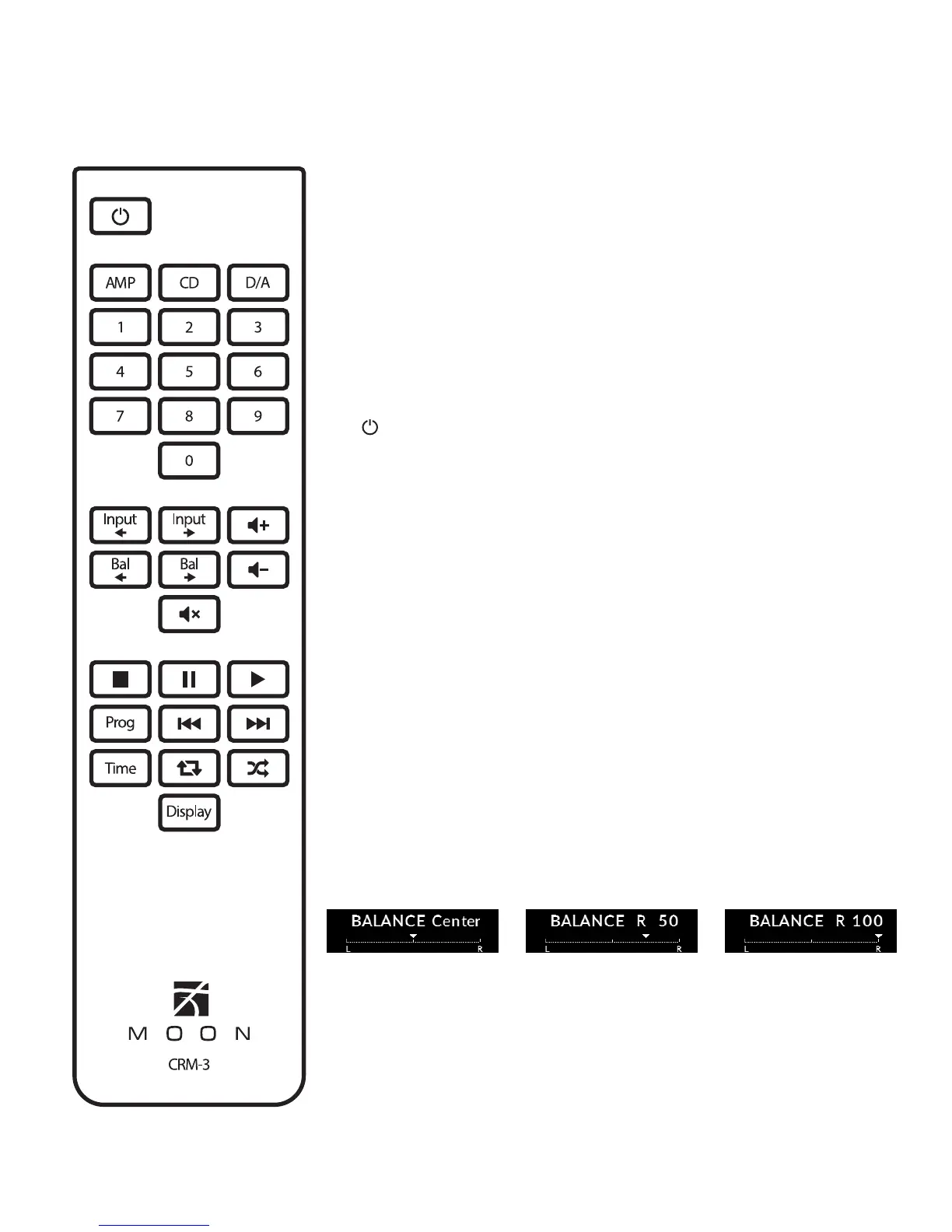
Figure 3: CRM-3 Remote Control
The MOON 240i uses the ‘CRM-3’ full-function remote control (gure 3).
It operates on the Philips RC-5 communication protocol and can be used
with other MOON components. The ‘CRM-3’ remote uses two CR-2032
batteries (included). To install them, simply slide the removeable lower
section of the back plate downwards while applying slight pressure
to the top of this removeable plate.
To engage the ‘CRM-3’ remote for use with the MOON 240i, you must rst
press the button labeled AMP.
The (Power) button, at the top left switches the 240i to either ‘Standby’
or ‘On’ mode.
The 2 buttons labelled INPUT allow you to sequentially scroll, either
backwards or forwards, through all available inputs. Pressing and hold-
ing down either of these buttons results in only a single change to the
selected input.
The 2 buttons labelled - VOL + allow you to control the volume level.
You may either press and hold these buttons down or press them briey to
make volume adjustments.
The 2 buttons labelled BAL control channel balance; Pressing the
left arrow button causes a decrease in the volume level of the right chan-
nel; pressing the right arrow button causes a decrease in the volume level
of the left channel. When the balance is equal for both channels,
“BALANCE Center” will appear in the front panel display. Whenever
you make an adjustment to the balance, it will appear in the display
for 3 seconds. The following 3 images show center balance, a balance
adjustment of 50% to the right channel and a balance setting for the right
channel only:
The MUTE button turns o the output volume. Pressing the “Mute” button
a second time will reinstate the output volume level back to its current
setting.
Remote Control


 To Next Page