17
increments with a range from “20dB” to +”80dB”.
Conversely, rotating the volume control clockwise
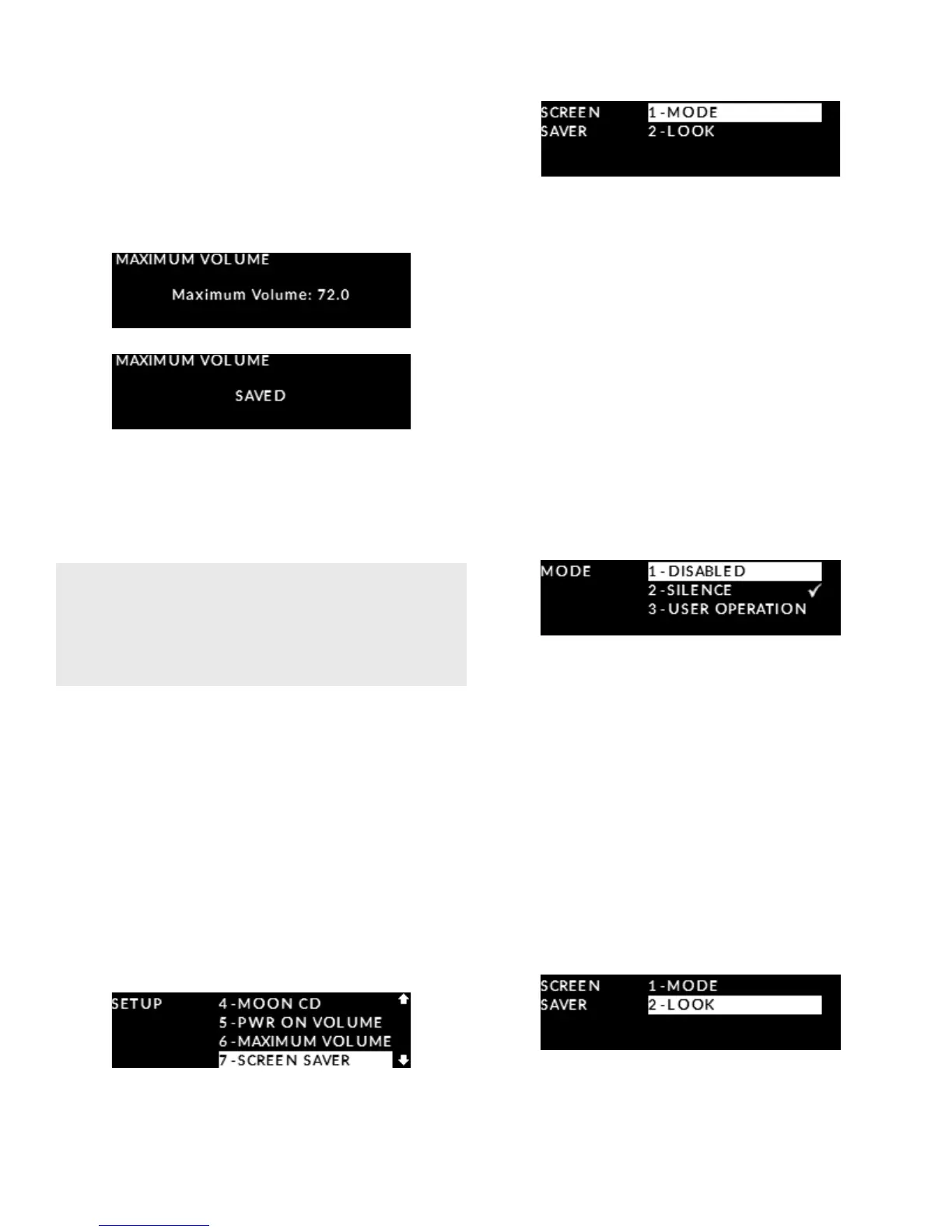
will increase the “MAXIMUM VOLUME” level in 0.5dB
increments. Once you have decided on a volume
level, in this example 72.0dB, press the OK button
and “SAVED” will appear on the display:
Press the “SETUP” button once to exit from the
“PWR ON VOLUME” menu and return to the main
“SETUP” menu. Press the “SETUP” button again to exit
from the “SETUP” menu.
Setting up the display’s screen saver
The 240i’s front panel OLED display window has
an optional screen saver that can be congured
in several ways. The main purpose for a screen
saver is to prevent burn-in on the OLED display;
this will occur when the information on the
display remains unchanged for a long period of time.
Enter the Setup mode by pressing the “Setup” button.
Rotate the volume control until “SCREEN SAVER” is
highlighted on the display and then press “OK”:
Rotate the volume control until “MODE” is highlighted
and press “OK”. There are three (3) available options:
“DISABLED” for the screensaver never being used;
“SILENCE” (default setting) will activate the screen-
saver after a period of twenty (20) minutes of no user
interaction (i.e. changing inputs, volume adjustments,
etc) and no music being played through the 240i;
and “USER OPERATION” which activates the
screensaver after a period of twenty (20) minutes
of no user interaction, even if music is playing though
the 240i. Use the volume control to highlight your
desired “MODE” and then press “OK”. The check-
mark symbol will appear to the right of the option
you selected and ash briey. Then press “SETUP”
to return to the main “SCREEN SAVER” menu.
Once you have decided on a screensaver “MODE”,
you can select from two (2) dierent screensaver
appearance options by rotating the volume con-
trol from the “MODE” option to the “LOOK” option;
The “MOON LOGO” option (default setting) will have
our MOON logo randomly oating on the display
window and “DISPLAY OFF” will result in the screen
being turned o. Use the volume control to high-
light your choice of “LOOK” and then press “OK”.
The check-mark symbol will appear to the right
of the option you selected and ash briey.
Then press “SETUP” to return to the main
“SCREEN SAVER” menu.
When the aforementioned “PWR ON VOLUME” level
has been set higher than this “MAXIMUM VOLUME”,
the “PWR ON VOLUME” will be updated accordingly
to this “MAXIMUM VOLUME” setting.


 To Next Page