15
2.7 Adjusting Model Size
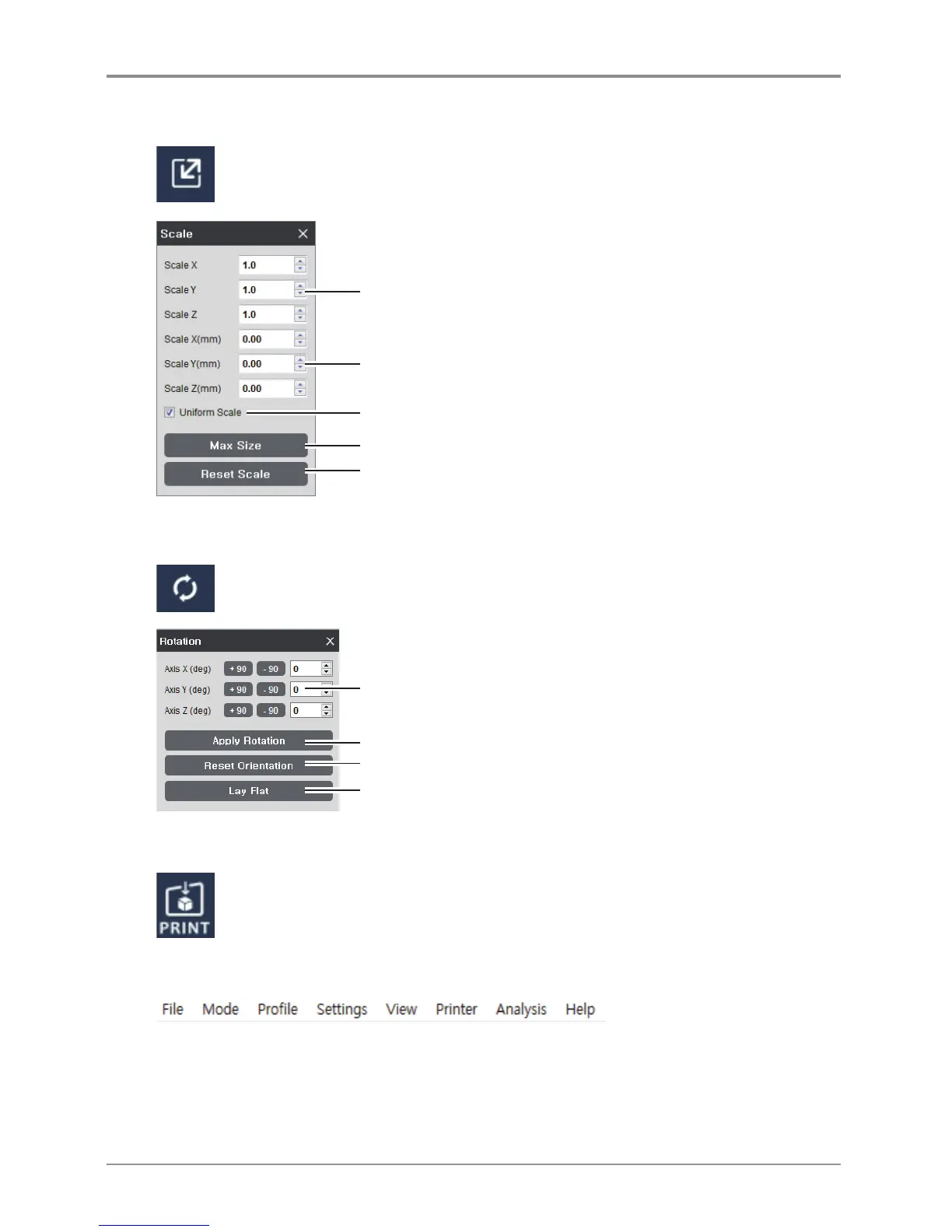
Scale and length of selected model on screen can be adjusted.
Size of scale can be controlled in direction of three axes.
Size of length can be controlled in direction of three axes.
Expansion and contraction on the x,y,z directions at the same ratio.
Adjust model to maximum printable size.
Reset to original size.
2.8 Model Rotation
Selected model can be rotated in the direction of the three axes.
Enter the angle to rotate in three axes.
Restore the model’s original direction when it was initially loaded.
Apply the entered value to the model (Same as the Enter Key)
IIf the model’s angle is tilted, this will automatically adjust the angle so that the
model is adhered to the flat surface of the bed.
2.9 Print
Connect to a printer to print a sliced model over the network
2.10 Standard Menu Bar
Contains File, Settings, and Network printer related functions and located at the top of the program window.



 To Next Page