34
Under Analysis menu, select Thickness / Overhang.
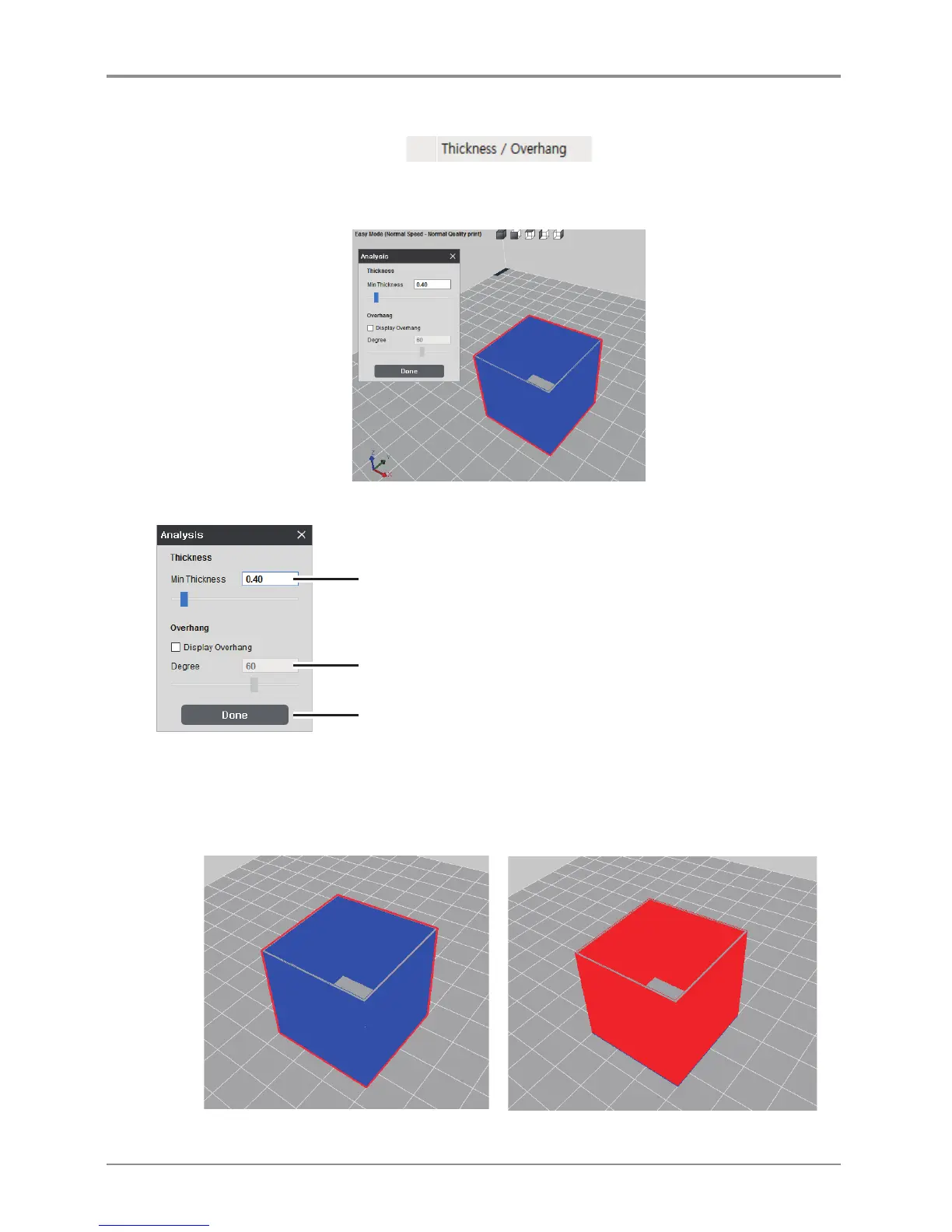
At the top of the screen, under the Analysis menu select Thickness / Overhang. The analysing process is
displayed and calculated results and analysis control window appears.
Analysis Control Window
Controls the thickness.
Display Overhang function on/off.
Controls the angle of Overhang.
Thickness Analysis Function
Shows layers that are thinner than the minimum thickness value. If minimum thickness layer was set to
0.4mm, any layers that are thinner than 0.4mm (in the order of BLUE and RED) will be indicated,
and user will be notified with any problems that might arise.
<Geometry is thicker than set value> <Geometry is thinner than set value>



 To Next Page