10
11
9
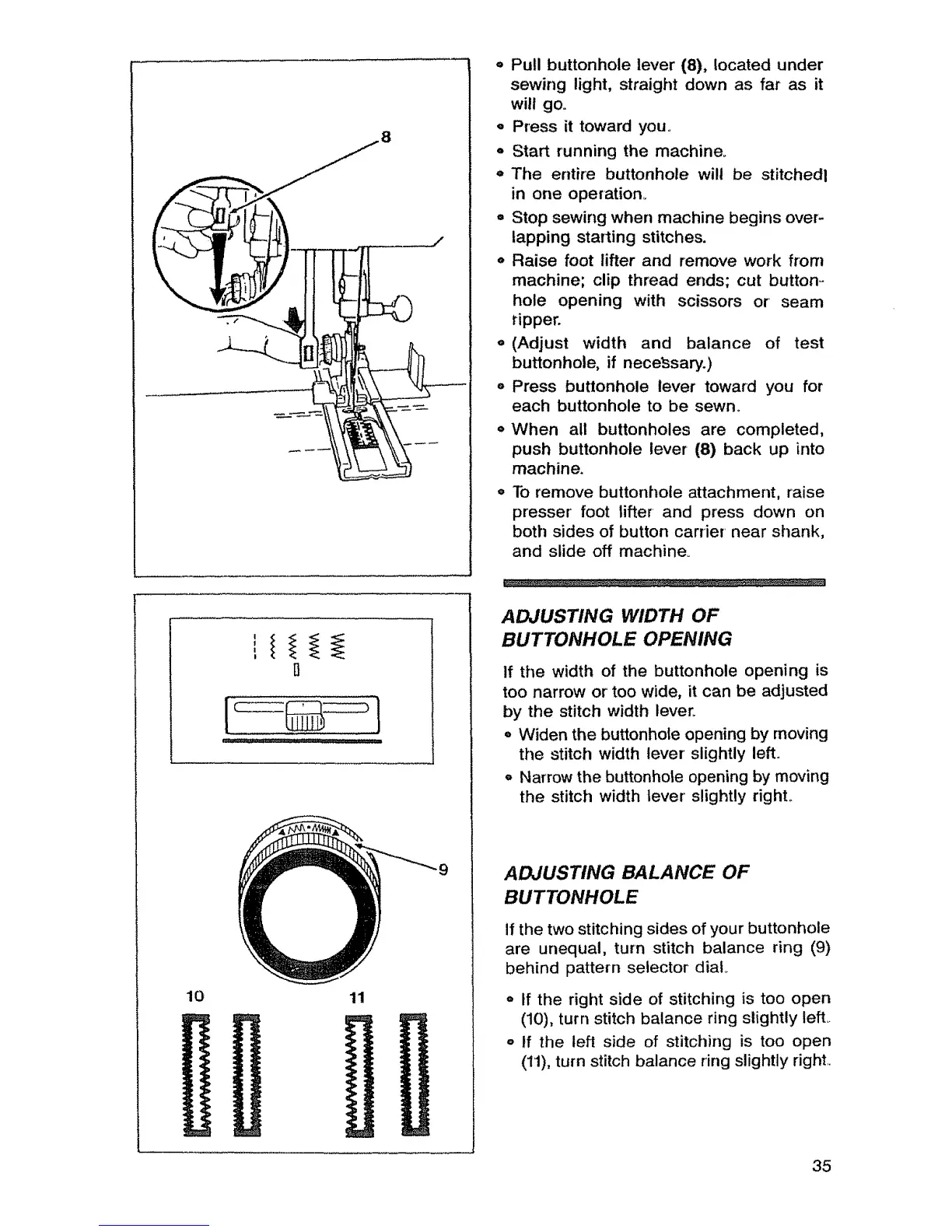
o Pull buttonhole lever (8), located under
sewing light, straight down as far as it
will go.
o Press it toward you.
- Start running the machine°
o The entire buttonhole will be stitchedl
in one operatiom
° Stop sewing when machine begins over-
lapping starting stitches.
o Raise foot lifter and remove work from
machine; clip thread ends; cut button -
hole opening with scissors or seam
tipper.
e (Adjust width and balance of test
buttonhole, if nece_3sary.)
o Press buttonhole lever toward you for
each buttonhole to be sewn.
o When all buttonholes are completed,
push buttonhole lever (8) back up into
machine.
° To remove buttonhole attachment, raise
presser foot lifter and press down on
both sides of button carrier near shank,
and slide off machine_
ADJUSTING WIDTH OF
BUTTONHOLE OPENING
If the width of the buttonhole opening is
too narrow or too wide, it can be adjusted
by the stitch width tever_
o Widen the buttonhole opening by moving
the stitch width lever slightly left.
o Narrow the buttonhole opening by moving
the stitch width lever slightly righL
ADJUSTING BALANCE OF
BUTTONHOLE
tf the two stitching sides of your buttonhole
are unequal, turn stitch balance ring (9)
behind pattern selector dial
o if the right side of stitching is too open
(10), turn stitch balance ring slightly left.
o tf the left side of stitching is too open
(11), turn stitch balance ring slightly right
35



 To Next Page