Use and Operation
6-4
R′10 number system. The value of the
parameter mA / ms can be determined by
the parameter kV, and the exposure time
can be determined by the parameter
mAs / ms.
9
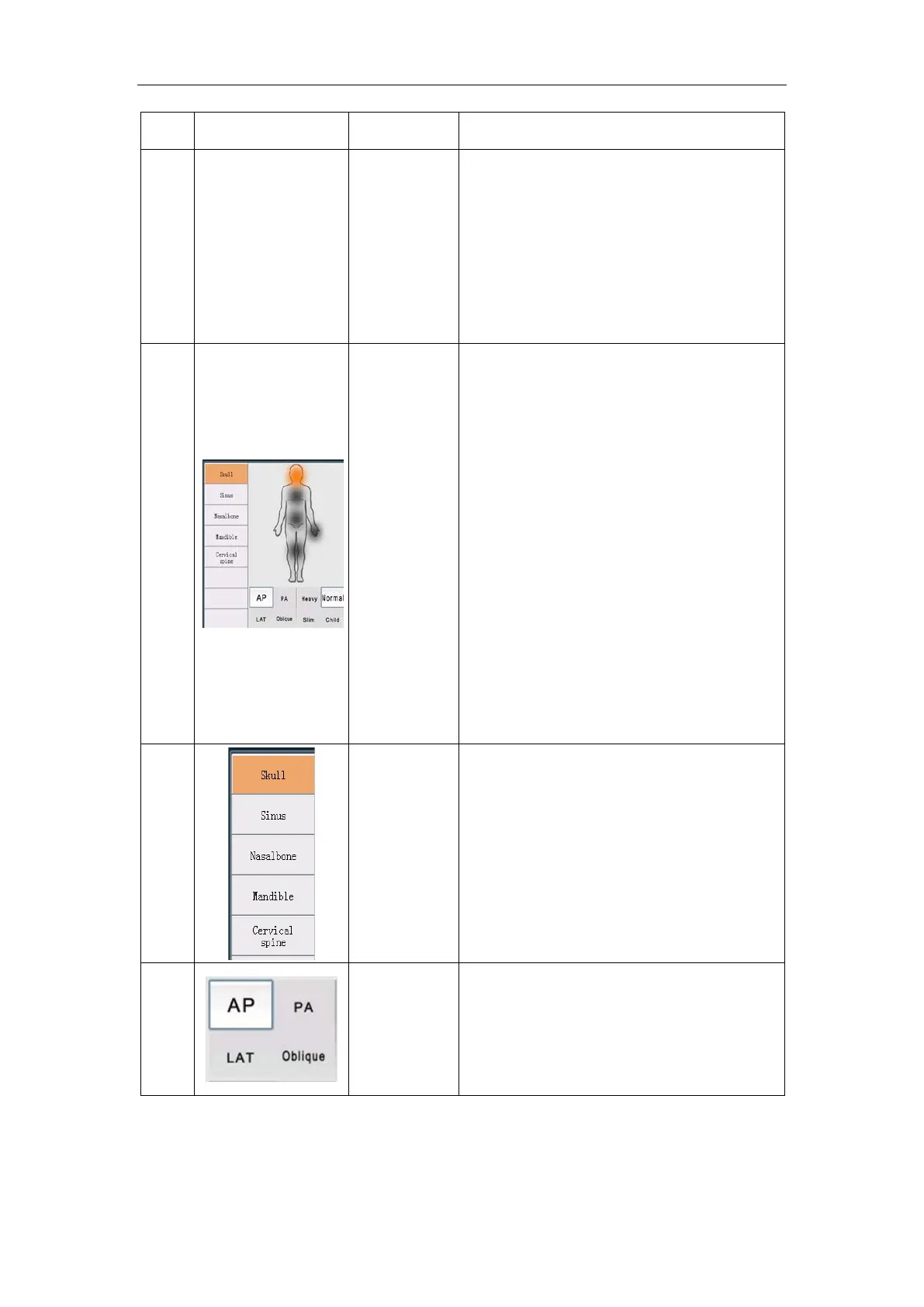
Select area
The Regional selection area is divided into
five parts: head, chest, upper limbs,
abdomen, and lower limbs. You can click
the area where the circle is located in the
selection area (pictogram), the area turns
yellow, and all preset exam parts included
in the exam area are listed in the list on the
left. Below the pictogram is the posture
and body type. After clicking, the
parameters on the right will be adjusted
automatically.
10
Select area
Click on a part in the selection area, and all
preset exam parts will be listed in the list
according to the selected part. You can
click the preset exam part to quickly
switch the exposure parameters.
11
Select area
Postures include AP, PA, LAT and Oblique.
Click one of the postures to quickly switch
the exposure parameters.


 To Next Page