Use and Operation
6-5
12
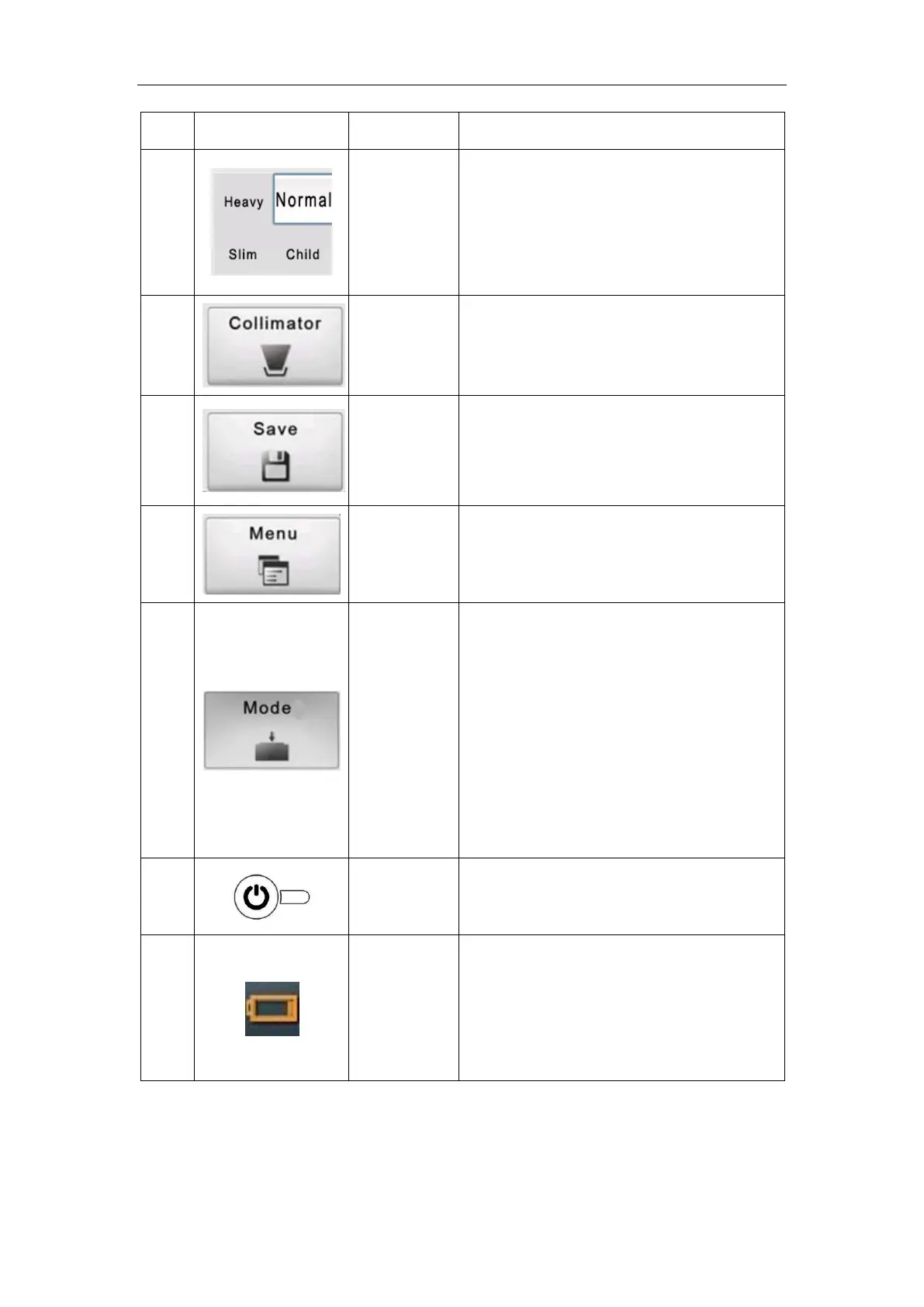
Select area
Body types include Heavy, Normal, Slim
and Child. You can click one of the body
types to quickly switch the exposure
parameters.
13
Button
Collimator Light Button. For details, see
section 6.4.
14
Button
APR parameter save button. Press this
button, and the current kV and mAs can
be saved for the preset exam part.
15
Button
Engineering menu button. Click to enter
engineering mode.
16
Button
One Step Exposure Mode Switch Button
When the button is pressed in the normal
mode, the exposure mode can be
switched When the button is pressed, it is
in One Step Exposure mode, and when it
is popped up, it is in Two Steps Exposure
mode.
17
Button
Press it to turn on/ off the device.
18
Status
indication
Display the current battery level after
booting, there are 10 levels. When the
battery level is orange, it indicates low
battery.


 To Next Page