Send only the legally required data.
Send the vehicle and user data.
Send the vehicle and user data as well as the da-
ta regarding the vehicle position.
Division of vehicle position data on the website
ŠKODA Connect Portal and in the ŠKODA Con-
nect application .
Management of online services
In the service management, it is possible to display
information about the online services, the validity of
their licence, or to switch the services on/o.
›
Tap
ŠKODA Connect (online services)
Privacy settings
and manage services
.
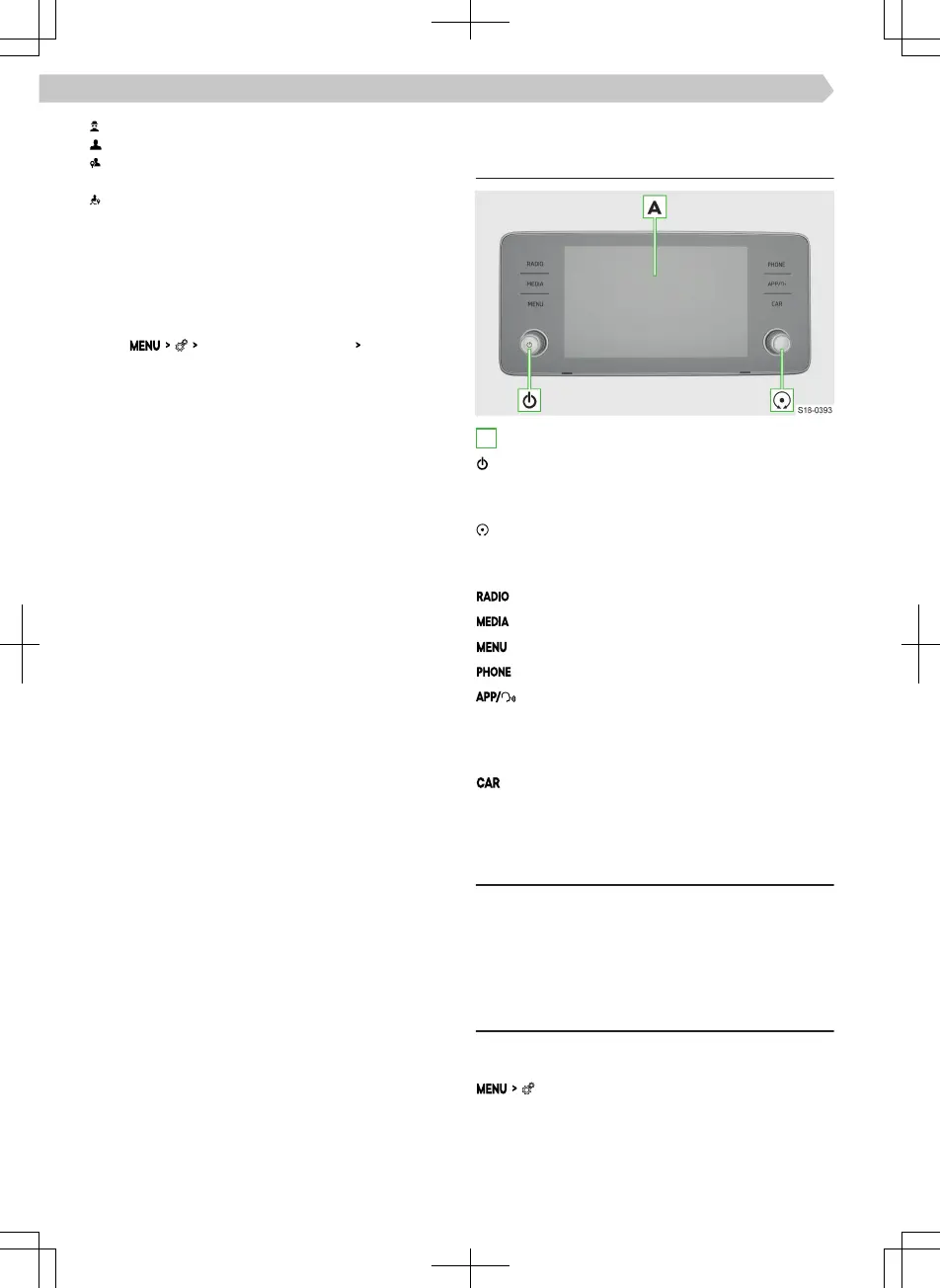
Infotainment Bolero
Infotainment overview
A
Touchscreen
Rotary control on the left
▶
Press: Switch Infotainment on/o
▶
Turn: Adjust Volume
Rotary control on the right
▶
Press: Confirm menu item
▶
Turn: select menu item/set value
Radio menu
Media menu
All menus
Phone menu
SmartLink menu
▶
Tap: Display menu
▶
Hold: switch voice control for the SmartLink
application on/o
Information about vehicle settings
System
Restriction
For safety reasons, operation of some Infotainment
functions while driving is not possible or is restricted.
The Infotainment system indicates this by means of
a message in the screen.
Basic settings
Setting basic functions
The following Infotainment functions are set in the
menu.
▶
Time and date.
▶
Language.
▶
Units.
▶
Restore factory settings.
74
Infotainment Bolero › Infotainment overview



 To Next Page
 Loading...