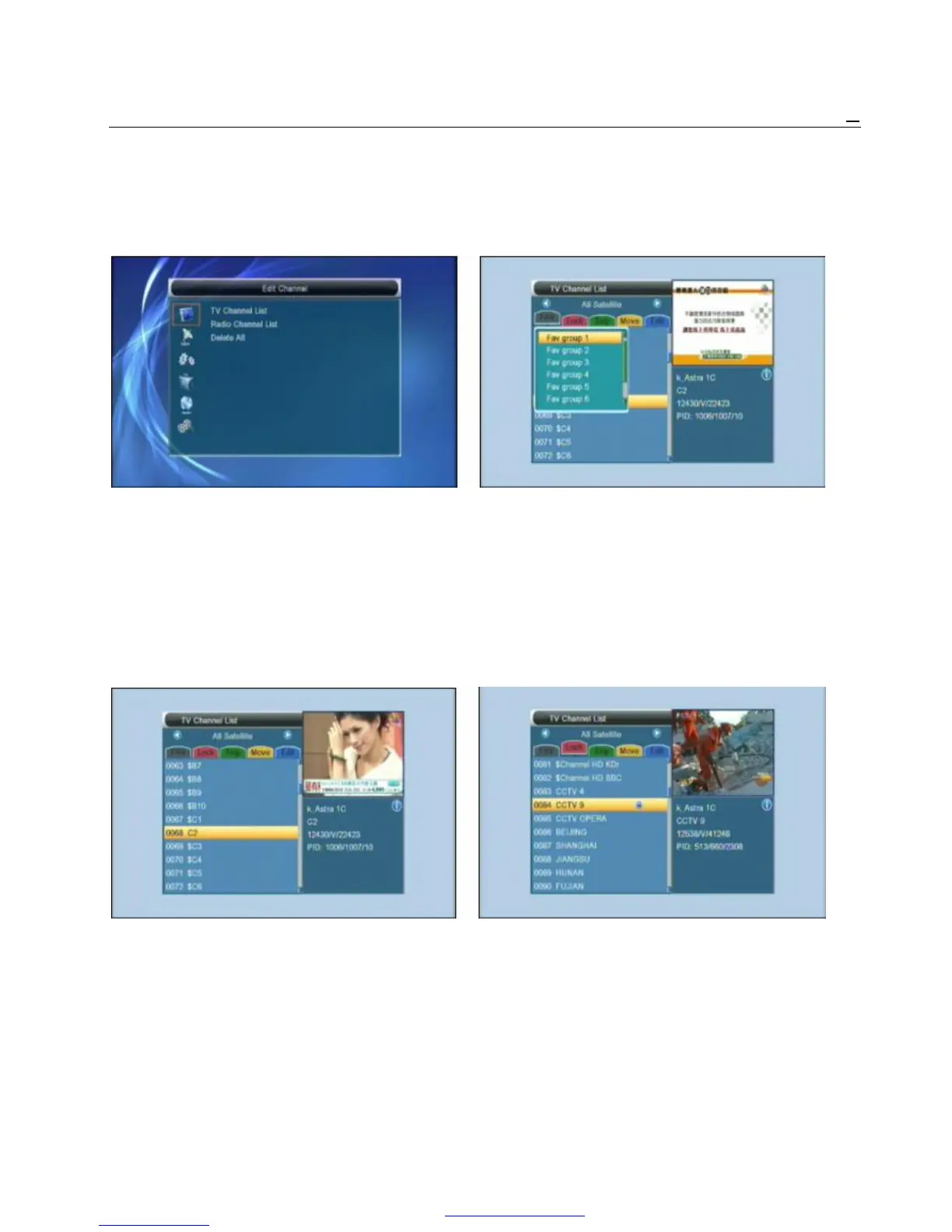
3. Channel “Edit Channel” menu.
When you press [Menu] key to enter menu, there will 5 Press color key can implement the corresponding
display the picture like below: function in “Channel List”.
3.1.1. Favorite
1 Press [Up/Down] key to select menu pages 1 Pressing [FAV] key, then pressing [OK] key can
among Edit Channel, Installation, System Setup, open the “Favorite” window like above
Tools ,Network Local Setting and REC(Multimedia). 2 You can move highlight between 8 favorite groups
2 Press [OK] or [Right] key to enter the “Edit Channel”. by pressing [Channel Up/Channel Down] key and
If Menu Lock is “On”, it will display an dialogue for user press [OK] key to make a favorite mark in the left
to key in password. The default Password is “0000”. side of the selected Favorite group.
3 Press [Up/ Down] key to select menu items 3 Pressing [OK] key on the marked Favorite group
among TV Channel, Radio Channel and Delete All. can cancel the exist favorite mark.
4 Press [Left] key or [Exit] key to go back to main Menu. 4 After marking, pressing [Exit] key can back to “TV
Channel List” , there will show a favorite mark
3.1 TV Channel List beside the marked channel.
When you enter to “Channel List” menu, there will
display the screen like below. 3.1.2. Lock
1 You can move highlight by press [Channel 1 Press [Red] key can enter lock mode.
Up/Channel Down] key and press [OK] key to 2 Press [Up/Down] key to move the highlight
preview the current highlighted program in the and press [OK] key, it will display a dialogue
right side preview window. to ask you to input password. The default
2 You can press [Page Up/Page Down] key to password is “0000”. If you input the correct
implement the Page Up/Page Down function. password you can see a “lock mark” in the
3 You can use [Volume Up/Volume Down] key to right side of the highlighted channel.
switch “Program Group”. 3 After save and exit menu, STB will request
you to input the password while you want to
watch the locked channel.
PDF 文件使用 "pdfFactory Pro" 试用版本创建 www.fineprint.cn



 To Next Page