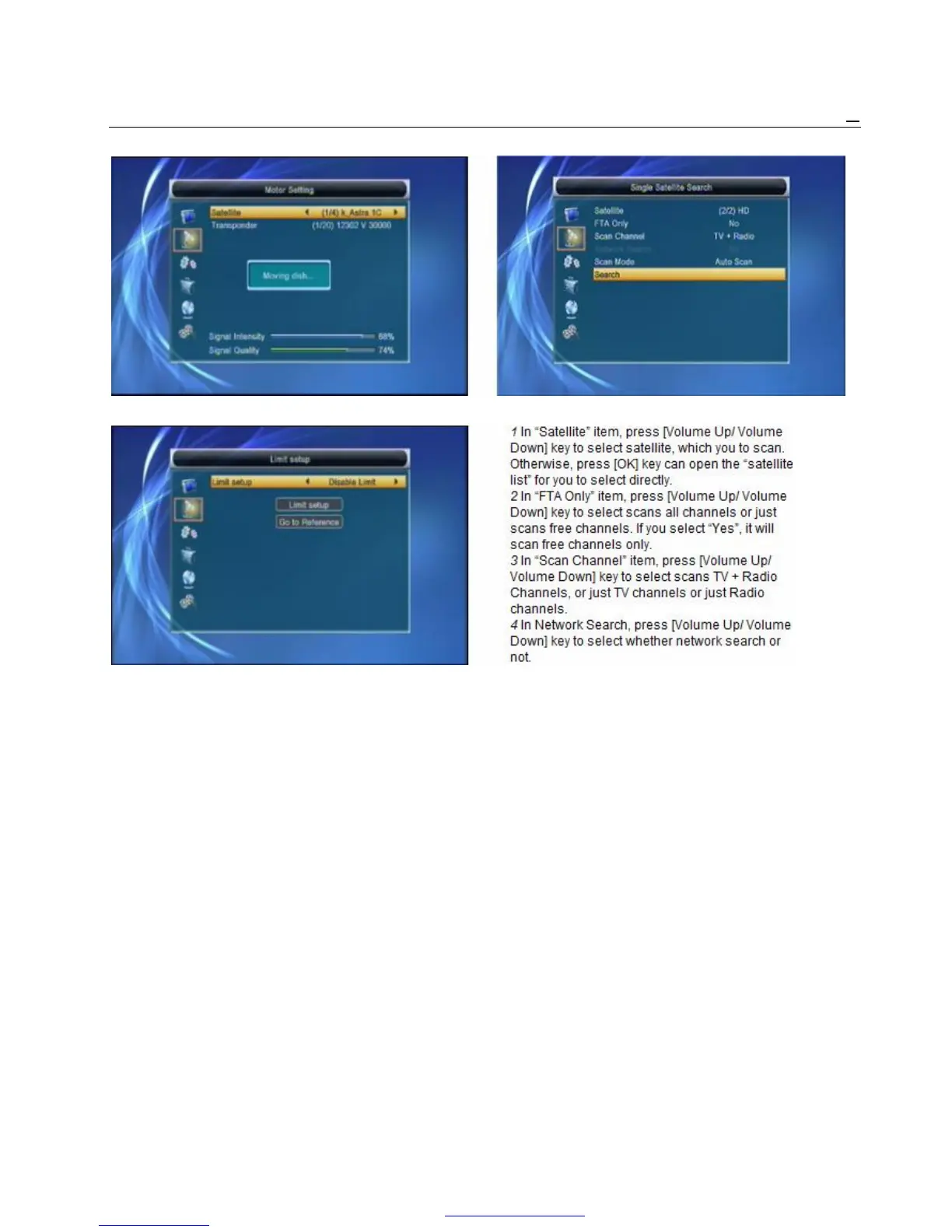
Switching the satellite can move the dish to the right place.
6 Limit Setup:
1 When you set “limit setup” to “West Limit/ East ! Notice
Limit”, you can move the highlight to “Limit You can only do network search when you select
Setup” line and move the dish to west or east by “Preset Scan”.
pressing [Left/Right] key manually. 5 In “Scan Mode” item, you can select “Auto Scan”
2 When you are moving to the target place, to blind scan or select “Preset Scan” to scan all
press [OK] key to save the point. preset TPs.
6 Moving the highlight to “Search” item and press
4.4 Single Satellite Search [OK] key to start scanning. Next screen will
When you enter to “Single Search” menu, there will display the process and show the current
display the screen like below: scanning channel.
7 In the “Single Search” menu, press [Exit] key to
draw back from the scanning and meanwhile
saving the current value.
4.5 Multi Satellite Search
When you enter to “Multi Search” menu, there will



 To Next Page