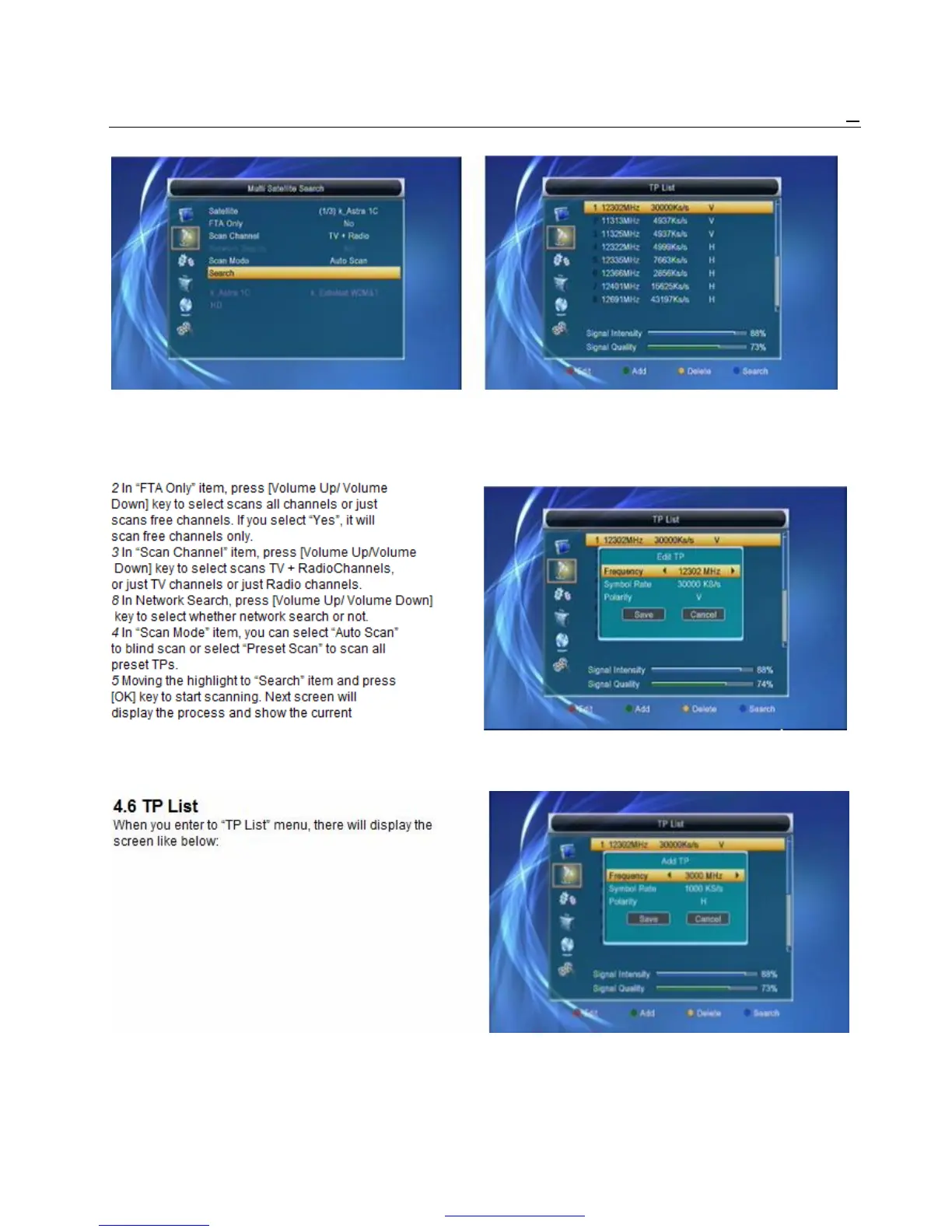
1 In “Satellite” item, press [Enter] key to see the 1 Press [Volume Up/Volume Down] key, you can
selected satellite. The system will use DiSEqC1.0 switch satellite.
/ DiSEqC1.2 / USALS function to search satellite 2 Press [Red] key, open edit TP menu. User can
and scan channels. It will scan all the satellite edit TP info. Frequency:“3000~13450 MHz” ,
displaying in the bottom box. Symbol Rate: “1000~45000Ks/s”.
scanning channel. 3 Press [Green] key, open new TP menu. User can
6 In the “Multi Search” menu, press [Exit] key to add a new TP.
draw back from the scanning and meanwhile
PDF 文件使用 "pdfFactory Pro" 试用版本创建 www.fineprint.cn



 To Next Page