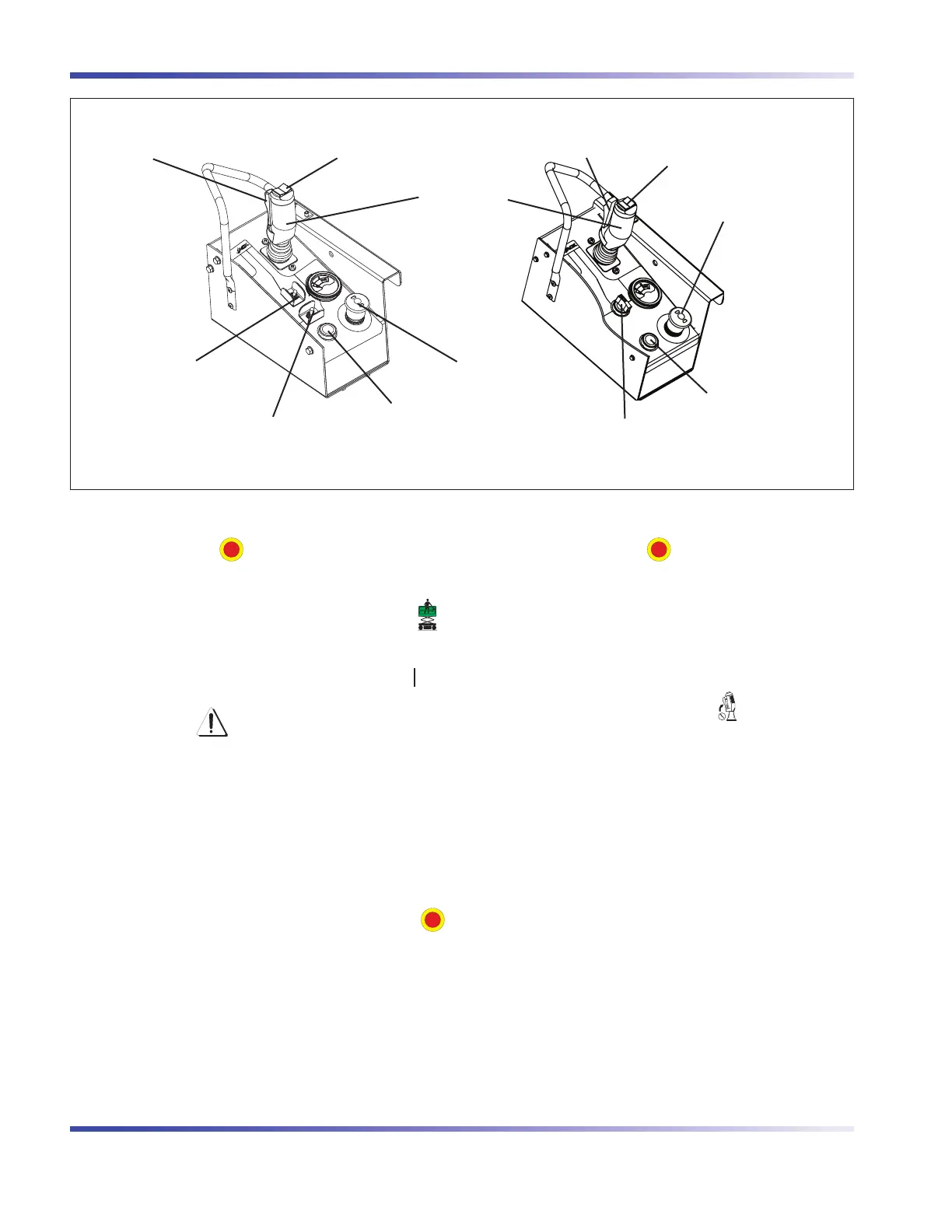
Lift/Drive/Steer Enable
Trigger Switch
Inclined Drive/Level Drive
Switch
Emergency Stop Button/
Operation Light
Rocker Switch
Horn Pushbutton
Controller
Lift/Off/Drive Switch
Emergency Stop Button/
Operation Light
Rocker Switch
Horn Pushbutton
Lift/Inclined Drive/Level Drive Switch
Lift/Drive/Steer Enable
Trigger Switch
Platform Control Console with Toggle Switch Platform Control Console with Rotary Switch
SKYJACK, Page 28 SJIII Series
Section 1 - Scheduled MaintenanceFunction Tests
1.2-3 Platform Control Console
1. Ensure base “
” emergency stop button is
pulled out.
2. Select off/platform/base key switch to “
”
platform position.
3. Ensure main power disconnect switch is in “ ” on
position.
WARNING
Ensure that you maintain three points of
contact when using the ladder to mount/
dismount platform.
4. Use the ladder of aerial platform to access
platform.
5. Close the gate.
6. On platform control console, pull out “
”emergency stop button.
Test Platform Emergency Stop•
1. Push in “
” emergency stop button
and attempt to activate any platform
function.
Result: All selected platform functions
should not operate.
Test Enable Trigger Switch•
1. Without activating “
” enable trigger
switch, attempt to activate any platform
function.
Result: All platform functions should not
operate.



 To Next Page