SKYJACK, Page 29SJIII Series
Section 1 - Scheduled Maintenance Function Tests
Test Steering•
NOTE
Inclined drive (low speed/high torque) is
not available on 3215 and 3219 models.
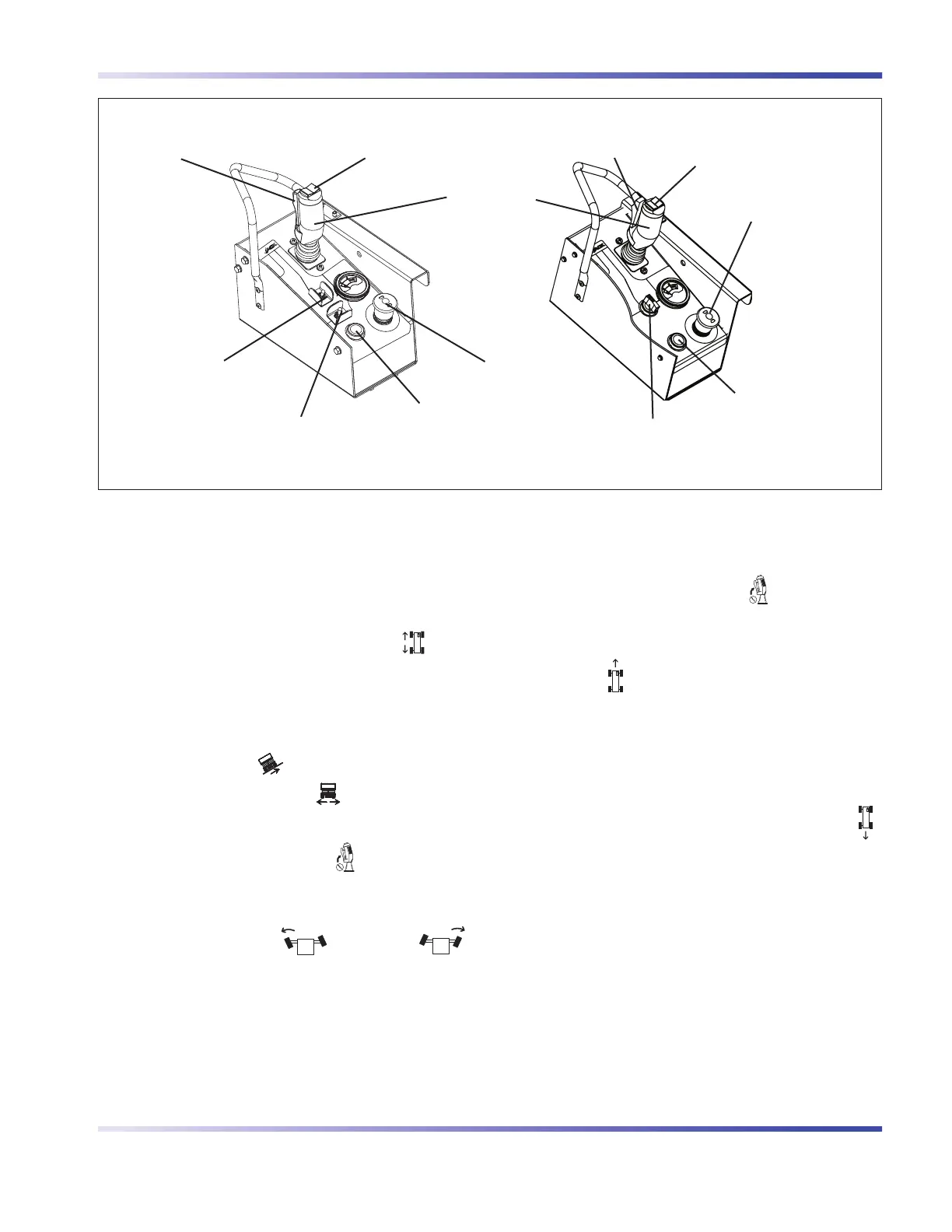
1. For platform control console with toggle
switch:
Select lift/off/drive switch to “
” drive
position.
For platform control console with rotary
switch:
Select lift/inclined drive/level drive switch
to either “
” inclined drive (low speed/
high torque) or “
” level drive (high
speed/low torque) position.
2. Activate and hold “
” enable trigger
switch.
3. Press rocker switch on top of controller
handle to “ ” left and “ ”
right.
Result: Steer wheels should turn left and
right.
Test Driving•
1. Ensure path of intended motion is clear.
2. Activate and hold “
”enable trigger
switch.
3. Slowly move controller handle in
“
” forward direction until aerial platform
begins to move, and then return handle to
center position.
Result: Aerial platform should move in
forward direction, and then come to a
stop.
4. Slowly move controller handle in “
”
reverse direction until aerial platform begins
to move, and then return handle to center
position.
Result: Aerial platform should move in
reverse direction, and then come to a
stop.
Lift/Drive/Steer Enable
Trigger Switch
Inclined Drive/Level Drive
Switch
Emergency Stop Button/
Operation Light
Rocker Switch
Horn Pushbutton
Controller
Lift/Off/Drive Switch
Emergency Stop Button/
Operation Light
Rocker Switch
Horn Pushbutton
Lift/Inclined Drive/Level Drive Switch
Lift/Drive/Steer Enable
Trigger Switch
Platform Control Console with Toggle Switch Platform Control Console with Rotary Switch



 To Next Page