179
SJ30AJE, SJ30ARJE 196274AF
Base Section 5 – Procedures
Making Changes to the Parameters
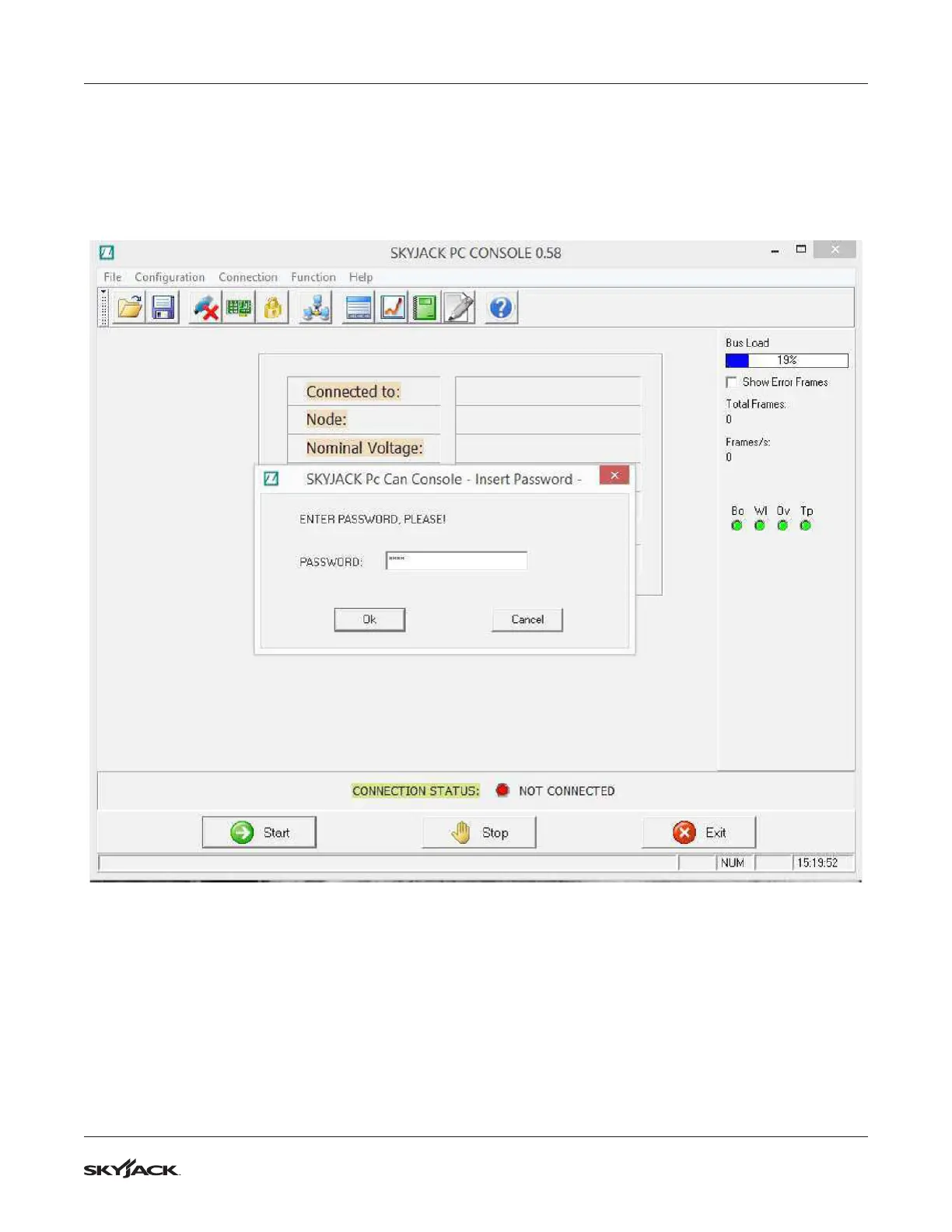
To make changes to the paramters, it is necessary to do both of the following:
1. From the drop down menu Configuration, select Enter Password. In the window that appears, enter the
password 1122 and click OK.


 To Next Page