176
SJ30AJE, SJ30ARJE196274AF
Section 5 – Procedures Base
5.6-11 ZAPI “Skyjack PC CAN Console” Software Guide
Configure the USB-to-CAN Device
After launcing the software it is necessary to configure the USB-to-CAN device.
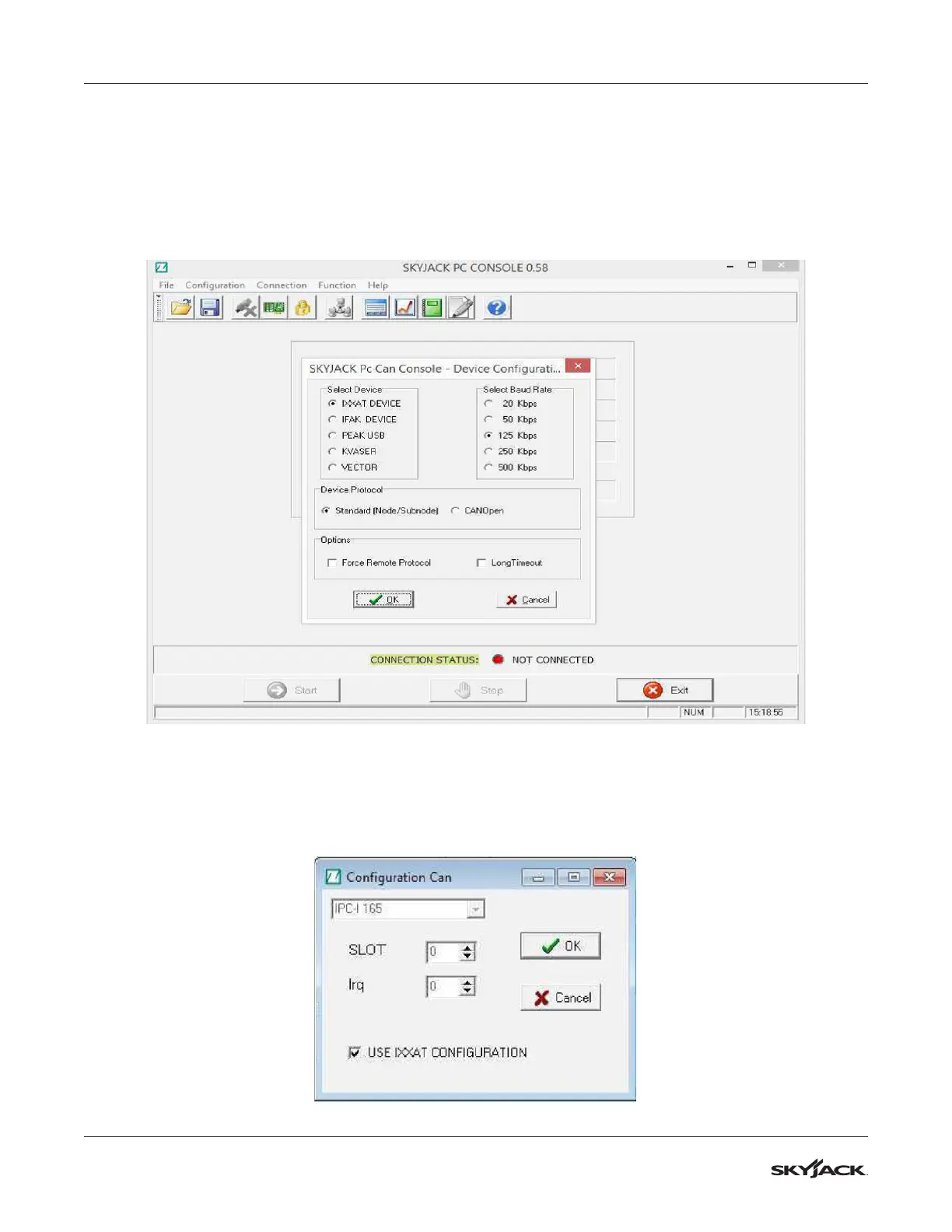
1. From the drop down menu Configuration, select Can Device. The following window will open.
2. In this example, an IXXAT device set with a Baud Rate of 125 kbps (this depends on the controller) and
with Standard Protocol (this means Zapi Protocol) is selected. After clicking the OK button, a configuration
window opens. Tick the USE IXXAT CONFIGURATION box as shown.



 To Next Page