180
SJ30AJE, SJ30ARJE196274AF
Section 5 – Procedures Base
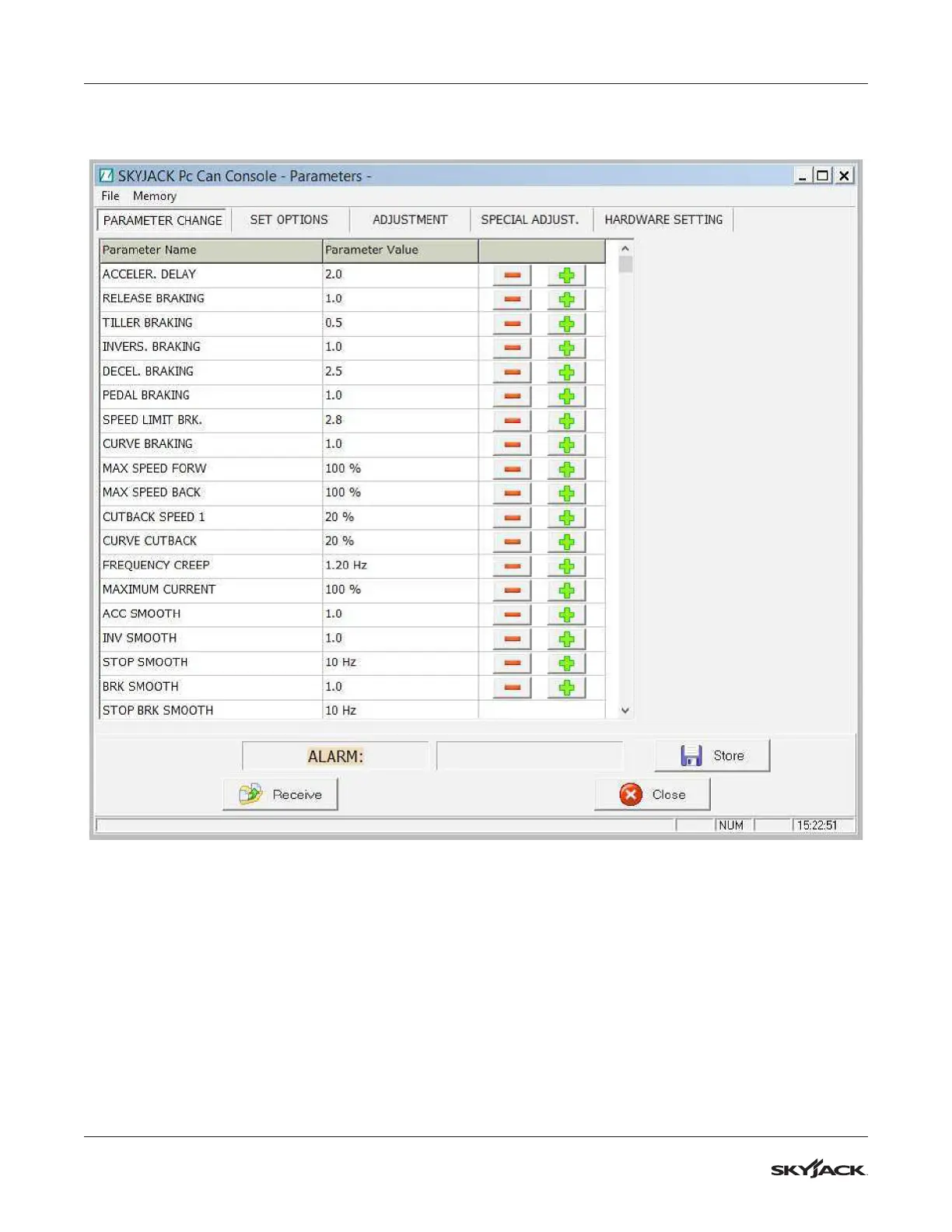
2. From the main menu, select Function, then Parameter to open a new window that allows you to modify all
the parameters (after clicking the Receive button).
3. You can modify the parameters manually in the different sub-menus: Parameter Change, Set Options,
Adjustment, Special Adjustment, and Hardware Setting. Decrease and increase their values using the
applicable - and + icons. To save the changes you must click on the Store icon.
4. It is possible to save the parameters list. In the top left corner of the window, select File, then Save. Specify
the folder and file name, selecting .csv format (so it can be opened as an Excel file).
5. To reset to the default parameters, select Memory, then Restore.
6. Lastly, you can load a parameters list into the controller from a previouisly saved .csv file by clicking Open,
and choosing the specific file.
7. To return to the main menu, you have to close the current window using the Close button.


 To Next Page