187
SJ30AJE, SJ30ARJE 196274AF
Base Section 5 – Procedures
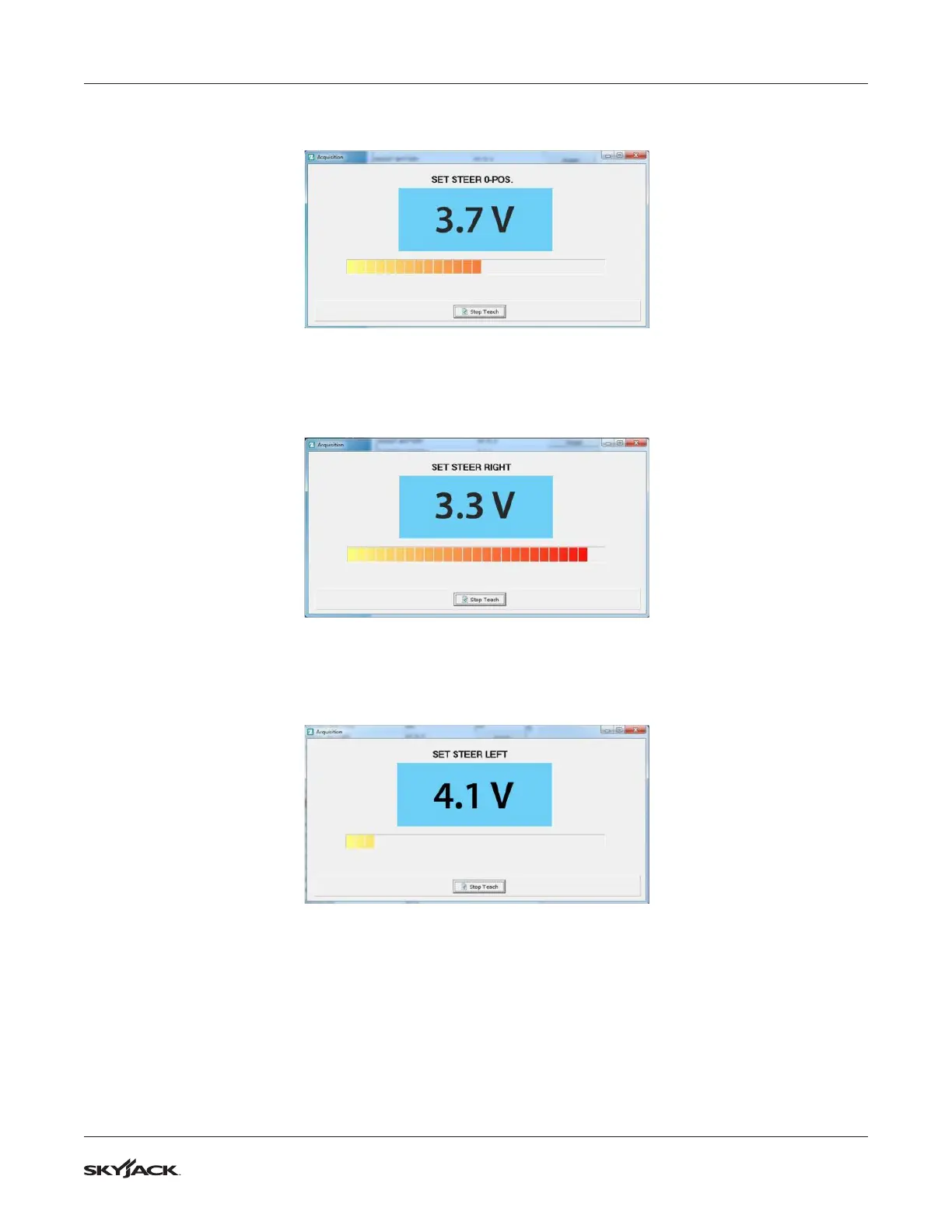
4. Set Steer 0-Pos: Ensure the steered wheels are in the straight ahead position and click Aquire next to
Steer 0-Pos. The following dialogue box will be displayed.
5. The value should be in the region of 5 V when the wheels are straight. Now click Stop Teach to store the
value and close the dialogue box.
6. Set Steer Right: First you need to steer the wheels fully to the right. Click Aquire next to Set Steer Right.
The following dialogue box will be displayed.
7. With the wheels at the fully right position, the voltage should be higher than the Set Steer 0-Pos value.
Press Stop Teach to store the value and close the dialogue box.
8. Set Steer Left: Steer the wheels fully to the left. Click Aquire next to Set Steer Left. The following dialogue
box will be displayed.
9. With the wheels at the fully left position, the voltage should be lower than the Set Steer 0-Pos value. Now
click Stop Teach to store the value and close the dialogue box.
10. The steering feedback device is now programmed.


 To Next Page