CDP-300 User’s Guide
Document Rev. 01.008 DOC0500 Page 14 of 42
Restricted Proprietary and Confidential Information
2. To send the Quick Mail to a recipient selected from the address book, or
3. Enter a New address from the keypad (CDP/DVI operation only)
Note: In the CDP/DVI configuration the user can also edit the quick mail and save the changes.
4.1.1 EDITABLE FIELD MESSAGE (EFM)
Quick Mails, and/or replies can be created to have user editable fields. The fields hold multiple options that the user
can select from, increasing the capability of a single message.
Example: A message can be created to have an editable field for a time value in the form (00:00), where each digit
can be adjusted, separately, enabling any value from 00:00 to 23:59 to be sent using one Editable Field Message.
Editable messages are pre-programmed with selectable options using the SkyWeb application. Please see your
SkyWeb Program Manager or their designate to get these entered.
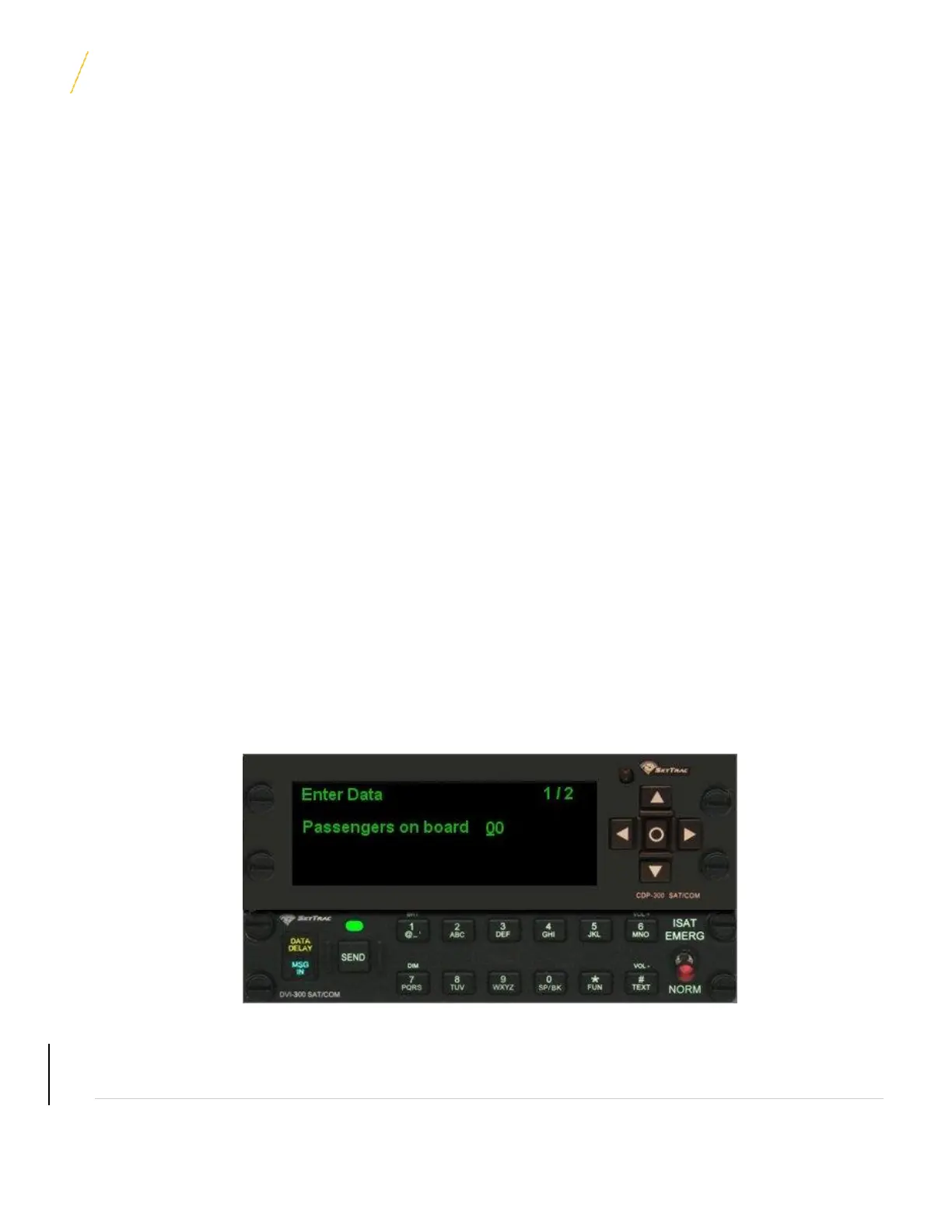
In order to send an editable message, select the message that is to be sent from the Quick Mail menu by using the
◙ key. If using a CDP/DVI, the DVI ‘Send” key can be used to ‘express send’ to the predefined default address.
(Those that include editable fields will show ‘EFM’ in the top line of the display). Choose the recipient from the
available options (the default location or use the address book) and press the ◙ key. The cursor will automatically
be placed at the field that is to be edited. Use the ▲, ▼ keys to scroll through the preset options and the ►, ◄ keys
to move to the next editable field. (The number of editable fields will be indicated in the top right corner of the
screen).
Once the relevant entries have been made, select the ◙ key again to send the message.
UNCONTROLLED COPY IF PRINTED



 To Next Page