Page 28 of 66
8.13 To Use the SLE2000 in CMV Mode
As in steps 1 to 5 and CPAP setup.
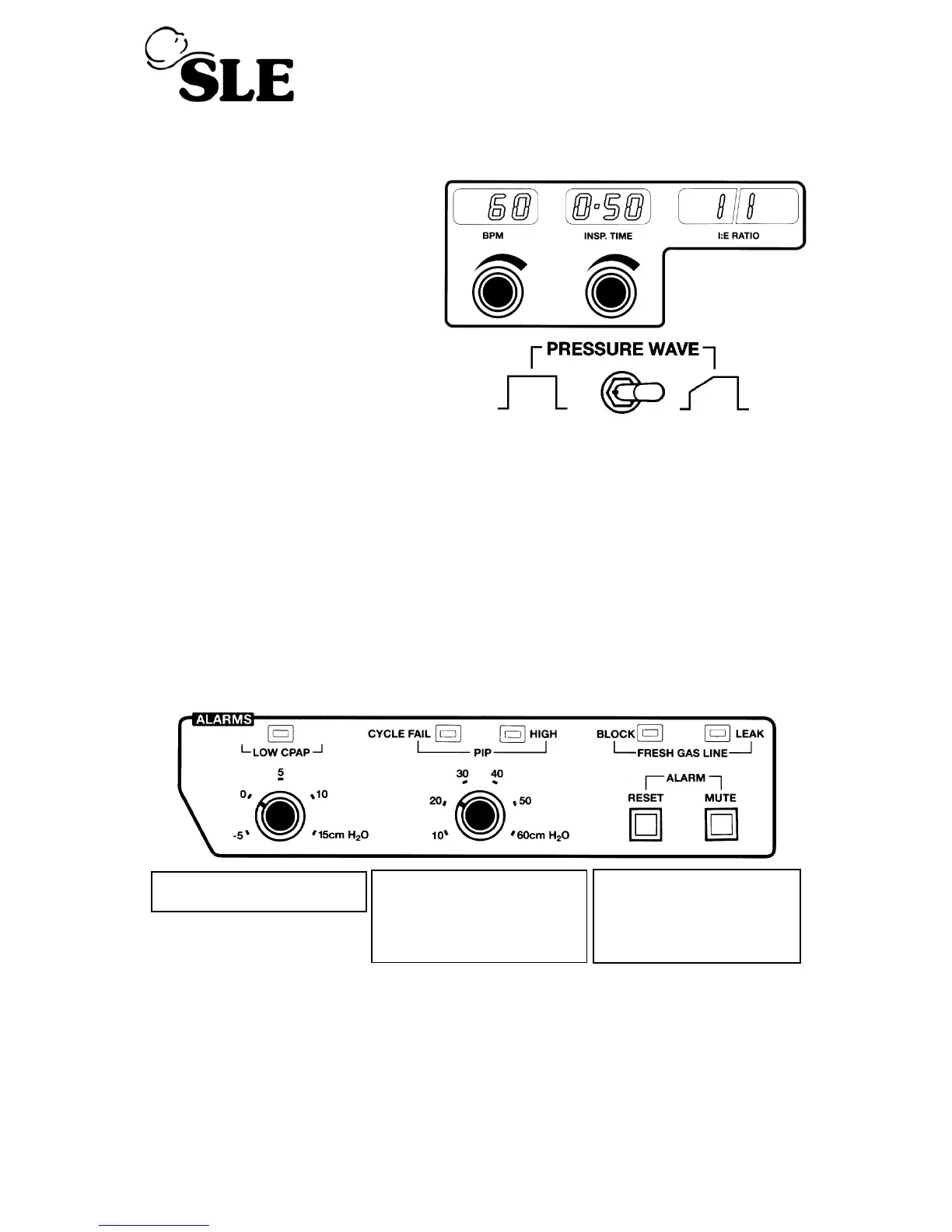
(a) Set INSP.TIME to required rate
(displayed in seconds).
(b) Select Pressure Wave Shape
SQUARE or TAPER.
(c) Switch mode switch from CPAP to CMV
Note: Ventilator will start to cycle and the alarms will probably sound - press
MUTE to silence them.
(d) Adjust the BPM to required rate.
(e) Set the pressure display switch to PEAK and increase the INSP. PRESSURE
regulator to the desired level. This is indicated on the digital pressure display.
(f) Set the PIP alarm to required level. Press RESET to clear the alarms.
LOW CPAP is activated if
pressure falls below setting
HIGH will activate if PIP
setting is exceeded by more
than 4 cms. It will also open a
pressure relief valve and
activate
LEAK alarm
CYCLE FAIL will activate if
pressure wave fails to pass
through a threshold which is
automatically set at 4 cms
below the
PIP setting



 To Next Page