Page 122 (Model K)
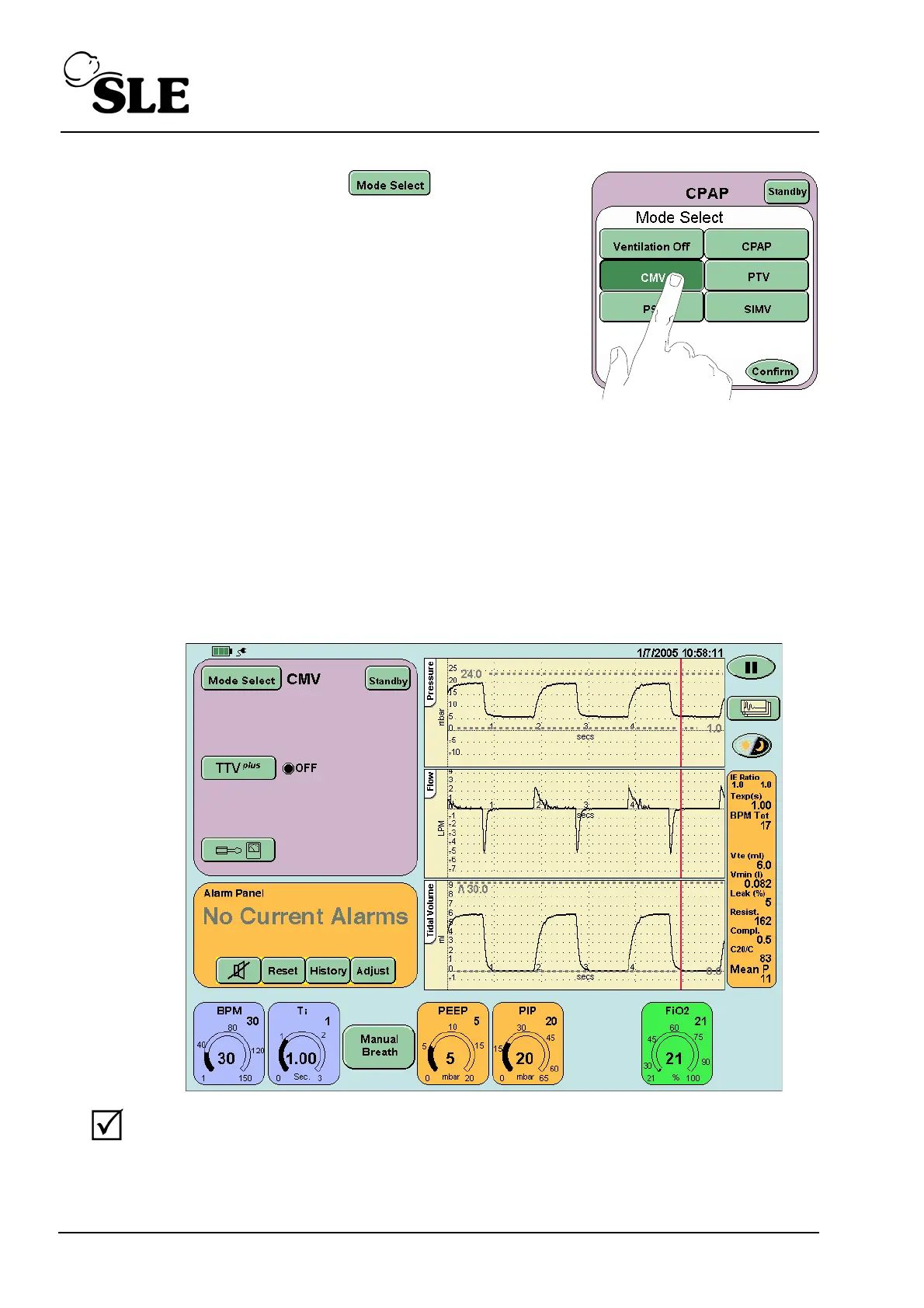
Step 19 Press the Mode Select button and
select CMV from the Mode Select panel, but Do
Not press the confirm button. Advance to Step 20.
Step 20 Set the following parameters in the CMV preview mode:
BPM .....................18
Ti ..........................3 sec
PEEP....................5mbar
PIP .......................20 mbar
FiO
2
......................21%
Step 21 Press the confirm button to enter the CMV mode.
Verify
a waveform appears in all the waveform windows and that they
correspond to the set parameters.



 To Next Page