Page 136 (Model K)
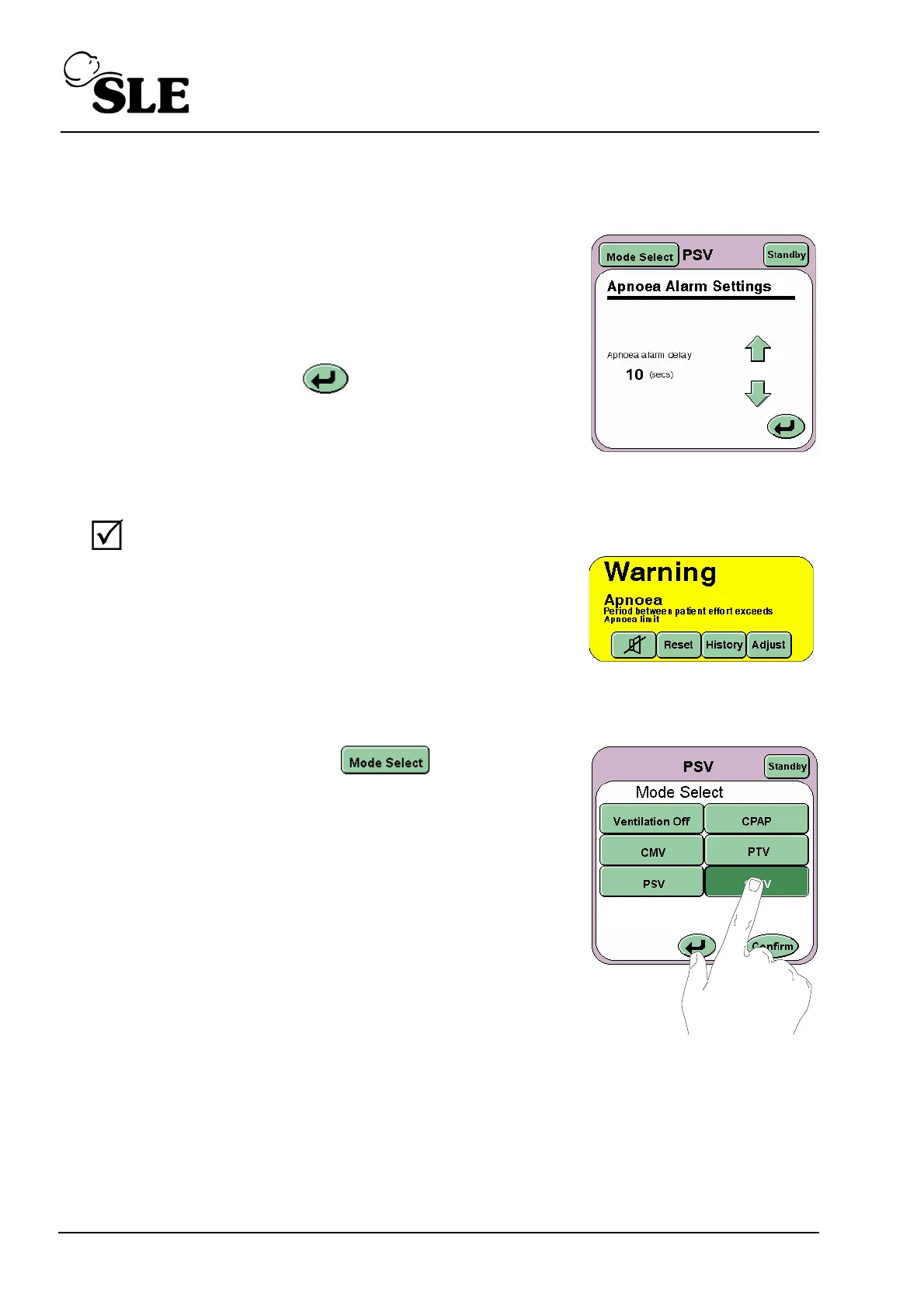
Step 54 Reduce the back up rate to 19 BPM. The Apnoea Setup button should now
become active.
Press the Apnoea Setup button on the Mode
Panel. The Apnoea Settings panel should now be
displayed.
Set Apnoea alarm delay to 10 seconds.
Press the Return button to return to the
Mode panel.
Step 55 Squeeze the test lung to mimic a breath.
Verify that:
after 10 seconds that the visual and
audible Apnoea alarm is triggered.
Increase the back up rate to 20 BPM.
Step 56 Press the Mode Select button and select
SIMV from the Mode Select panel, but do not press
the confirm button. Advance to Step 57.



 To Next Page