Store the battery at temperatures between 0 °C and
40 °C.
When you store the battery for longer periods, make
sure to charge it every two weeks. This will prevent the
battery from over-discharging.
4.2 Connecting the Meter
4.2.1 Connecting a DVB-T Aerial
Connect the aerial or the aerial system you want to check to the aerial
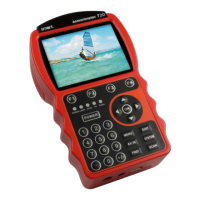
port on the top of the smartmeter T20.
4.2.2 Connecting an External Video Source (optional)
Connect the video device you want to check (e.g. SAT receiver, PC
graphics card with TV output) to the
Video In and Audio In ports on the
top of the smartmeter T20.
4.2.3 Connecting a USB Data Storage Device (optional)
Connect a USB data storage device (USB memory stick, USB hard
drive) to the USB port on the bottom of the smartmeter T20. Using a
USB data storage device is absolutely required for some of the func-
tions of the smartmeter T20. The manual indicates which functions
these are.
4.2.4 Connecting the Power Plug (optional)
Connect the supplied power plug to the low-voltage socket on the bot-
tom of the smartmeter T20 to charge the built-in battery (see instruc-
tions for charging of the battery in the section 4.1).


 To Next Page