smartmeter T20 17
4.4 Switching off the Meter
Press the POWER key once again to switch off the meter after use.
For long operational pauses, please also separate the
smartmeter T20 electronics from the battery by setting
the battery-switch on the underside of the device to an
OFF
position.
4.5 Entering and Exiting the Menu
Press the MENU key to enter the main menu. The display shows the
OSD main menu.
The display shows the
Main Menu window when you switch the smartme-
ter T20 on and when you re-enter the menu:
Press the
EXIT key to exit the menu or to return to the previous menu
level.
Depending on the submenu you are in, you may have to
key several times to return to the
.
4.6 Navigating through the Menu
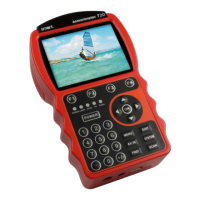
Use the function keys F1...F4 and the navigation keys to navigate through
the menu:
Press ► or
F1 to select the menu item to the right.
Press ▼ or
F2 to select the menu item below.
Press ◄ or
F3 to select the menu item to the left.
Press ▲ or
F4 to select the menu item above.
Press
OK to enter the selected menu item.
Activated menu items are highlighted by colour.


 To Next Page