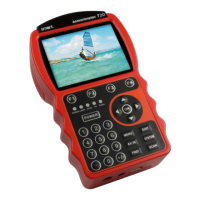
smartmeter T20 33
Press the F1 key (mute) to switch off the TV tone. Press the F1 key
again to switch the TV tone back on.
Press the
F2 key (Hide) to hide the function keys.
Press the
F3 key (info) to display details on the selected station (see
above). Press the
F3 key again to return to the TV picture.
Press the
AV IN key to use an external video device (e.g. PC TV card,
video recorder) as a source of the video signal. The external device
must be connected to the meter via the
Video In and Audio In ports on
the top of the meter. Press the
AV IN key again to return to aerial
mode.


 To Next Page