Chapter 4 • Downloading Downloading New Updates
©X-431 USA 4-5
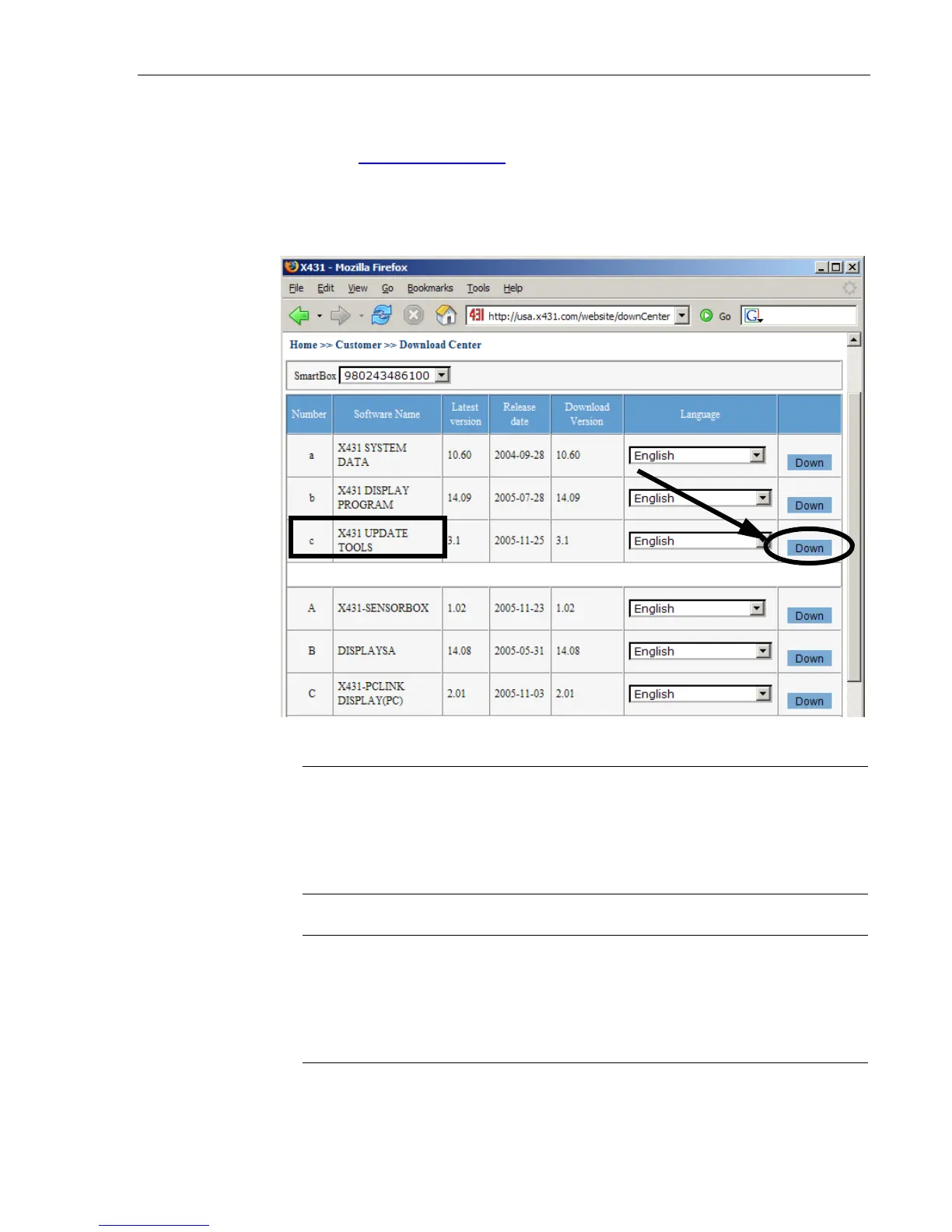
The first download is the X431 Update Tools. This file can either be
downloaded from this page, as noted below, or from the ‘Update/Register’
page at www.x431usa.com. You will not save this file, you will select RUN
after clicking ‘DOWN’ (short for Download) as noted in Figure A. This
program will update your CF card when you are completed with
downloading each of the software updates. After clicking “Down”, you will
complete the following steps.
NOTE • It’s important to note that the X431 Update Tools download is
the the only download in which you will select “Run” when the
download window appears. All subsequent downloads will utilize the
“Save” function. This is explained in step-by-step detail in the pages
ahead.
NOTE • If you click Download and nothing happens, it may be because
you have pop-up blocker software enabled. Try holding the C
TRL key at the
same time as you click Download. Hold the CTRL key until you see the
download begin. If that does not work, you will have to disable your pop-up
blocker software in order to download. This may be crucial for AOL users
Figure A



 To Next Page