Chapter 4 • Downloading Downloading New Updates
©X-431 USA 4-11
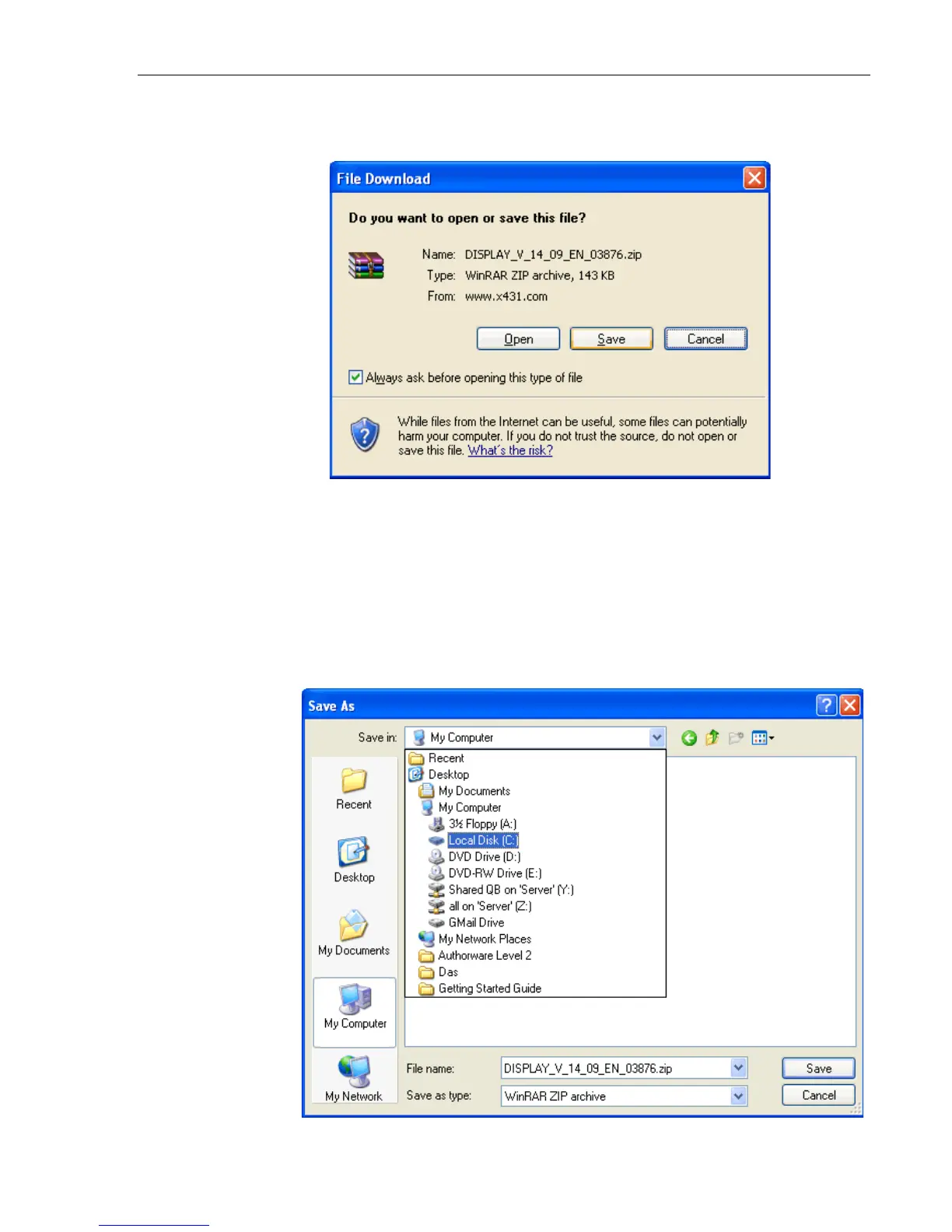
15. The File Download window appears after clicking ‘Down’. Click
Save.
Next, the Save As window appears. Here you will need to select the
folder where you will store all of your downloads. We recommend that
you create a folder on your local drive called X431 Downloads, so that
you will always know where to find all of your updates. To do this,
follow these steps. If you have already completed this step, you will
continue saving updates in this location.
16. On the left-hand side, click My Computer. Then from the Save in:
pull-down at the top, select Local Disk(C:) (most likely your local
drive is the C: drive).



 To Next Page