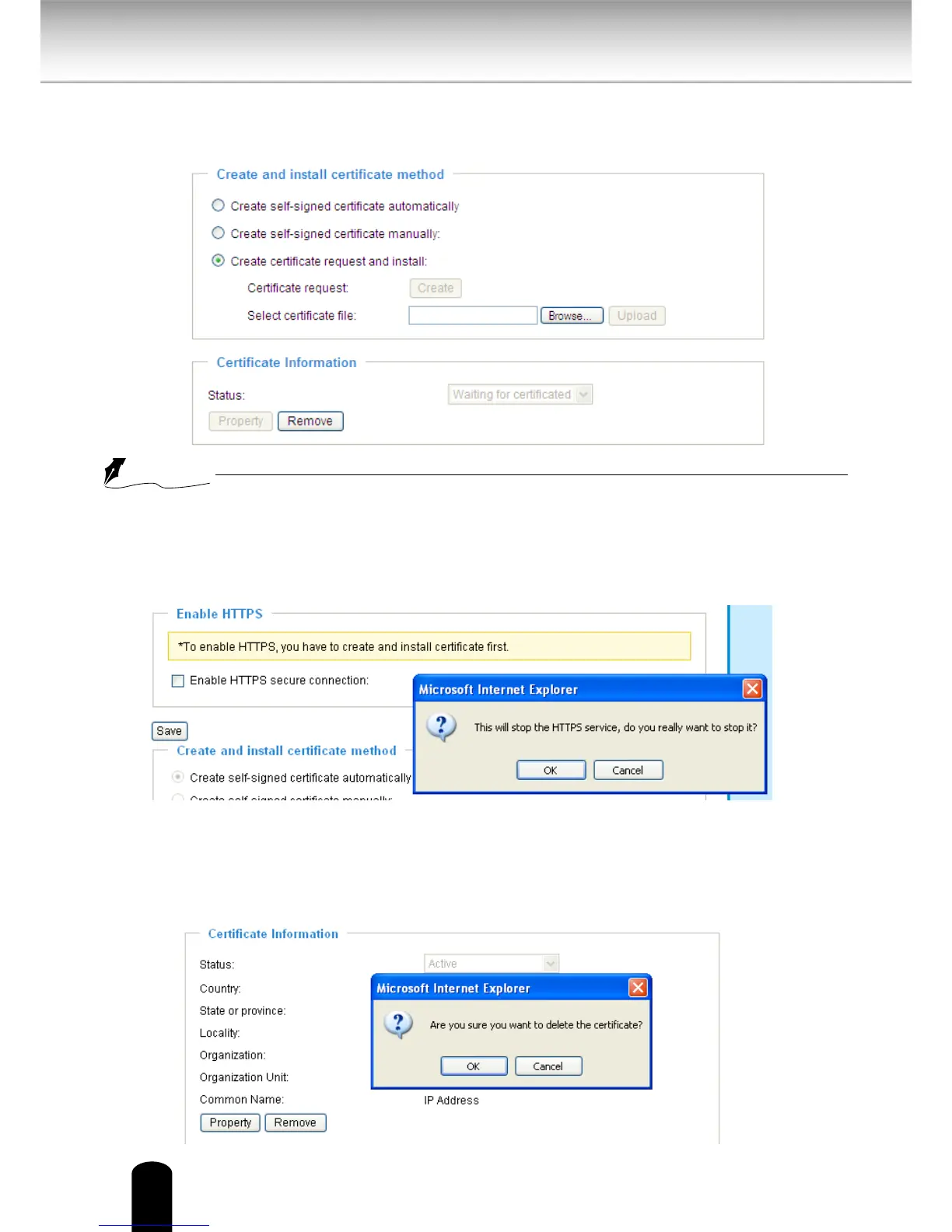
5. Look for a trusted certificate authority that issues digital certificates. Enroll the Network
Camera. Wait for the certicate authority to issue a SSL certicate; click Browse... to search
for the issued certicate, then click Upload in the second column.
●
How do I cancel the HTTPS settings?
1. Uncheck Enable HTTPS secure connection in the first column and click Save; a warning
dialog
will pop up.
2. Click OK to disable HTTPS.
3. The webpage will redirect to a non-HTTPS page automatically.
●
If you want to create and install other certicates, please remove the existing one. To remove
the signed certicate, uncheck Enable HTTPS secure connection in the rst column and click
Save. Then click Remove to erase the certicate.



 To Next Page