Audio and Video
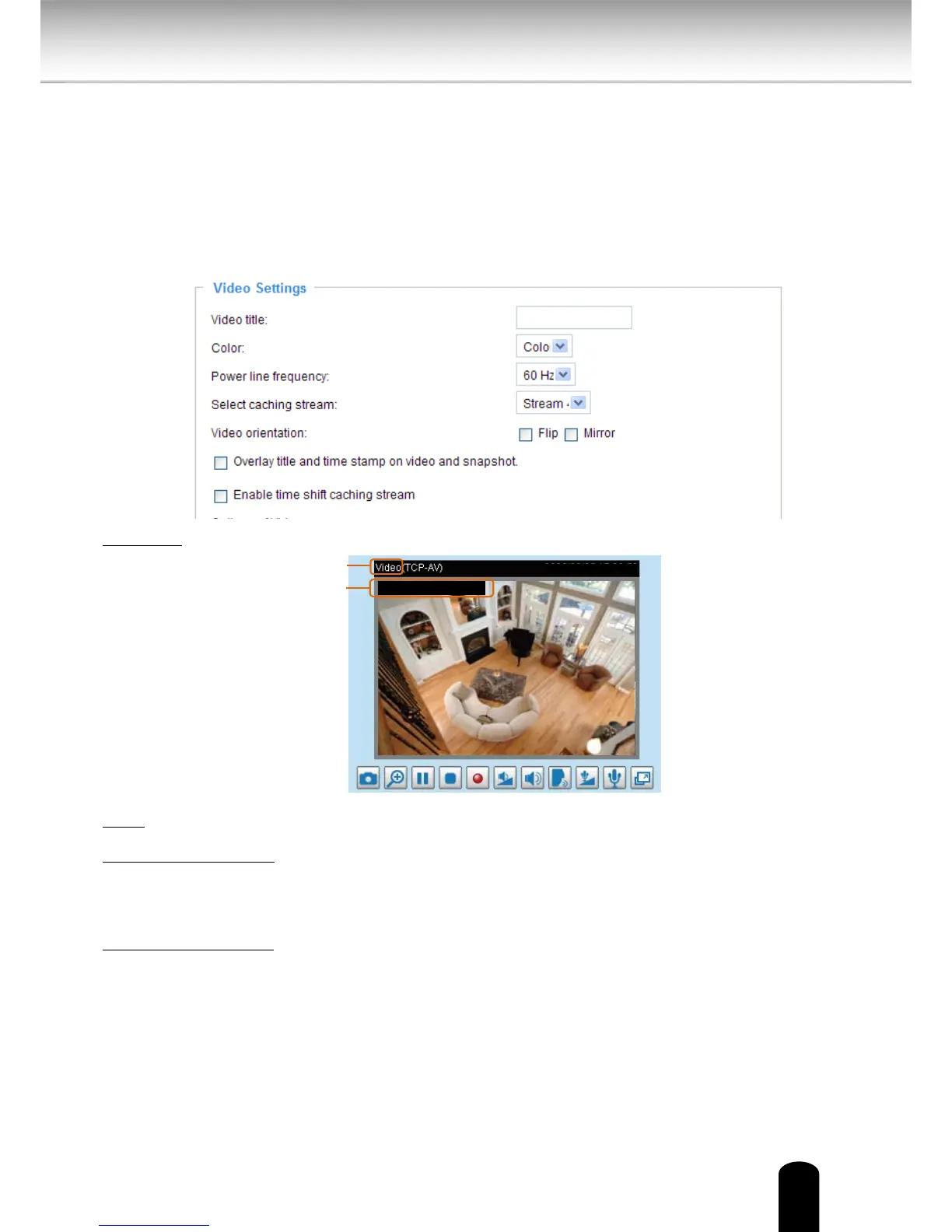
This section explains how to configure the audio and video settings of the Network
Camera. It is composed of the following two columns: Video Settings and Audio
Settings.
Video Settings
Video title: Enter a name that will be displayed on the title bar of the live video.
Color: Select to display color or black/white video streams.
Power line frequency: Set the power line frequency consistent with local utility settings to
eliminate image flickering associated with fluorescent lights. Note that after the power line
frequency is changed, you must disconnect and reconnect the power cord of the Network
Camera in order for the new setting to take eect.
Select caching stream: This Network Camera supports time shift cache stream on the Network
Camera. Select one stream and check the below option Enable time shift caching stream.


 To Next Page