Network Deployment
In this user’s manual, “User” refers to whoever has access to the Network Camera,
and “Administrator” refers to the person who can congure the Network Camera and
grant user access to the camera.
Network Deployment is shown in the Quick Start Guide(QSG). Please refer to page 18 of
the QSG.
Setting up the Network Camera over the Internet
There are several ways to set up the Network Camera over the Internet. The rst way is
to set up the Network Camera behind a router. The second way is to utilize a static IP.
The third way is to use PPPoE.
Internet connection via a router
Before setting up the Network Camera over the Internet, make sure you have a router
and follow the steps below.
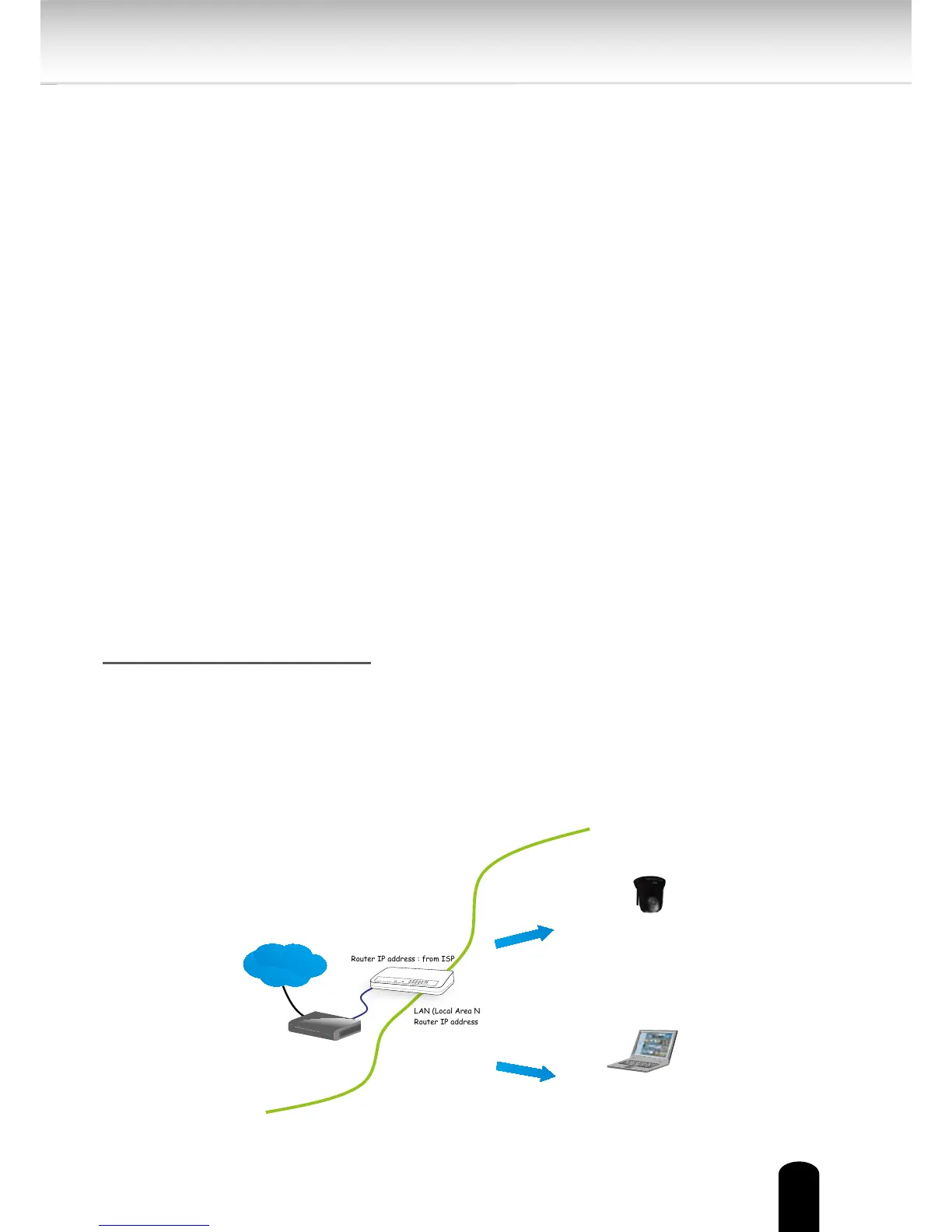
1. Connect your Network Camera behind a router, the Internet environment is
illustrated below. Regarding how to obtain your IP address, please refer to Software
Installation on page 23 for details.
Hardware Installation
Please verify that your product package contains all the accessories listed in the
Package Contents listed on page 13. Depending on the user’s application, an Eth-
ernet cable may be needed. The Ethernet cable should meet the specs of UTP
Category 5.
Hardware Installation is shown in the Quick Start Guide(QSG).
IP address : 192.168.0.3
Subnet mask : 255.255.255.0
Default router : 192.168.0.1
IP address : 192.168.0.2
Subnet mask : 255.255.255.0
Default router : 192.168.0.1
LAN (Local Area Network)
Router IP address : 192.168.0.1
WAN (Wide Area Network )
Router IP address : from ISP
Cable or DSL Modem
Internet
This client PC sets up
a camera and a router.
Example Network Environment


 To Next Page