Application
Advanced Mode
This section explains how to congure the Network Camera to responds to particular
situations (event). A typical application is that when a motion is detected, the Network
Camera sends buered images to an FTP server or e-mail address as notications.
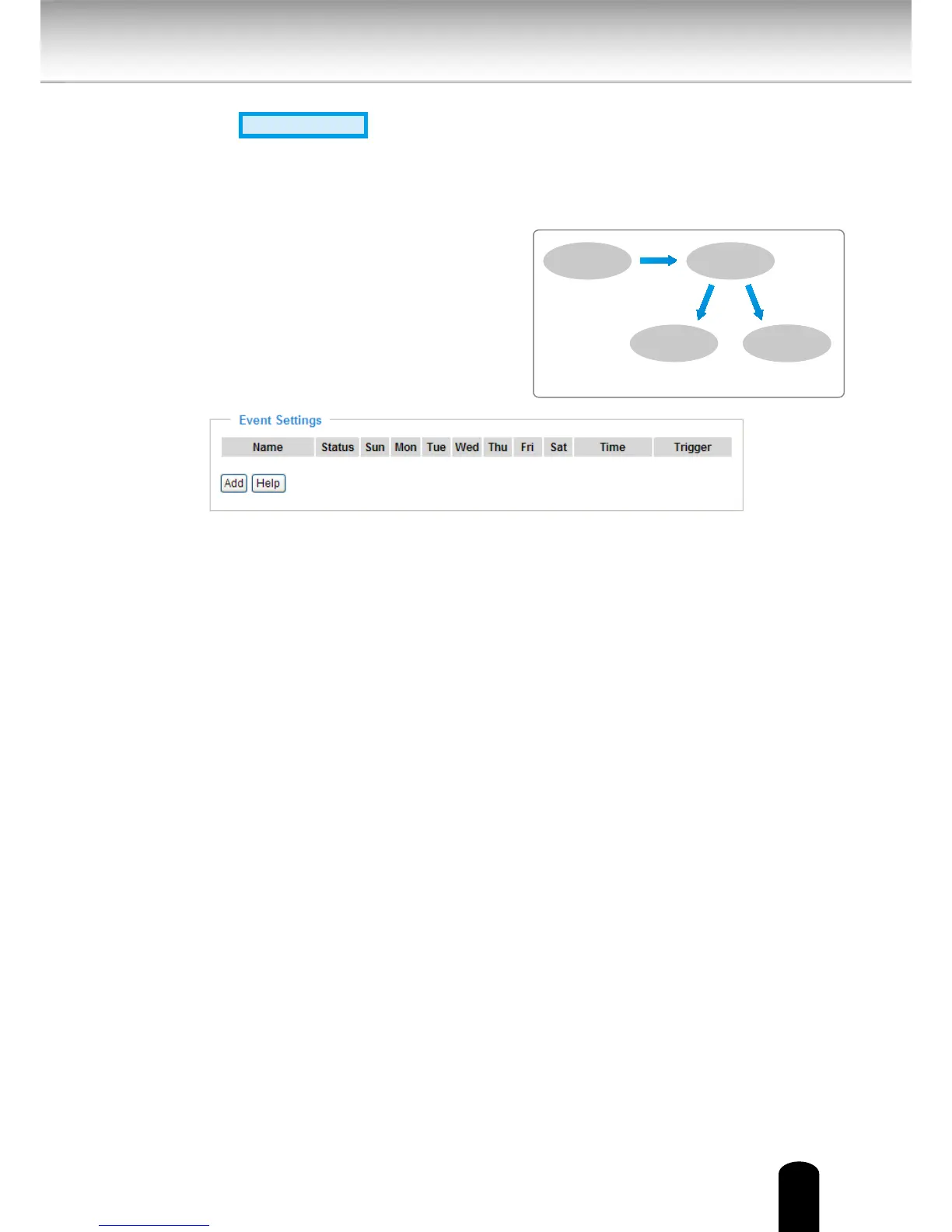
Event Settings
In the Event Settings column, click Add to open the Event Settings page. On this page, you can
arrange three elements -- Trigger, Schedule, and Action to set an event. A total of 3 event
settings can be congured.
In the illustration on the right, an event can
be triggered by many sources, such as motion
detection or external digital input devices. When
an event is triggered, you can specify what
type of action that will be performed. You can
congure the Network Camera to send snapshots
or videos to your email address or FTP site.
ex. Motion Detection,
Digital Input,
System Reboot
Event Trigger
ex. Snapshot, Video Clips,
System Log, Digital Output
ex. Email, FTP, HTTP Server,
Network Storage
Media
(what to send)
Server
(where to send)
Action


 To Next Page