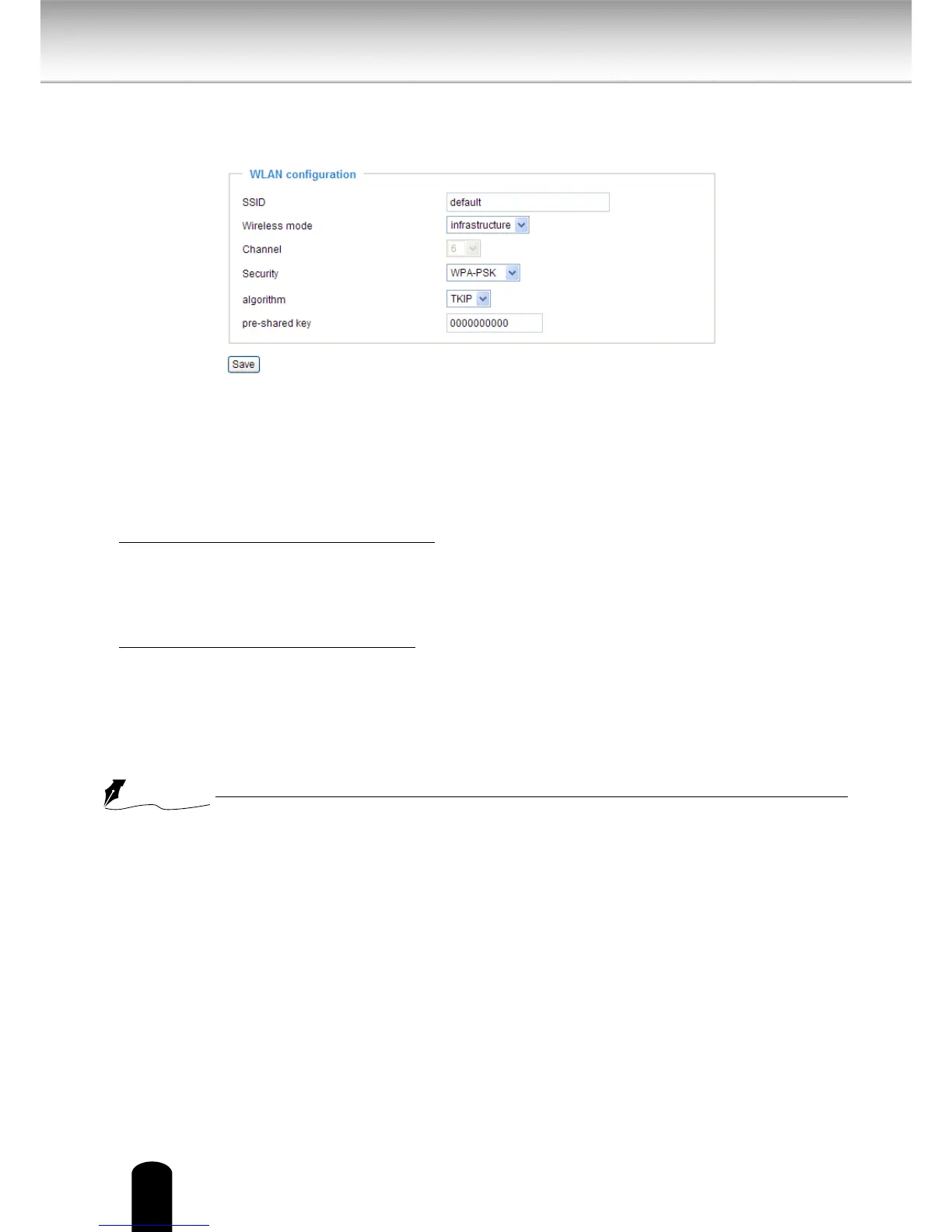
3.
WPA-PSK: Use WPA (Wi-Fi Protected Access) pre-shared key
WPA2-PSK: Use WPA2 pre-shared key.
Wi-Fi Protected Access (WPA and WPA2) is a certication program to indicate compliance with
the security protocol created to secure wireless computer networks. This protocol improved
several serious weaknesses of the previous system, WEP.
WPA2 is advanced protocol, it introduces a new AES based algorithm, that is considered more
secure.
■
Algorithm: Choose one of the following algorithms for WPA-PSK and WPA2-PSK modes.
TKIP (Temporal Key Integrity Protocol): A security protocol used in IEEE 802.11 wireless
networks.
TKIP is a “wrapper” that goes around the existing WEP encryption. TKIP is comprised of
the same encryption engine and RC4 algorithm dened for WEP; however, the key used for
encryption in TKIP is 128 bits long. This solves the rst problem of WEP: a short key length.
AES (Advanced Encryption Standard): In cryptography, the Advanced Encryption Standard
(AES), also known as Rijndael, is a block cipher adopted as an encryption standard by the U.S.
government.
As of 2006, AES is one of the most popular algorithms used in symmetric key cryptography.
■
Pre-shared Key: Enter a key in ASCII format. The length of the key can be between 8 to 63
characters.
●
After wireless configurations are completed, click Save and the camera will reboot. Wait
for the live image to be reloaded to your browser. And you have to unplug the power and
Ethernet cables from the camera; then re-plug the power cable to the camera. The camera
will switch to wireless mode.
●
Some invalid settings may cause the system to fail to respond. Change the configuration
settings only if necessary and consult with your network supervisor or experienced users for
correct settings. Once the system has lost contact, please refer to Maintenance on page 105
for reset and restore procedures.
●
IEEE802.11n doesn’t support WEP security mode. Make sure your wireless router settings,
and if the data rate is more than 54Mbps, select WPA or WPA2 security mode.



 To Next Page