-31-
No.DOC1048575-1
10.2. Troubleshooting tables
Table 10-1. Troubleshooting "PWR LED is OFF or flashing"
Checking methods and measures
Check the power cable wiring.
Check the wiring and pin numbers, refer to Section 2.2.
Power supply for logic/input
(PWR) is not present or is very
low voltage.
Check the power supply.
Check the supplied voltage for PWR.
PWR LED is
flashing. (0.5Hz)
Power supply for logic/input
(PWR) is low.
(< approx. 18 VDC)
Check the supplied voltage for PWR. Supply the voltage
considering the voltage drop on the wiring.
Table 10-2. Troubleshooting "PWR(V) LED is OFF"
Checking methods and measures
Check the power cable wiring.
Check the wiring and pin numbers, refer to Section 2.2.
Power supply for output
(PWR(V)) is not present or is very
low voltage.
Check the power supply.
Check the supplied voltage for PWR(V). Supply the
voltage considering the voltage drop on the wiring.
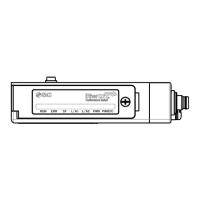
Table 10-3. Troubleshooting "L/A LEDs are OFF, ERR LED is double flashing"
Checking methods and measures
L/A1 LED and
L/A2 LED are
both OFF.
Check the communication cable wiring.
Check the wiring and pin numbers, refer to Section 2.1.
The SI Unit is not connected to a
valid network.
Check the state of the EtherCAT
®
controller connected
to the SI Unit.
ERR LED is
double flashing.
The communication connection
disconnected.
Check the communication cable connection.
Table 10-4. Troubleshooting "RUN LED does not ON, ERR LED is blinking"
Checking methods and measures
The SI Unit is connected to some
kind of network, but the following
problems are occurring.
No communication with the
EtherCAT
®
controller.
Check the communication cable wiring.
Communicate to EtherCAT
®
controller.
There is a problem with the
EtherCAT
®
controller.
Check the EtherCAT
®
controller state.
ERR LED is
blinking. (2.5 Hz)
The number of connected
vacuum manifold does not match
with respect to slot setting.
Refer to Section 3.2 and set the slot settings to match
the number of the vacuum manifold connected.


 To Next Page