42
BOC Smootharc 180 Multiprocess operating manual
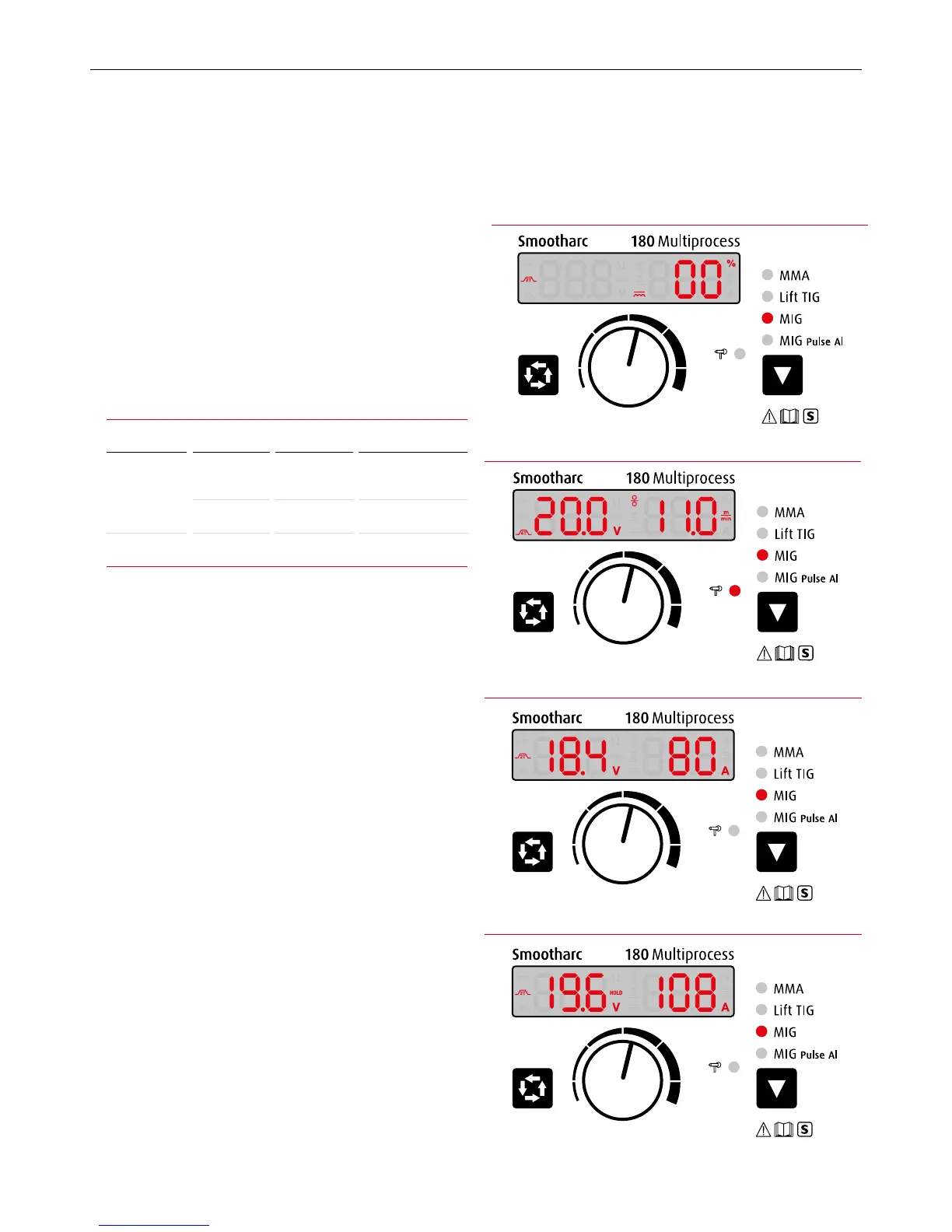
Illustration 8. MIG mode – When stopped welding
Illustration 6. MIG mode – Using optional spool gun
Illustration 5. MIG mode – Current preset
Press the 2 Data Selection Key twice. The 1 Multifunctional Data
Display is shown as Illustration 5, this allows inductance adjustment
in the range of ±10%
Without any operation after 5 seconds, the 1 Multifunctional Data
Display will revert back to the default setting. The settings will be
retained when the machine is turned o, and displayed when the
machinerestarts.
See the table below for detail of welding process parameters.
Welding process parameters
Mode Materials Wire dia. Wire feeding speed
MIG Carbon steel 0.8 mm 3-11 m/min
Carbon steel
/Aluminum
1.0 mm 3-7 m/min
MIG Pulse Al Aluminum 1.0 mm
(Recommend)
2-8 m/min
When welding aluminum, please t the dedicated wire feeding rolls
and replace the torch liner and contact tips with wear parts suitable
for aluminum.
Operation instruction under MIG mode using spool gun
1 The machine will go in to the spool gun welding mode when
connecting with the spool gun. The 4 spool gun indicator and 7 MIG
indicator lights up (Illustration 6).
Note: While connecting to the spool gun (optional), the wire feeding speed is
adjusted on the spool gun.
While connecting with the spool gun, the 7 Function Switch Key is not
adjustable.
2 The panel will display the data last used when restarting the
machine.
3 The panel displays as Illustration 7 when welding.
4 When releasing the torch switch and welding stops, the panel
displays as Illustration 8. Also, “HOLD” ashes for 3 seconds.
The 1 Multifunctional Data Display redisplays the preset current
after2Seconds.
Illustration 7. MIG mode – When welding


 To Next Page