43BOC Smootharc 180 Multiprocess operating manual
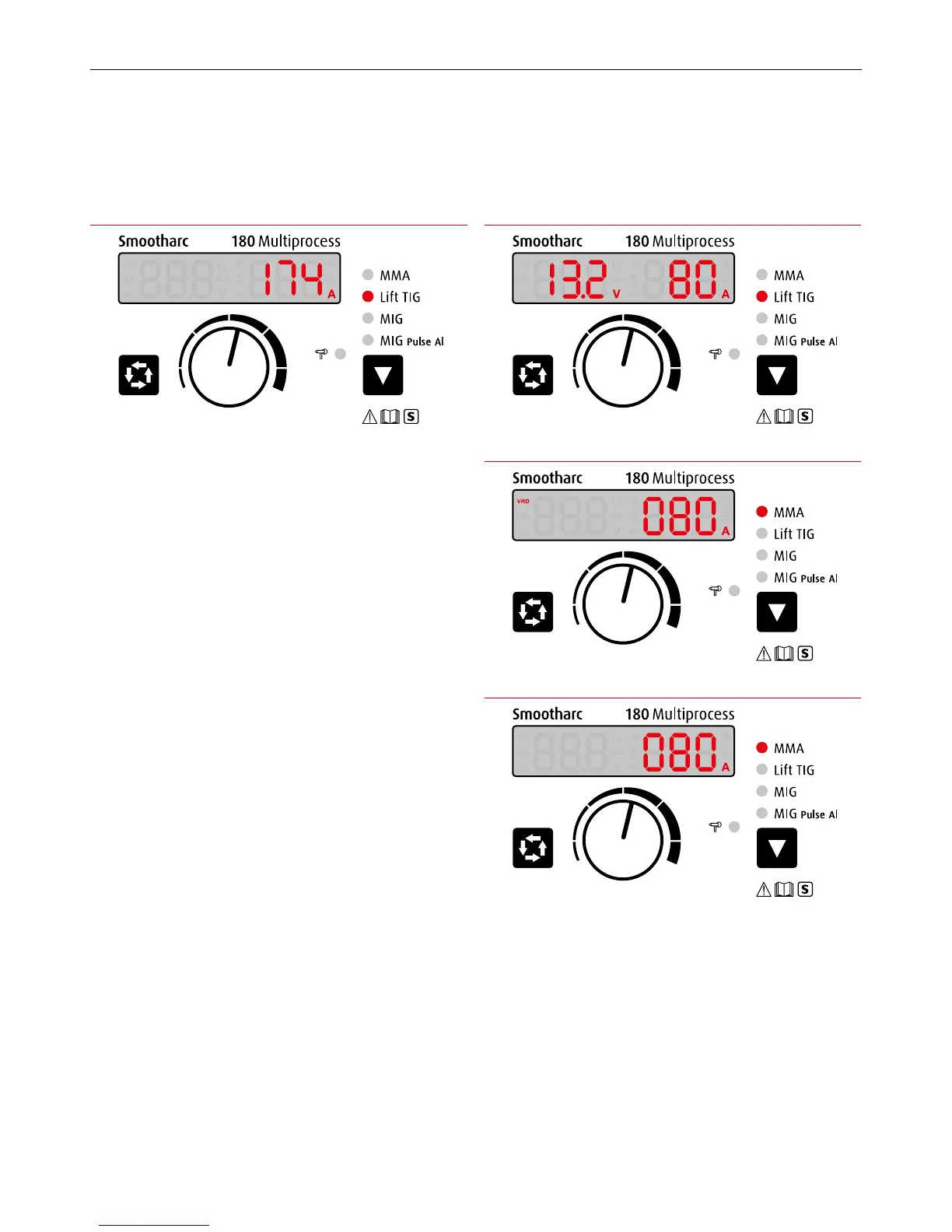
Illustration 11. MMA Mode with VRD Enabled
Illustration 12. MMA Mode without VRD Display
Illustration 10. LIFT TIG ModeIllustration 9. LIFT TIG Mode
10.3 Operation instruction under LIFT TIG mode.
1 Press the 9 Function Switch Key to LIFT TIG mode. The 6 LIFT TIG
indicator light will illuminate (Illustration 9).
2 Adjusting current
The welding current can be adjusted using the 3 Multifunctional Data
Adjustment Knob while welding.
The settings will be retained when the machine is turned o, and
displayed when the machine restarts.
3 The panel displays as Illustration 10 when welding. It will revert
to the preset welding current after 5 seconds when welding has
stopped.
10.4 Operation instruction under MMA mode.
1 Set welding mode
Press the 9 Function Switch Key to MMA mode. 5 MMA indicator light
will illuminate.
2 VRD function
Press the 2 Data Selection Key for 3 seconds. The VRD reduces
open circuit voltage to a safe limit. Illustration11 shows MMA mode
usingVRD.
Press the 2 Data Selection Key again for 3 seconds for the VRD
function to turn o (Illustration 12).
3 Adjusting current
Turning the 3 Multifunctional Data adjustment knob can change the
welding current during welding.
The settings will be retained when the machine is turned o, and
displayed when the machine restarts.
4 The panel displays as Illustration 11 when welding. It will revert
to the preset welding current after 5 seconds when welding has
stopped.


 To Next Page