14
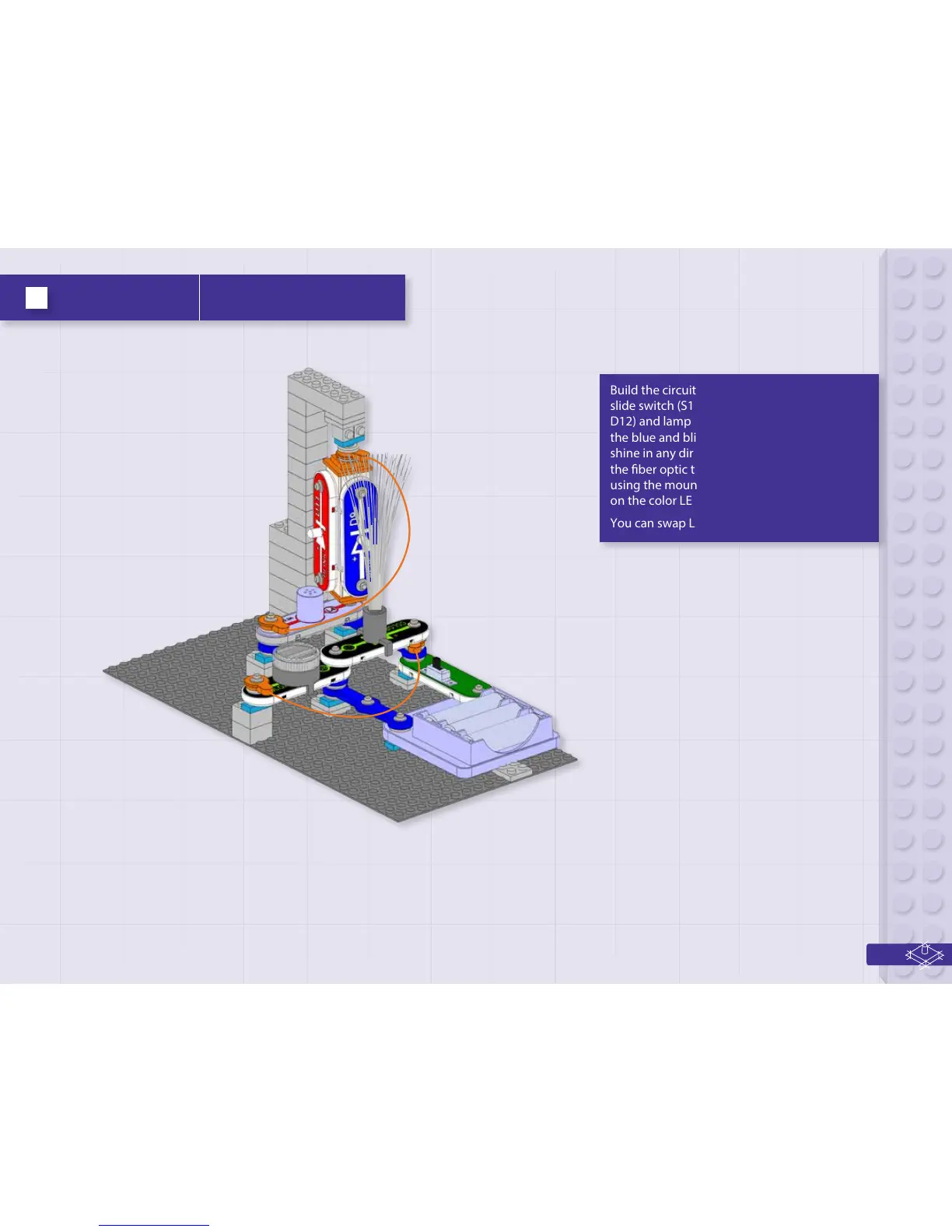
Build the circuit as shown, and turn on the
slide switch (S1). The four LEDs (D8, D9, D11, &
D12) and lamp (L4) light. The 3D snaps allow
the blue and blink red LEDs to be rotated to
shine in any direction. For best eects, place
the ber optic tree on the color2 LED (D12)
using the mounting base, place the lined lens
on the color LED (D8), and dim the room lights.
You can swap LED locations as desired.
Project 4 Light post


 To Next Page