7
9
8
31
Project 12 BRIC Building
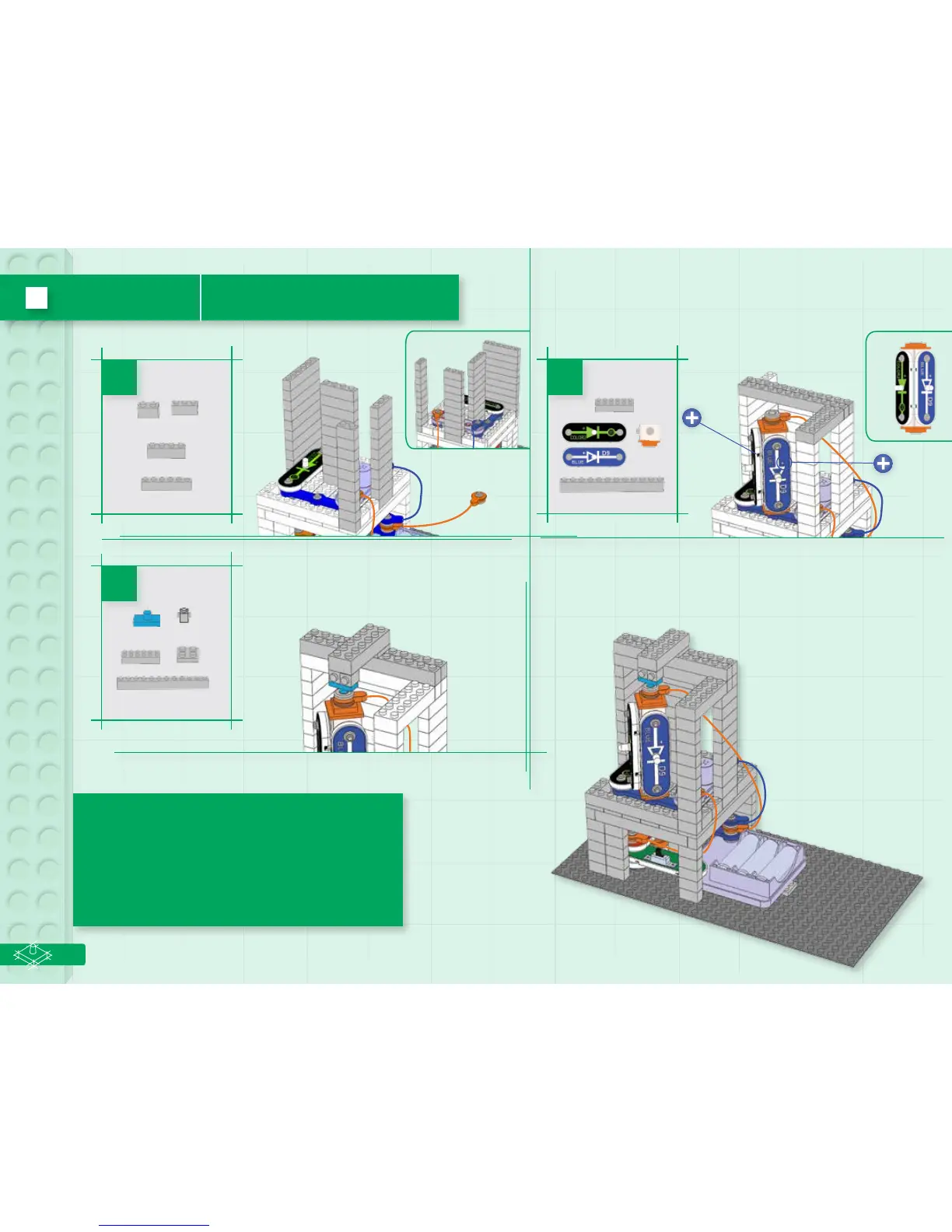
Build the circuit as shown, and turn on the slide switch
(S1). The four LEDs (D8, D9, D11, & D12) and lamp (L4)
light, and the melody IC (U32) plays tunes. The 3D snaps
allow the blue and color2 LEDs to be rotated to shine in
dierent directions. Dim the room lights for best eects.
You can remove the melody IC if desired, just shift the
blink red LED (D11) to where the melody IC was.
2x
1ox 1ox
1ox
1ox
2x
2x
2x


 To Next Page