50
snom 720 User Manual Using the Phone
◦ To connect to the held call currently on-screen, press to connect to it. Press
again to put it back on hold.
◦ To terminate a held call, put it on-screen, connect to it, and press
.
◦ To transfer a held call (blind transfer), put it on-screen, press
Xfer
, dial the number, and
press .
If you are connected to one call and the
Cnf.On
button is available, this indicates that there is at least
one other call on hold (Fig. 2). If you wish to connect to a held call, put the current call on hold by
pressing
and continue as explained above.
Conference
The maximum number of participants is five (your phone and four others).
Initiating a conference
1. Call the first intended participant and put him or her on hold.
2. Call the next intended participant and put him or her on hold.
◦ Continue likewise with the third and fourth participants, if applicable.
◦ You do not need to put the last participant on hold before starting the conference.
3. Press
Cnf.On
to start the conference.
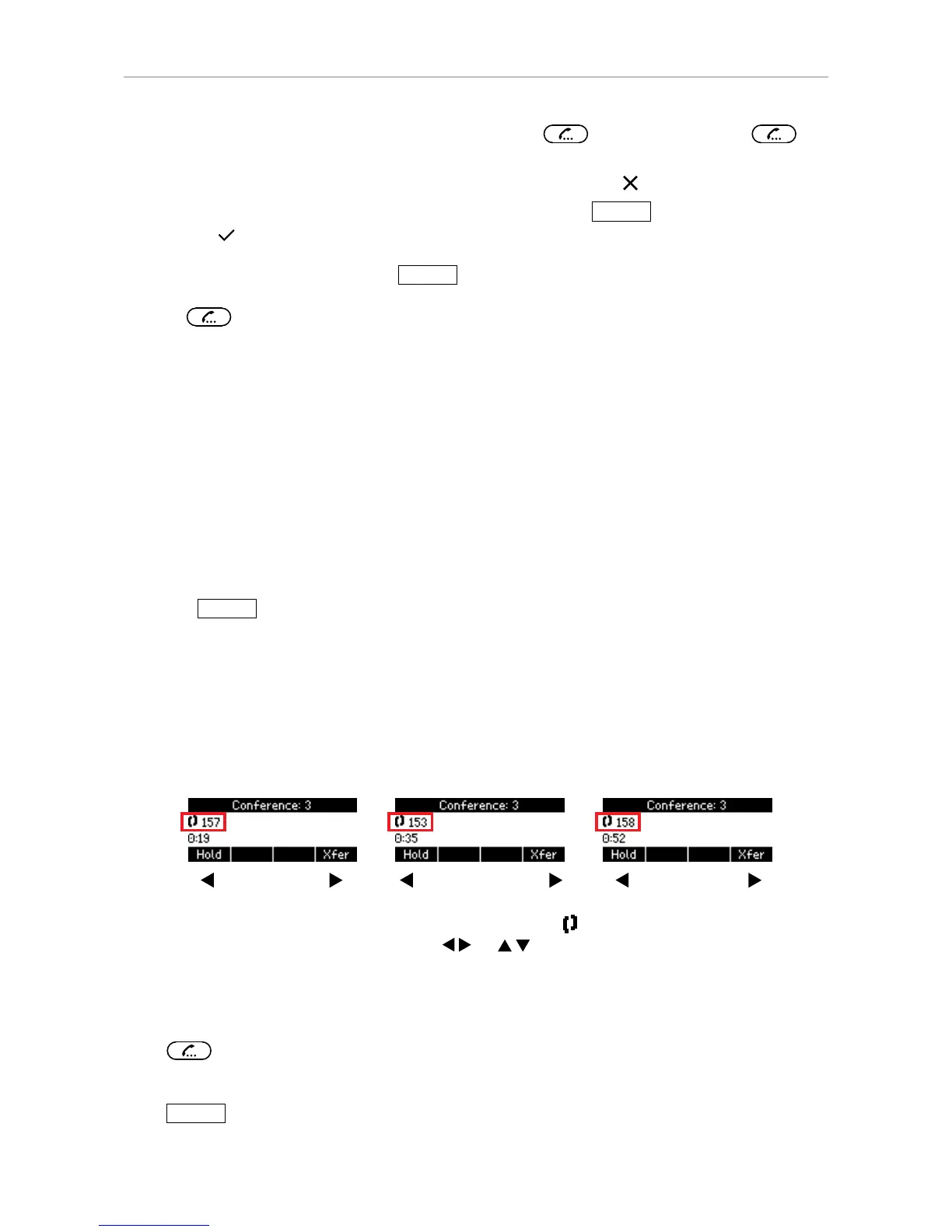
Conference screen navigation
Your input on the phone's keys will affect the caller/callee(s) shown in the context area of the display.
For example:
◦ If you have initiated a conference with three other participants, the total number of participants
other than yourself is shown in the status bar.
First participant Second participant Third participant
◦ The upper line in the context area displays two receivers and the number or name of the first
of the other three participants. Press
or - depending on your firmware version - to
view the other participants.
Putting the conference on hold
Press
to put all participants on hold. Technically, you are, in effect, terminating the conference.
You will see the "Calls on Hold" screen (see "Holding multiple calls" on page 49).
Press
Cnf.On
to restart the conference, i.e., start another conference with all calls on hold.



 To Next Page