NETYS RT Hot Swap 7 - 11 kVA - 551574B - SOCOMEC
51
EN
4
Once the UPS runs normally, switch on the output protective device (see Figure
7-1) installed between the UPS and the loads.
To prevent the UPS from activating the overload protection mechanism
during start-up process, please turn on the high-power loads rst and then
low-power loads.
8.2. Turn-off
1
Make sure all of the loads connected to the UPS are off.
2
(1) Press and hold the ON/ OFF button (
) for 3 seconds, (2) release it after
you hear one beep, (3) use the Scrolling Up or Down button ( / ) to select
'Yes', and (4) press the Enter button ( ) to conrm your selection.
3
Switch off the input breaker, input protective device (see Figure 7-1) and output
protective devices (see Figure 7-1).
4
After the LCD backlight goes dim and the fans stop completely, switch off the
battery breaker to ensure that there is no remaining battery power.
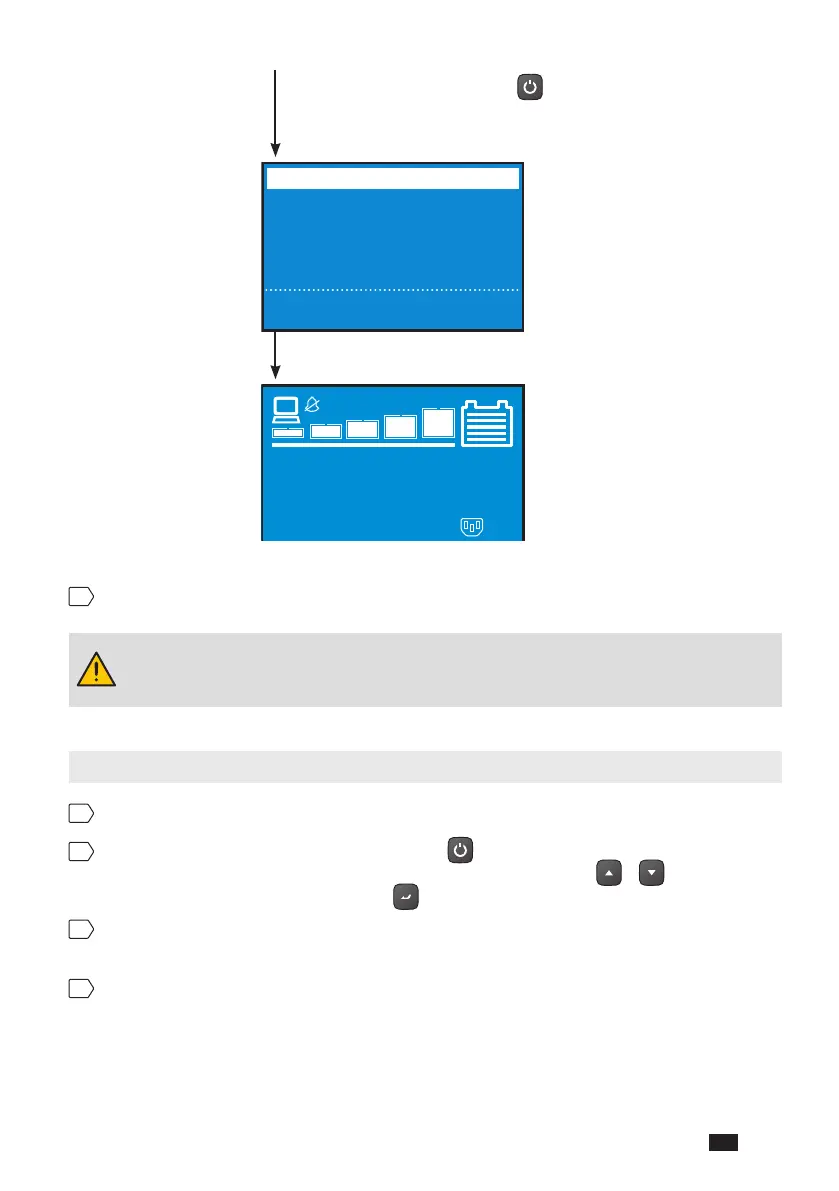
Press and hold the button
for 3 seconds and release it
after you hear one beep.
In Progress...
Self Diagnosis
BYPS
PS
BAT T




 To Next Page