EasyManua.ls Logo

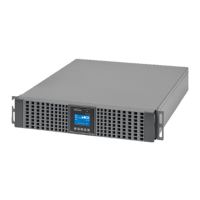
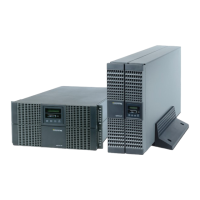
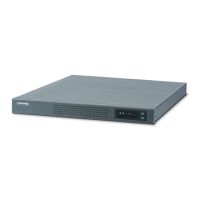
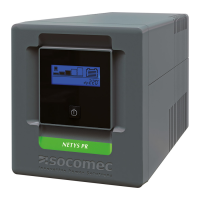
socomec NETYS RT - User Manual

socomec NETYS RT
80 pages
Print Icon
To Next Page IconTo Next Page
Loading...
7000 - 11000 VA
Hot swap RT version
NETYS RT
INSTALLATION AND OPERATING MANUAL EN
www.socomec.com/netys-manuals

Other manuals for socomec NETYS RT

Questions and Answers

  • R
    Robert JohnsonSep 9, 2025
    What to do if my socomec NETYS RT UPS is in "Battery Mode" even with mains connected?
    • R
      Rachel WilliamsonSep 9, 2025
      If your Socomec UPS is running in battery mode despite a healthy mains connection, it could be due to several reasons: * The input voltage may not be registering at the UPS input. Check the input voltage connection. * The thermal-magnetic switch on the rear panel might have tripped. Reduce the load and reset the switch. * The input voltage could be too high, too low, or distorted. In this case, have the mains voltage checked by a qualified electrician.
  • J
    Jennifer HarrisonAug 23, 2025
    Why is my socomec NETYS RT in battery mode when mains is connected?
    • T
      tblairAug 23, 2025
      If your Socomec UPS is in battery mode even when AC mains is connected, it could be due to several reasons. First, check the input voltage connection to ensure the mains voltage is registering at the UPS input. Secondly, the thermal-magnetic switch on the rear panel might have tripped; reduce the load and reset the switch. Finally, the input voltage might be too high, too low, or distorted, in which case you should have the mains voltage checked by a qualified electrician.
  • J
    Joshua BuchananAug 25, 2025
    Why my socomec NETYS RT doesn't provide expected backup time?
    • D
      David MccoyAug 25, 2025
      If your Socomec UPS isn't providing the expected backup time, it could be due to several reasons. The internal batteries might not be fully charged; recharge them for at least 8 hours. Also, the UPS might be overloaded; disconnect non-essential loads to reduce the load.
  • J
    Jeffrey LucasAug 26, 2025
    What to do if "Overload" LED is lit on socomec NETYS RT UPS?
    • H
      Heather BriggsAug 26, 2025
      If the "Overload" LED is lit on your Socomec UPS and there's a continuous alarm, it indicates an overload condition. Disconnect non-essential loads to resolve this issue.
  • M
    marshallericAug 27, 2025
    How to fix overtemperature on socomec NETYS RT UPS?
    • L
      Lori PayneAug 28, 2025
      Overtemperature in your Socomec UPS can occur if the air intake fans or fan cowl are obstructed; ensure the UPS is positioned in a well-ventilated area to allow heat dissipation. Also, if the ambient temperature is higher than 40 °C (104 °F), move the UPS to a cooler location.
  • J
    Jeffrey TorresAug 29, 2025
    What does it mean when "Replace battery" LED is lit on Socomec UPS?
    • J
      Jacqueline ToddAug 29, 2025
      If the "Replace battery" LED is lit on your Socomec UPS, it indicates that the batteries are flat. Charge the batteries for a minimum of 8 hours.
  • B
    Brian UnderwoodSep 17, 2025
    How to fix faulty communication between PC and socomec UPS?
    • B
      Brandon RichardsonSep 18, 2025
      To troubleshoot faulty communication between your PC and Socomec UPS: * Check the transmission speed and try changing it. * Verify the RS232 connection, referring to the "Communication" section of this manual, and reconnect the UPS to the COM1/COM2 port of the PC. * Ensure the USB connection is correct by reconnecting the UPS to the USB port of the PC.
  • L
    Lisa PattonSep 18, 2025
    What causes overtemperature in socomec NETYS RT?
    • T
      Thomas AndersonSep 19, 2025
      Overtemperature in your Socomec UPS can be caused by: * Obstructed air intake fans or fan cowl. Select a well-ventilated area for the UPS to allow proper heat dissipation. * Ambient temperature exceeding 40 °C (104 °F). Place the UPS in a cooler location.
  • F
    fpetersSep 7, 2025
    What to do if my socomec NETYS RT UPS displays DC Bus Over Shutdown?
    • T
      tiffany25Sep 7, 2025
      If your Socomec UPS displays a DC Bus Over Shutdown, it could be due to capacitive or inductive loads or an internal fault. First, try removing any capacitive or inductive loads. If the issue persists, contact service personnel.
  • R
    Richard GarciaSep 4, 2025
    What to do if my socomec NETYS RT UPS says Battery Disconnected?
    • M
      mark11Sep 4, 2025
      If your Socomec UPS shows a Battery Disconnected error, it could be due to improper connection to the external battery pack or damaged batteries. Check whether the UPS is properly connected to the external battery pack(s). If the connection is correct and the problem persists, contact service personnel.

Summary

WARRANTY CERTIFICATE AND CONDITIONS

SAFETY STANDARDS

Important Safety Information

General safety information and precautions for using the UPS unit.

Installation and Usage Warnings

Precautions for UPS installation, connection, and safe usage.

Battery Warnings

Critical safety information and precautions for handling and maintaining UPS batteries.

Symbol Descriptions

Explanation of warning symbols and labels found on the UPS unit.

Storage and Installation

Storage Procedures

Guidelines for storing the UPS unit before installation and after use.

Installation Requirements

Checklist and electrical requirements for correct UPS installation.

INTRODUCTION

General Overview and Dimensions

Overview of the UPS, its features, dimensions, and components.

Package Contents

List of items included in the UPS package for different models.

OPERATION PANEL

LED Indicators

Explanation of the LED indicators on the UPS operation panel.

Multi-function Buttons

Description of the functions and operation of the multi-function buttons.

LCD Display and Modes

Explanation of LCD icons, displays, and operating mode diagrams.

REAR PANEL

Rear Panel Component Descriptions

Descriptions of ports, connectors, breakers, and terminals on the rear panel.

COMMUNICATION INTERFACES

Communication Solutions

Overview of available communication software and protocols for UPS monitoring.

Ports and Slots

Details on ports and slots for UPS communication and connectivity.

External Battery Connector

Specifications and connection details for external battery packs.

Warning Relay Interface

Details on the optional warning relay interface for status indication and remote control.

INSTALLATION

Rack Mounting

Step-by-step guide for mounting the UPS unit in a standard rack.

Tower Mounting

Instructions for installing the UPS in an upright tower position.

Manual Bypass Installation

Procedures for disassembling, assembling, and installing the plug-in manual bypass.

Battery; Battery Pack Replacement

Procedure for safely replacing the UPS battery or battery pack.

CONNECTION AND WIRING

UPS Connection Warnings

Essential warnings and recommendations for connecting the UPS to mains and loads.

Input;Output Connection

Guide to connecting the input and output power cables, including cable selection.

Backfeed Protection

Measures and requirements for preventing backfeed voltage for safety.

External Battery Pack Connection

Step-by-step guide for connecting external battery packs to the UPS.

OPERATION

Start-up Procedures

Detailed procedures for starting up the UPS with AC input or from batteries.

Turn-off Procedure

Procedure for safely shutting down and turning off the UPS unit.

Operating Modes

Explanation of the different operating modes of the UPS.

LCD DISPLAY & SETTINGS

Main Menu Navigation

Overview of the UPS LCD display and navigation to the main menu.

Measurement Menu

Details on accessing and viewing UPS status readings.

Setting Menu Options

Configuration options for UPS output, input, battery, general, and dry contact settings.

Control Menu

Commands for enabling specific UPS functions like bypass and boost charge.

Maintenance Menu

Access to UPS maintenance functions, event logs, and identification.

OPTIONAL ACCESSORIES

Available Optional Accessories

List of optional accessories for NETYS RT UPS and their functions.

Optional External Battery Pack

Safety, package, installation, operation, and specs for external battery packs.

TROUBLESHOOTING

Troubleshooting Common Issues

Identifies common UPS problems, their causes, and solutions.

MAINTENANCE

UPS Cleaning and Inspection

Procedures for cleaning and inspecting the UPS unit.

Battery Maintenance

Guidelines for maintaining UPS battery health and lifespan.

Fan Maintenance

Information on fan maintenance to ensure proper UPS cooling.

TECHNICAL SPECIFICATIONS

Detailed Specifications

Detailed technical specifications for the UPS and its components.

APPENDIX: TOXIC AND HAZARDOUS SUBSTANCES AND ELEMENTS

Hazardous Substances Information

Information on toxic and hazardous substances in the product per Chinese regulations.

socomec NETYS RT Specifications

General IconGeneral
TechnologyOn-Line Double Conversion
Frequency50/60 Hz
Battery TypeSealed Lead-Acid (SLA)
Communication PortsUSB, RS232
WaveformSinewave
Operating Temperature0 to +40 °C

Related product manuals