SOFAR 1.1K~3KTL User manual
Copyright © Shenzhen SOFARSOLAR Co., Ltd
Outlines of this chapter
This section introduces the display, operation, buttons and LED indicator
lights of SOFAR 1.1K~3KTL Inverter.
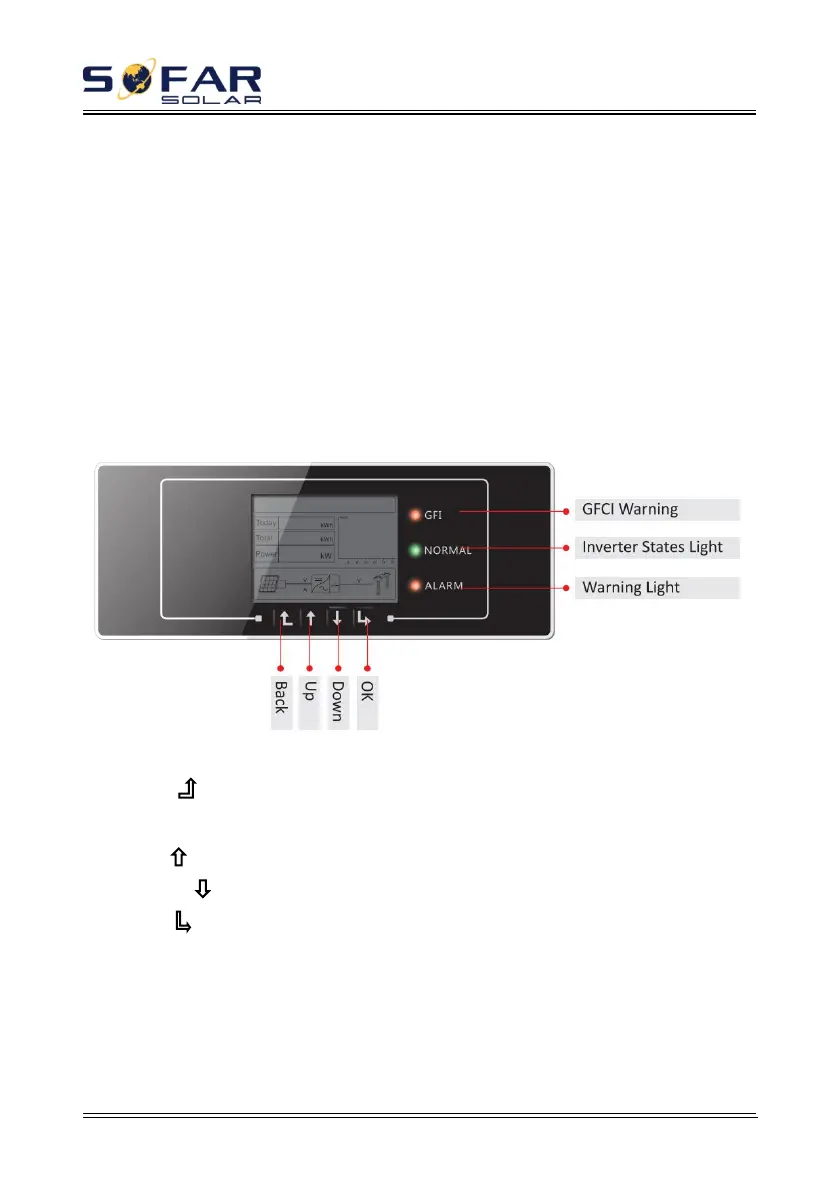
6.1. Operation and Display Panel
Buttons and Indicator lights
Key-button:
·Back :to return to previous menu or enter into main menu from the standard
interface.
·Up : to move up or increase value
·Down : to move down or decrease value
·OK : to confirm selection
Indicator Lights:
·Inverter States Light(GREEN)
Flashing: ‘Wait’ or ‘Check’ state
ON: ‘Normal’ state



 To Next Page