3. 3. Device Add and Configuration
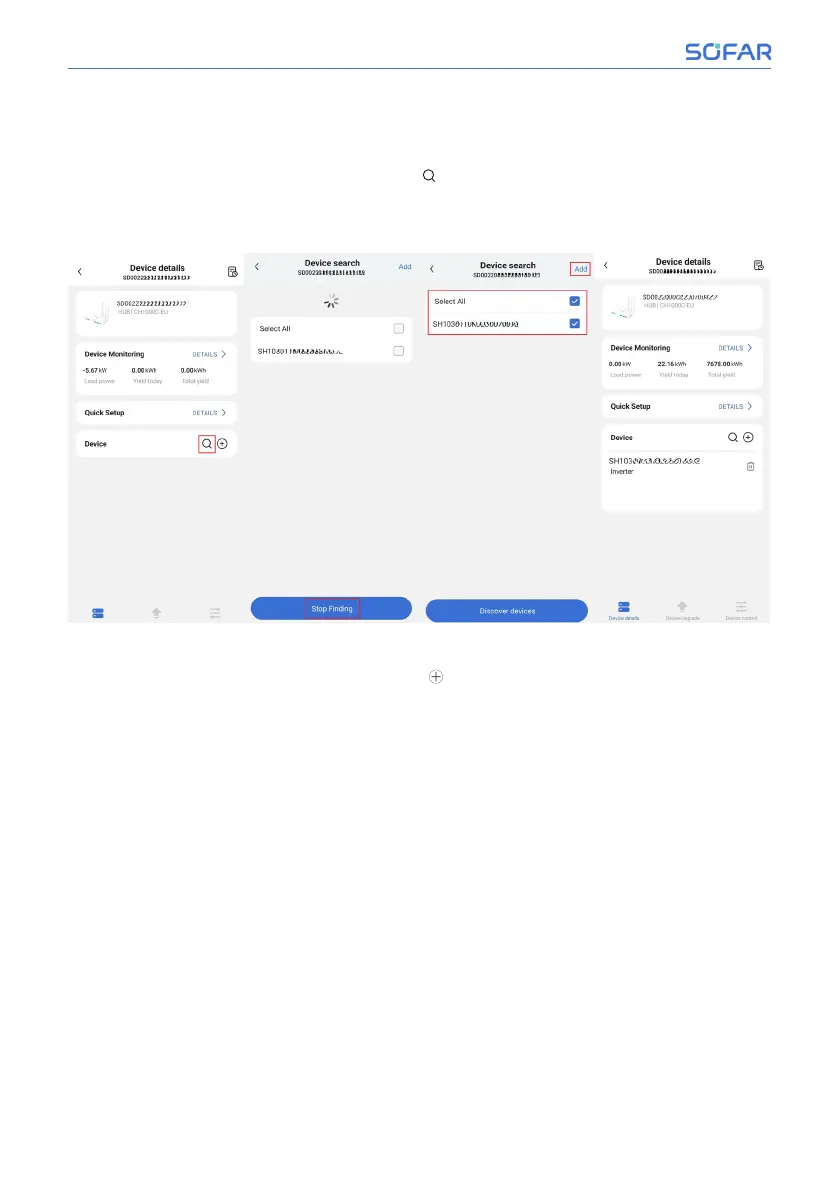
• Automatic search to add inverter
On the device details page, click the”
” button to automatically search for
inverter devices. After searching all inverter devices, click “Stop Finding”,
check the devices, and then click “Add”. As shown in the picture below.
• Manually add meters/inverters
On the device details page, click the “
” button to add a device and enter
the SN of the inverter/meter. The meter SN is located in the SN barcode on
the meter and is a 12 digit number. It is shown in the figure below.
60/92 SOFAR CH1000
SOFAR Cloud /APP Operation



 To Next Page