Paramount MX User Guide
120 | Page
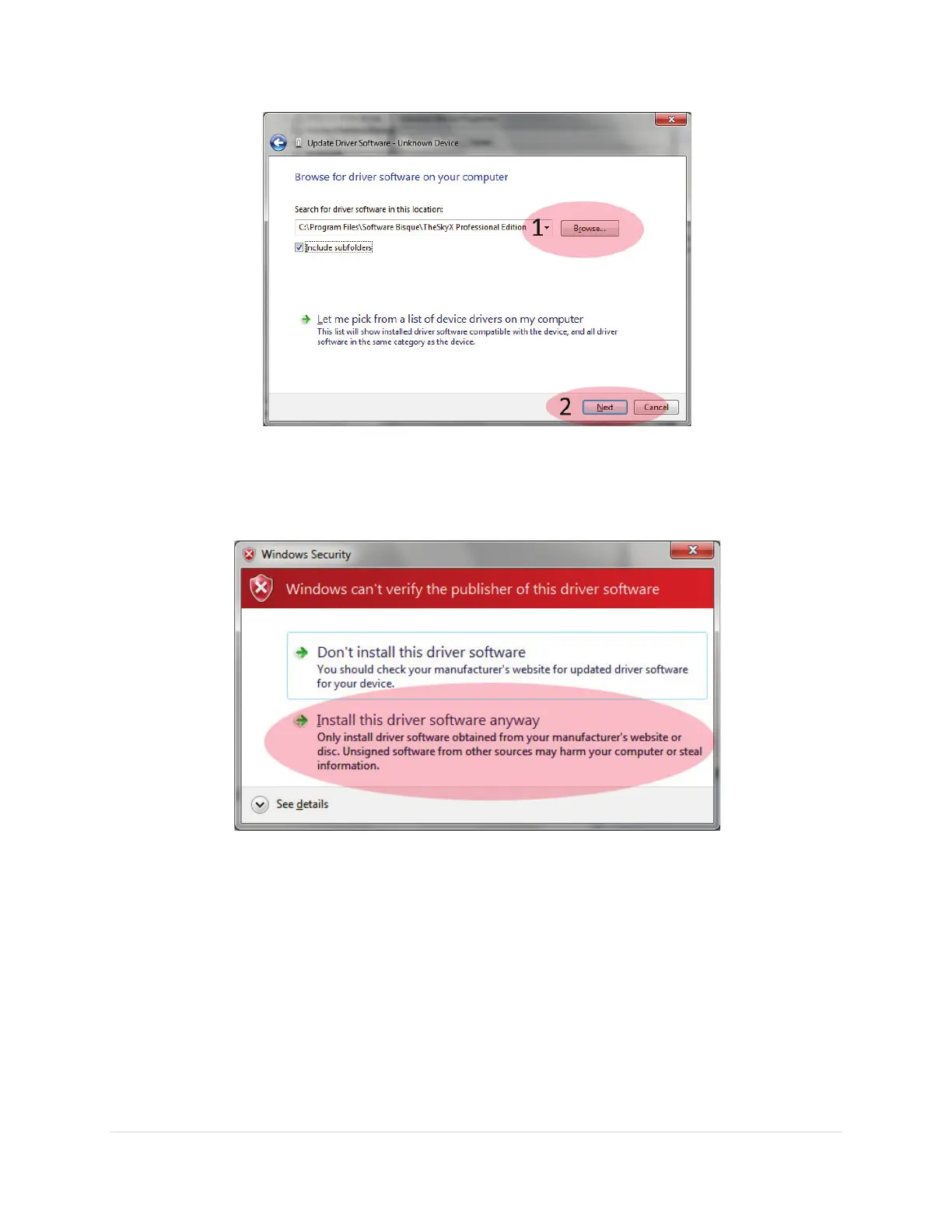
Figure 61: Locate the Software Bisque MKS 5000 Driver.
10. After a minute or so, you will be prompted that Windows is unable to verify the publisher of this
driver. Click the Install This Driver Software Anyway option to proceed (Figure 62).
Figure 62: Windows Security warns that the publisher cannot be verified. Click Install this driver anyway to proceed.
11. IMPORTANT: Figure 63 shows the window that appears when the driver installation is complete.
The notification window’s caption shows the COM port number that has been assigned to the
MKS 5000 driver (COM3 in Figure 63).



 To Next Page