EasyManua.ls Logo

sol-ark 5K - Page 15

Default Icon
48 pages
Print Icon
To Next Page IconTo Next Page
To Previous Page IconTo Previous Page
Loading...
April 21, 2021 15
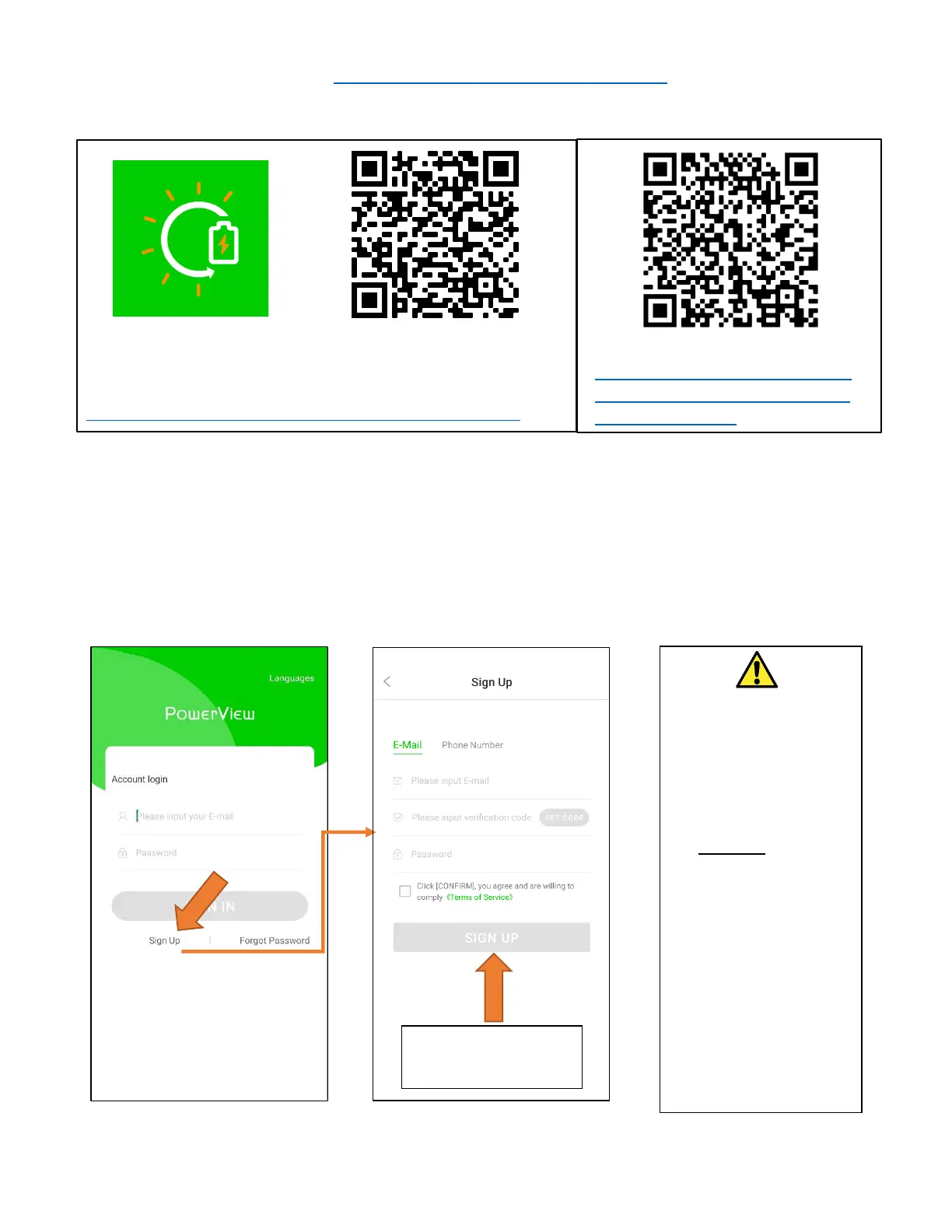
WiFi Setup (Video: https://youtu.be/99qoz8jHswA) w/Phone App
1. Download the App:
2. Open App
3. Create an Account (Installers Please See Note)
iPhone:
https://apps.apple.com/lk/app/powerview-pro/id1247121391
Android:
https://play.google.com/store/apps/
details?id=com.elinter.app.powervie
w&hl=en_US&gl=US
After filling the form
click “Create Account”
Attention Installers
If you plan to add an
install to your installer
account for monitoring
multiple installs, you
must first make a plant in
the customer account.
Once created the
customer can share the
plant with the installer
via the app (long press
the plant name) or
webpage (press the “…”
next to the plant name in
Power View). Installer
accounts are only made
by calling our support
line 972-575-8875 Ext.2

Related product manuals