L10US-IB20, L10US-IB40, L10US-IB60 L10US-IB00, L15US-IB40, L15US-IB60 L15US-
IB00, L20US-IB60, L20US-IB00 UPS
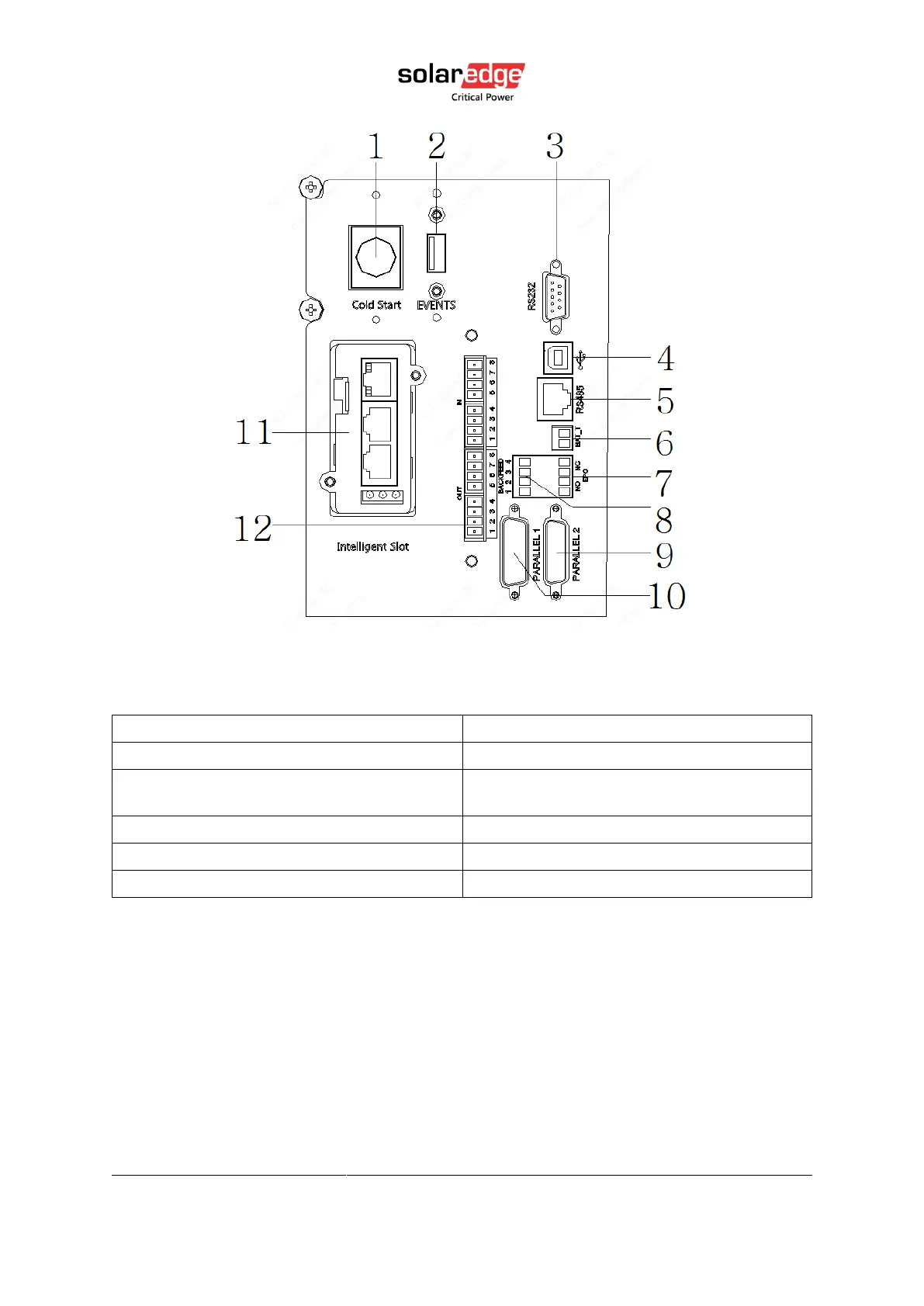
Figure 4 Communication panel
Table 4 Communication panel
(2) USB port (for LCD upgrade)
(4) USB port (for computer connect)
(6) BAT_T dry contact Temperature sensor
port (for NTC)
(8) Backfeed protection port
(11) Intelligent Slot (SNMP card)
(12) Dry contact port (N/A for this model)
3.6. Computer access
1. One end of a USB cable connects to the computer, the other end connects to the USB
port on the UPS.
2. Open the software Muser5000, click “system” button.



 To Next Page