L10US-IB20, L10US-IB40, L10US-IB60 L10US-IB00, L15US-IB40, L15US-IB60 L15US-
IB00, L20US-IB60, L20US-IB00 UPS
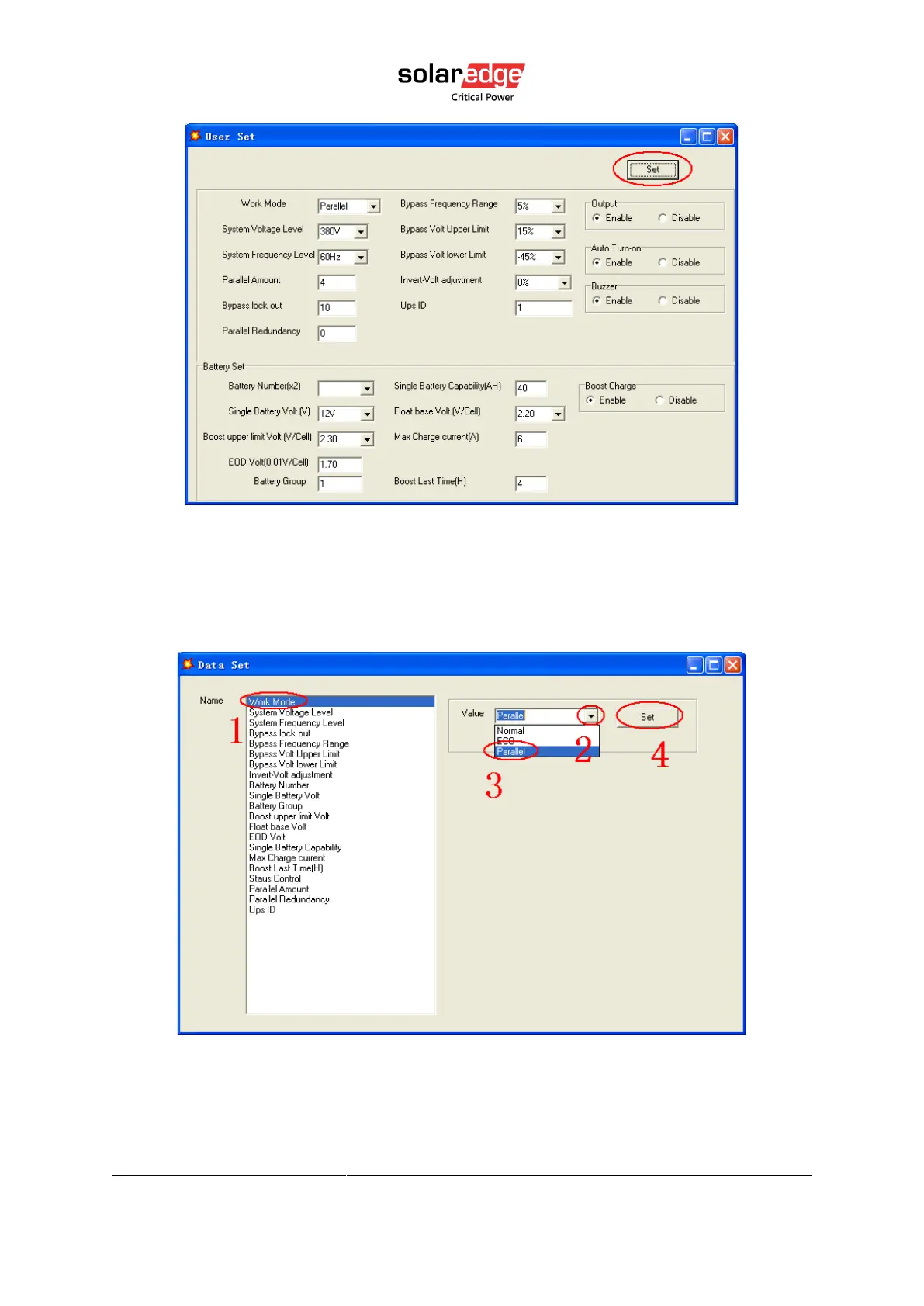
Figure 16 Muser5000 user setting page
• At the window of “Data Set”, click “Work Mode”, choose “Parallel” for the value, then click
“Set” as shown in below picture. If the UPS sounds a “beep”, that means the setting is
correct.
Figure 17 Muser5000 work mode setting page
• At the window of “Data Set”, click “Ups ID”, write a value for the parallel UPS ID at the
right side, such as “1”, then click “Set” as shown in below picture. If the UPS sounds a
“beep”, that means the setting is correct.



 To Next Page