L10US-IB20, L10US-IB40, L10US-IB60 L10US-IB00, L15US-IB40, L15US-IB60 L15US-
IB00, L20US-IB60, L20US-IB00 UPS
4.3.7.1. System setting
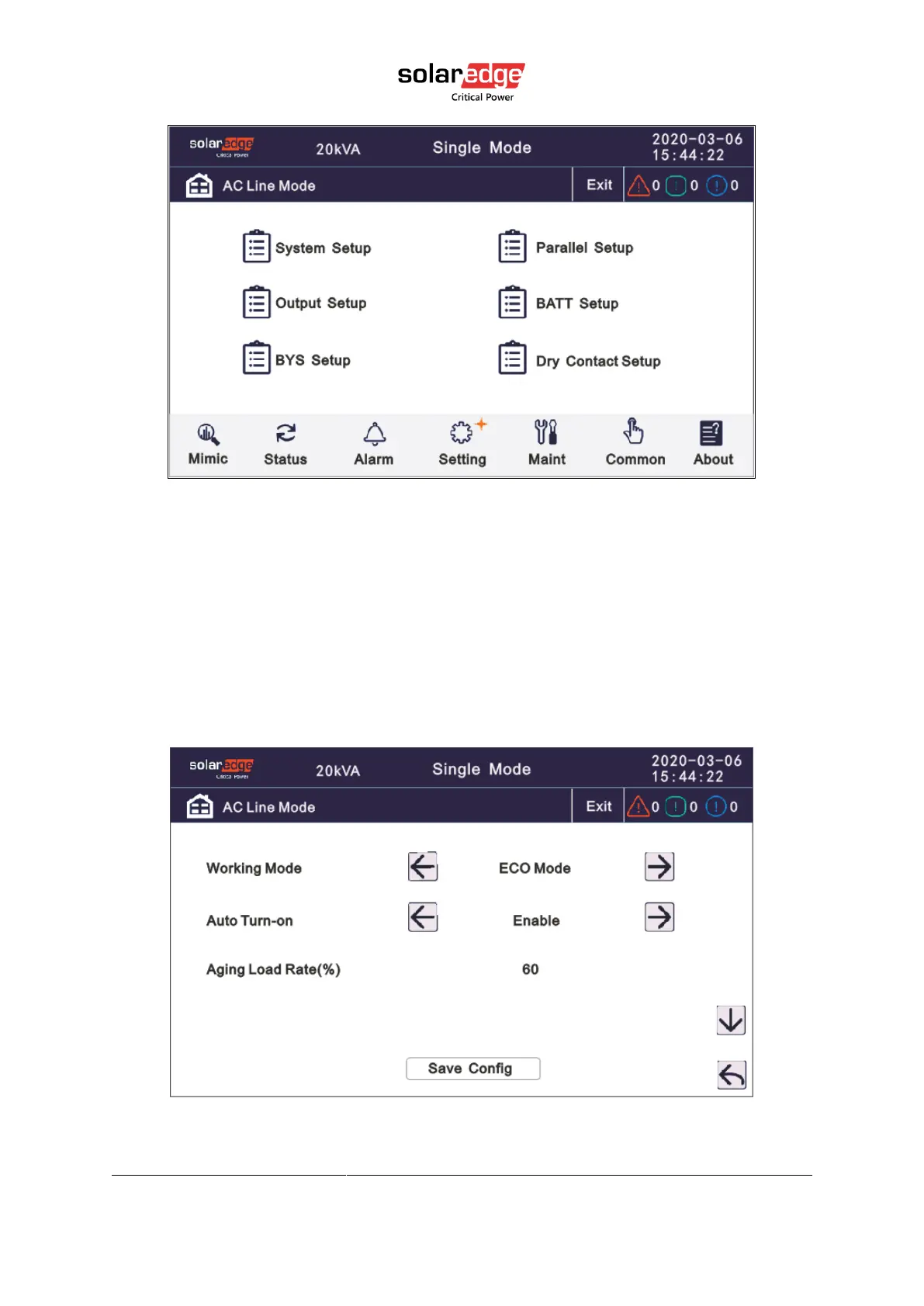
Click the text to select other value or input new value and click save config icon to save.
• Working Mode: Select the work mode of UPS: Single mode, Parallel mode, ECO mode,
Eco + Parallel Machine Mode
• Auto Turn-on: Select the UPS start logic, enable: UPS start inverter output automatic,
Disable: No output.
• Aging Load Rate (%): The value can be 18~100%,default value:60.



 To Next Page