L10US-IB20, L10US-IB40, L10US-IB60 L10US-IB00, L15US-IB40, L15US-IB60 L15US-
IB00, L20US-IB60, L20US-IB00 UPS
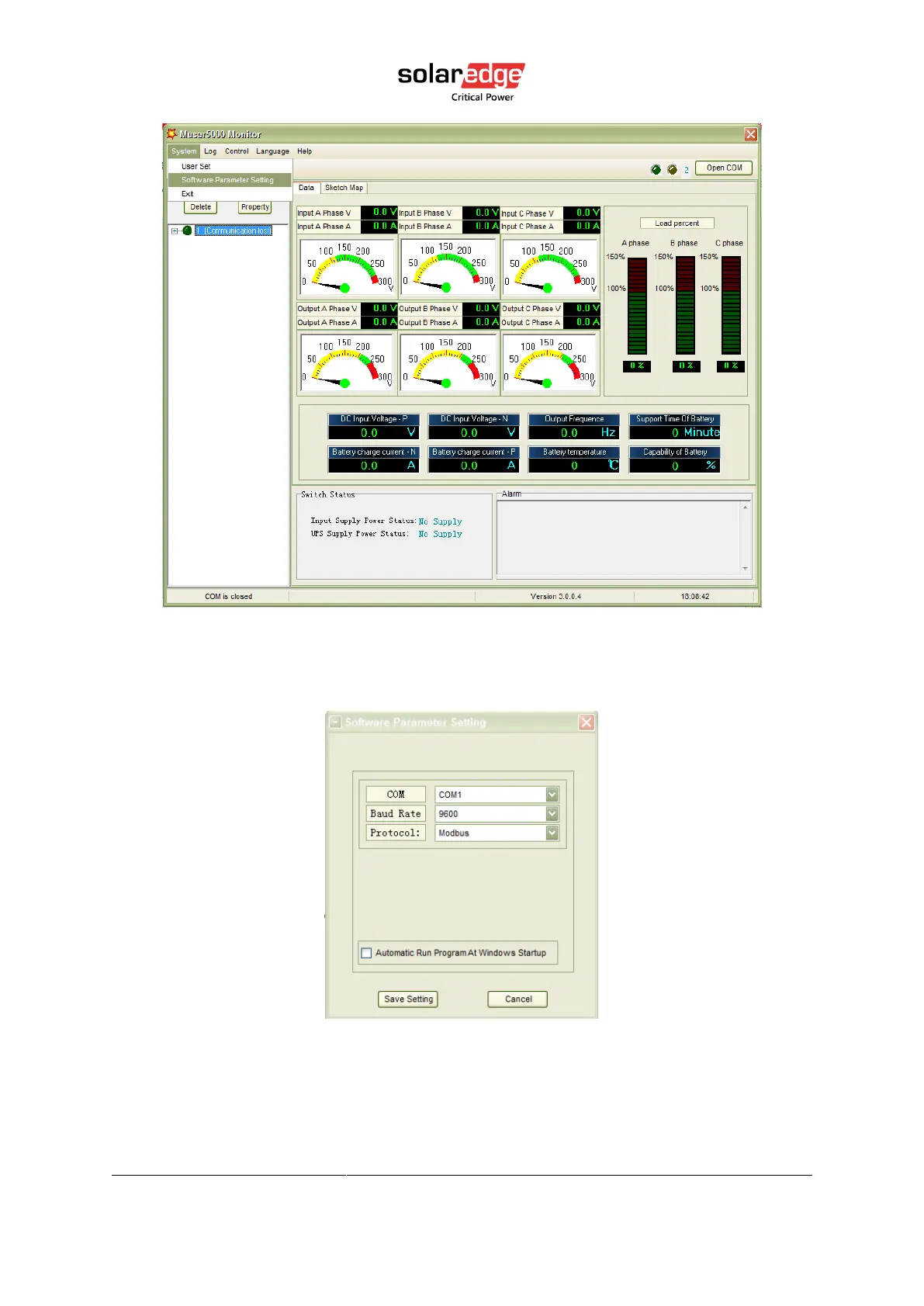
Figure 5 Muser5000 homepage
3. A window of “Software Parameter Setting” comes out as below, COM choose according
to the UPS, baud rate choose 9600, protocol choose “modbus”, then save this setting.
Figure 6 Muser5000 communication setting page
4. On the main page of Muser5000, click the button of “Append”, then goes to a window of
“Append equipment”. Password is YDC3350.



 To Next Page