EasyManua.ls Logo

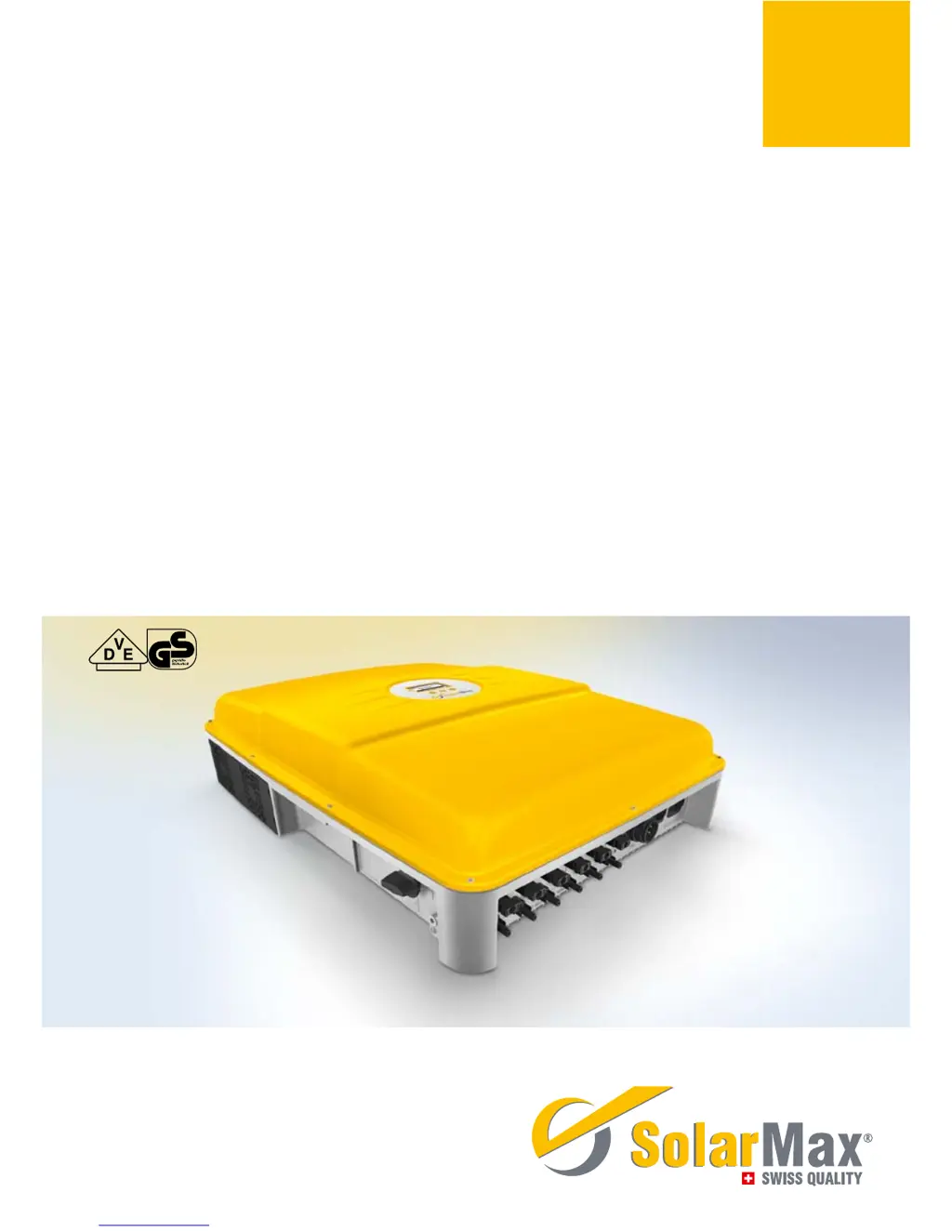
SolarMax 13MT2 - User Manual

SolarMax 13MT2
62 pages
Print Icon
To Next Page IconTo Next Page
Loading...
SolarMax MT-Serie
8MT2 / 10MT2 / 13MT2 / 13MT3 / 15MT2 / 15MT3
Gerätedokumentation n Instruction manual n Documentation d’appareil
n Documentación del dispositivo n Documentazione dell’apparecchio

Table of Contents

Other manuals for SolarMax 13MT2

Questions and Answers

  • A
    anthony86Sep 3, 2025
    What does 'RTC error' mean on SolarMax 13MT2?
    • M
      Matthew HartmanSep 3, 2025
      The 'RTC error' on your SolarMax Inverter indicates that the real-time clock in the inverter is malfunctioning, and the date and time have been reset. If this problem happens frequently, contact the SolarMax Service Centre. Set the time and date correctly.
  • Z
    zimmermandebraSep 2, 2025
    What to do if SolarMax 13MT2 Inverter displays 'Program Firmware'?
    • S
      stephanierussellSep 2, 2025
      If your SolarMax Inverter displays 'Program Firmware', it means the inverter firmware is currently being updated. The inverter automatically resumes mains operation once the firmware update is complete.
  • K
    Karen JenkinsSep 1, 2025
    What causes 'External blocking' on SolarMax Inverter?
    • A
      Amy WilsonSep 1, 2025
      The 'External blocking' message on your SolarMax Inverter indicates a 0% command from MaxRemote, which is coming from the grid operator. You must wait until the grid operator suspends the blocking of the inverter via MaxRemote.
  • Z
    zvelasquezAug 31, 2025
    What does 'Error DC polarity' mean on SolarMax 13MT2 Inverter?
    • L
      ldyerSep 1, 2025
      If your SolarMax Inverter displays 'Error DC polarity', it indicates that one or more DC connections are connected incorrectly. Correct this by ensuring that you connect the DC supplies correctly.
  • A
    aguilarjoeAug 30, 2025
    What causes 'Temperature limitation' on SolarMax 13MT2 Inverter?
    • M
      Mr. Jacob Patton MDAug 31, 2025
      The 'Temperature limitation' message on your SolarMax Inverter indicates that the feed-in power has been temporarily reduced to limit the temperature of the inverter. To resolve this, clean the fan grids and improve ventilation in the operations room.
  • A
    Ashley DouglasAug 30, 2025
    What does it mean if L and N are interchanged on SolarMax Inverter?
    • L
      Lisa GarciaAug 30, 2025
      If your SolarMax Inverter indicates that 'L and N' are interchanged, it means a phase and the neutral conductor are incorrectly connected. To fix this, connect the AC supplies correctly.
  • J
    Joshua HughesAug 29, 2025
    What does 'Burst error' mean on SolarMax 13MT2?
    • B
      Brenda WileyAug 29, 2025
      A 'Burst error' on your SolarMax Inverter means that the inverter disconnected from the grid five times or more on the same day. This warning is displayed for the remainder of the day, and the error counter will reset when the system restarts in the morning. Check your plant’s status logger in MaxWeb xp (if present) or check the grid parameters. If this happens repeatedly, contact our SolarMax Service Centre.
  • E
    Elaine AguirreAug 28, 2025
    What to do if SolarMax Inverter displays 'Vac 10min too high'?
    • A
      Alexander ContrerasAug 28, 2025
      If your SolarMax Inverter shows a 'Vac 10min too high' error, it means the maximum 10-minute average value of the mains voltage at the specified phase is too high. If this problem continues to occur, contact the responsible grid operator.
  • M
    Mrs. Karen RamirezAug 27, 2025
    What to do if SolarMax 13MT2 Inverter shows 'Mains error'?
    • J
      John YangAug 27, 2025
      If your SolarMax Inverter is displaying a 'Mains error', this indicates that the grid has been switched off. If this problem continues to occur, contact the responsible grid operator.
  • E
    Eileen ThomasAug 26, 2025
    What does 'Insulation fault DC' mean on my SolarMax 13MT2?
    • M
      Matthew ThompsonAug 27, 2025
      The 'Insulation fault DC' error on your SolarMax Inverter indicates that the insulation resistance of the PV generator against earth is too low. In this case, you should check the PV generator.

Summary

About this instruction manual

Target Audience, Manual Location, and Symbols

Identifies users, manual storage, and explains symbols.

Symbols on the Inverter

Explains symbols displayed directly on the inverter unit.

Safety Instructions

Appropriate Use and Safety Precautions

Details intended use, dangers, and necessary precautions for safe operation.

Product Description

Inverter Overview, Circuit Diagram, and Dimensions

Explains inverter function, shows circuit diagram, and lists external dimensions.

Installation Guide

Transport, Storage, Siting, and Lightning Protection

Guidelines for handling, placement, and protection against environmental factors.

Scope of Delivery and Installation Procedure

Lists included items and details the physical mounting process.

Electrical Connections Overview

Overview of available connection points for AC, DC, and communication.

Integrated Overvoltage Protection

Details surge arresters on DC and AC sides for protection.

AC Connection Details

Step-by-step guide for connecting AC power cables.

DC Connection Details

Explains DC input connections for MPP trackers and wiring rules.

Status Signalling and External Input Monitoring

Explains status contacts and monitoring of external inputs.

Communication Sockets and Protective Conductors

Describes RJ45 ports and requirements for protective conductors.

External ELCB and Protective Conductor

Information on leakage current sensor and protective conductor requirements.

Commissioning Process

Switching On;Off and Initial Setup

Procedure for powering up, down, and first-time configuration.

Inverter Operation

Graphics Display, Menu Navigation, and Structure

How to use the display, buttons, and navigate menus.

Measured Values and Statistics Access

How to view current data and historical performance logs.

Configuration Settings and Parameters

Details on adjusting operating parameters and advanced functions.

Information Display and Auto Test

Accessing device info and performing grid compliance tests.

Data Communication

Communication Platforms and Interface Configuration

Overview of software, hardware, and interface setup.

Options and Accessories

Accessory Components List

Lists available add-on units like MaxMeteo and MaxDisplay.

Operating Status and Communications

Status Indicators, Booting, and Mains Operation

Explains indicators for inverter status, warnings, and startup/operation phases.

Communications Activity Symbols

Icons indicating data transfer via RS485 or Ethernet.

Troubleshooting and Support

General Troubleshooting, Warnings, and Failures

Guides for diagnosing and resolving common operational issues.

SolarMax Service Centre Contact

Details on how to contact support for technical assistance.

Maintenance

Routine Maintenance and Disposal

Recommended checks and instructions for end-of-life disposal.

Technical Specifications

Electrical Values, Efficiency, and Ambient Conditions

Detailed electrical parameters, efficiency ratings, and operating environmental limits.

Configuration and Country-Specific Settings

Details on configuration parameters and variations by country.

Guarantee and Warranty

Guarantee Terms, Exclusions, and Service

Explains coverage, duration, limitations, and warranty service provisions.

SolarMax 13MT2 Specifications

General IconGeneral
BrandSolarMax
Model13MT2
CategoryInverter
LanguageEnglish

Related product manuals