67
05/08
68
en
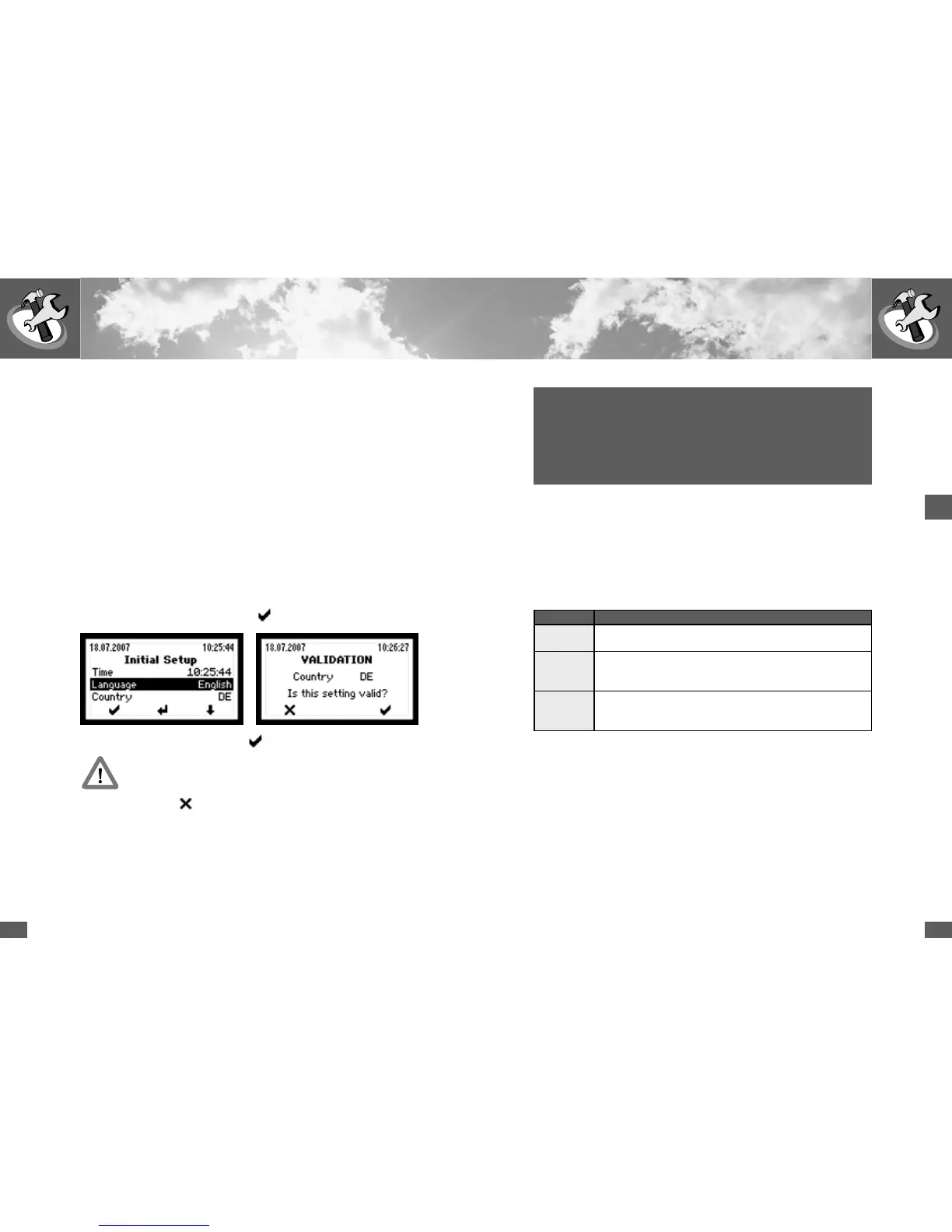
2.8 Initial setup
The “Initial Setup” starts automatically when the inverter is switched on for the
first time. This procedure only has to be completed when the device is commis-
sioned for the first time. To start with, English text appears inviting you to select
the required language. The subsequent setup messages will then appear in the se-
lected language. Then select the installation country. In the third step please check
the date and the time and correct if necessary. The date set here is stored as the
commissioning data and can be retrieved via the “Information” menu. All settings
(apart from the country setting) can be modified later via the “Settings” menu.
The initial setup is still concluded with the
key.
Confirm the installation country with the
key.
Please note: After this confirmation, the selected country can no longer
be changed!
Exit this menu with the
key. “Initial setup” will start again.
Important: The country must match the location of the inverter in order to
ensure that the inverter operates within country-specific limit values.
Correct setting of the country ensures that the inverter operates within coun-
try-specific limit values. If the selected country does not match the actual
installation site the inverter will load incorrect limit values.
This may invalidate the ESC operating licence for the inverter.
2.7 Heat sink temperature limit
For safety reasons the temperature of the heat sink is limited to 80 °C. At ambient
temperatures of more than 45 °C the heat sink temperature may reach 75 °C. In
this event the maximum inverter output is reduced temporarily. If the temperature
rises above 80 °C the device switches off automatically in order to prevent thermal
overload.
2.9 Status signalling contact
The status signalling contact is used for remote monitoring. The potential-free
relay contact enables the status of the inverter to be monitored. The contact is
located at the front of the unit between the DC and AC ports.
The functionality of the status signalling contact can be set in the Settings menu
as follows:
Setting Function
Off The status signalling contacts are deactivated (remain in inactive
state).
Mains In mains mode the NO status signalling contact closes immedi-
ately and is opened again with the set delay as soon as the device
is no longer in feed mode.
Error The NO status signalling contact closes after the set delay time
if a malfunction, fault or alarm occurs during this time. The relay
opens immediately when the fault is no longer present.
The electronic monitoring system is supplied from the solar generator, i.e. the sta-
tus signalling contact is open during the night and when the DC side is switched
off.
The events that may trigger the status signalling contact are listed in Section 4.6
Status messages.



 To Next Page