4 Electrical Connection
4.1 Inverter Connection
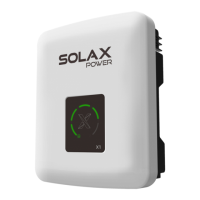
1) The inverter is connected to the DataHub through the RS485. For the connection method of the inverter,
please refer to the inverter installation manual;
2) It is recommended that the number of devices connected to each channel of RS485 is less than 20;
3) The baud rate, communication protocol and verification method of the inverters connected to the same
RS485 port of DataHub must be consistent, and the communication addresses of the inverters must be
consecutive and not repeated.
DataHub
Electricity meter
Inverter InverterInverter Inverter
Inverter InverterInverter Inverter
Inverter InverterInverter Inverter
RS485
RS485
RS485
R 485S
4.2 Installation of RS485
Make sure that RS485+ is connected to DataHub’s RS485+, RS485- is connected to DataHub’s RS485-, RS485 GND
is connected to the GND of DataHub.
φ 2.5mm
0.4-0.5N·m
Pocket Sign Illustrate
+
-
RS485A,RS485Differential signal+
RS485B,RS485Differential signal-
GND
Ground wire
8-10mm8-10mm
Inverter(example)
RS485
RS4 85-1
RS4 85-2
RS4 85-3
RS4 85-4



 To Next Page
 Loading...